−
−
−
To store a speed dial number:
To store a speed dial number during a
call:
Select ‘‘Edit Speed Dial’’ from the
Phone Setup screen.
Select a number on the speed dial
listwhereyouwanttostorethe
number.
Select ‘‘Store Speed dial.’’
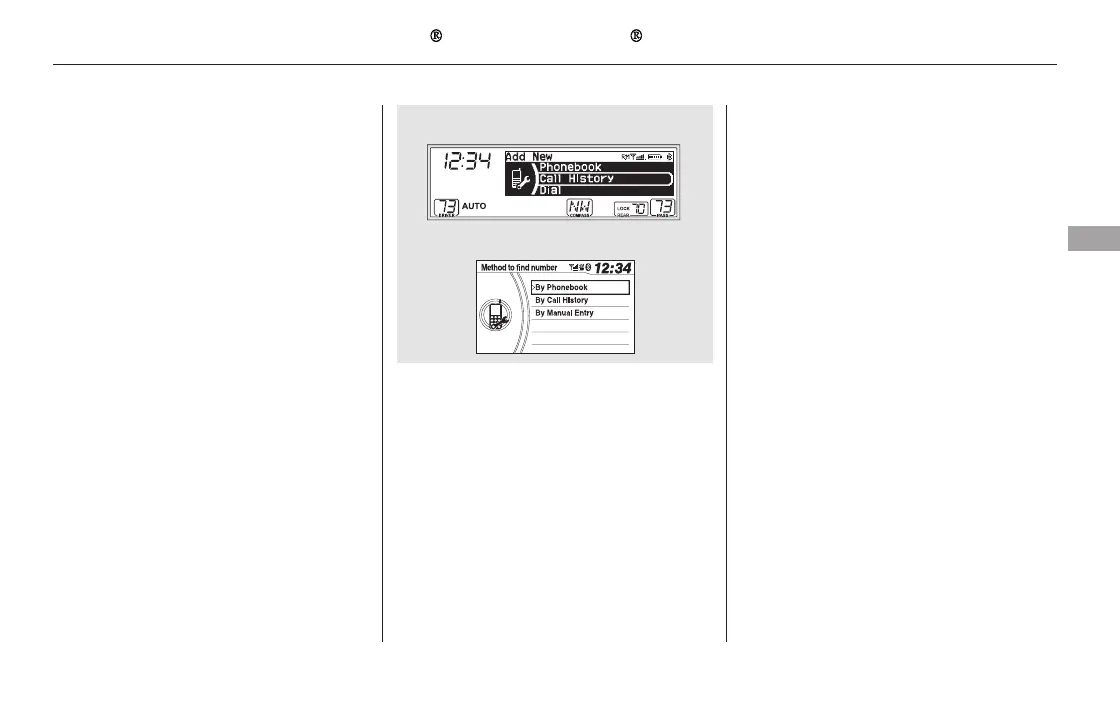
Choose a number:
By Phonebook the linked cell
phone’s imported phonebook
By Call History the last 20
numbers
By Manual Entry manual
number input
When the speed dial number is
successfully stored, you are asked
to store a voice tag for the number
using the TALK button. Follow
the prompts.
When a voice tag is stored for the
entry, you can dial the entry by voice.
Press the TALK button and say
‘‘Call’’ and the stored name.
You can also select speed dial
directly from the Phone screen.
Select a ‘‘No Entry’’ field, and
continue following step 4.
Press and hold the desired audio
preset button during a call.
The contact information for the
active call will be stored for the
preset button.
You can also store a speed
dial number through the ‘‘Speed
Dial’’ option on the Phone screen.
2.
4.
1.
3.
5.
1.
2.
CONTINUED
Bluetooth
HandsFreeLink (Models without navigation system)
Features
455
NOTE:
U.S. EX and Canadian LX models
EX-L and Canadian EX models
11/08/01 09:35:09 31SZA630_462













 To Next Page