*
*
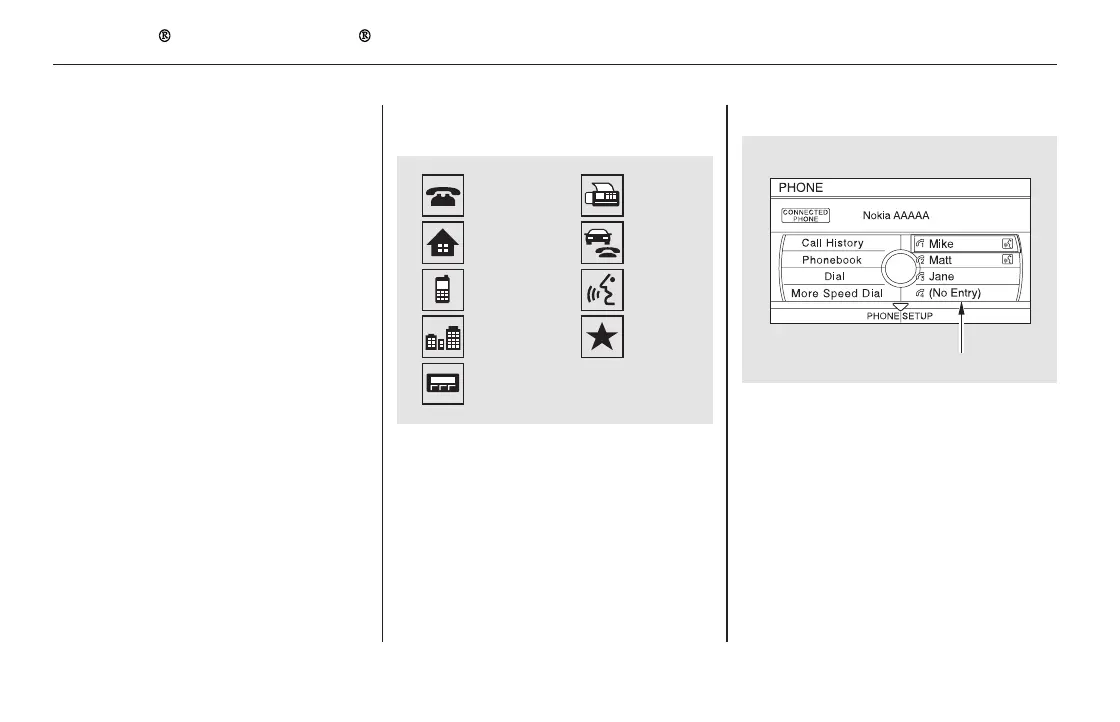
Up to three category icons appear
next to the phonebook entries .
These indicate how many numbers
are stored for the name. If a name
has more than three category icons,
‘‘…’’ is displayed.
Availableonsomephones
Select a ‘‘No Entry’’ field to store a
speed dial entry, or use the following
procedure.
Up to 20 speed dial numbers can be
stored per phone name, and the first
four numbers are displayed on the
Phone screen.
When your phone is paired, the
contents of its phonebook and call
history are automatically imported to
HFL.
:
(available on some phones)
Edit Speed DialAutomatic Import Cellular
Phonebook and Call History
Bluetooth
HandsFreeLink (Models with navigation system)
476
Preference
Home
Mobile
Work
Pager
Voice
Car
Fax
Other
The first four speed dial entries.
11/08/01 09:39:19 31SZA630_483













 To Next Page