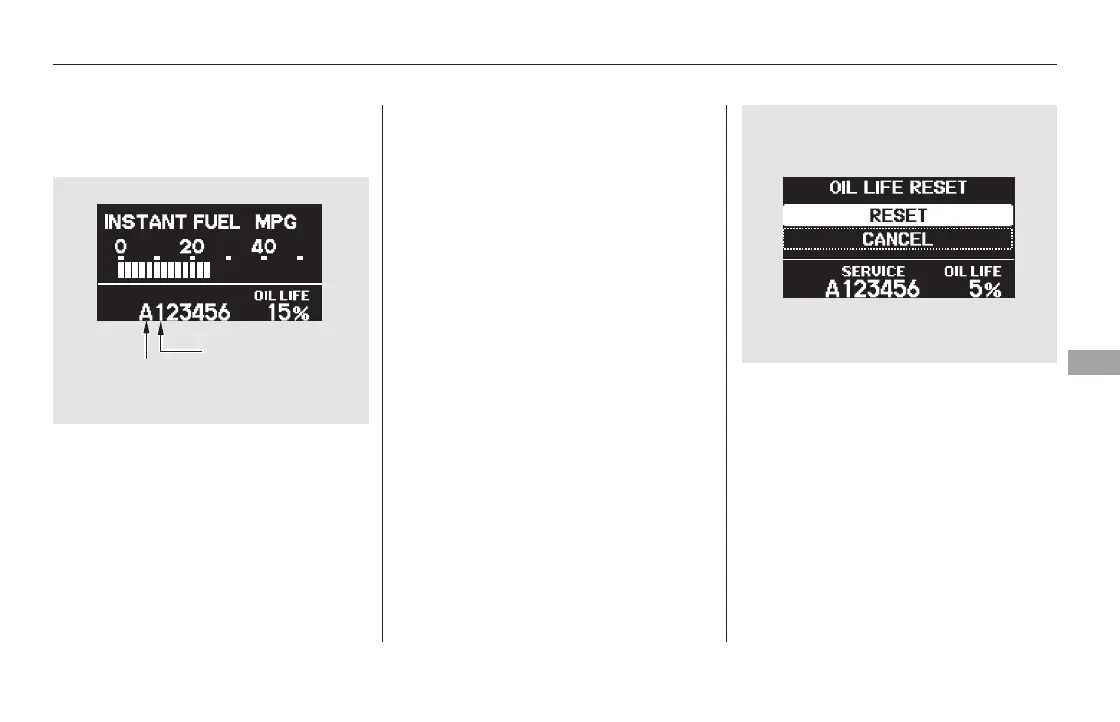
Press and hold the SEL/RESET
button on the steering wheel for
more than 10 seconds. The
remaining engine oil life reset
mode will be shown on the multi-
information display.
All maintenance items displayed on
the information display are in code.
For an explanation of these
maintenance codes, see page .
Your dealer will reset the display
after completing the required
maintenance service. You will see
‘‘OIL LIFE 100%’’ on the display the
next time you turn the ignition
switch to the ON (II) position.
If maintenance service is done by
someone other than your dealer,
reset the Maintenance Minder as
follows:
Turn the ignition switch to the ON
(II) position.
Press the SEL/RESET button on
the steering wheel until you see
the engine oil life display.
1.
2.
3.
573
CONTINUED
On Touring models On Touring models
Maintenance Main Items and Sub
Items
Resetting the Engine Oil Life
Display
Maintenance Minder
Maintenance
569
MAINTENANCE
MAIN ITEM
MAINTENANCE
SUB ITEM(S)
U.S. model is shown.
TM
11/08/01 11:03:43 31SZA630_576













 To Next Page