ifm Vision Assistant O3M
10
4 Start page
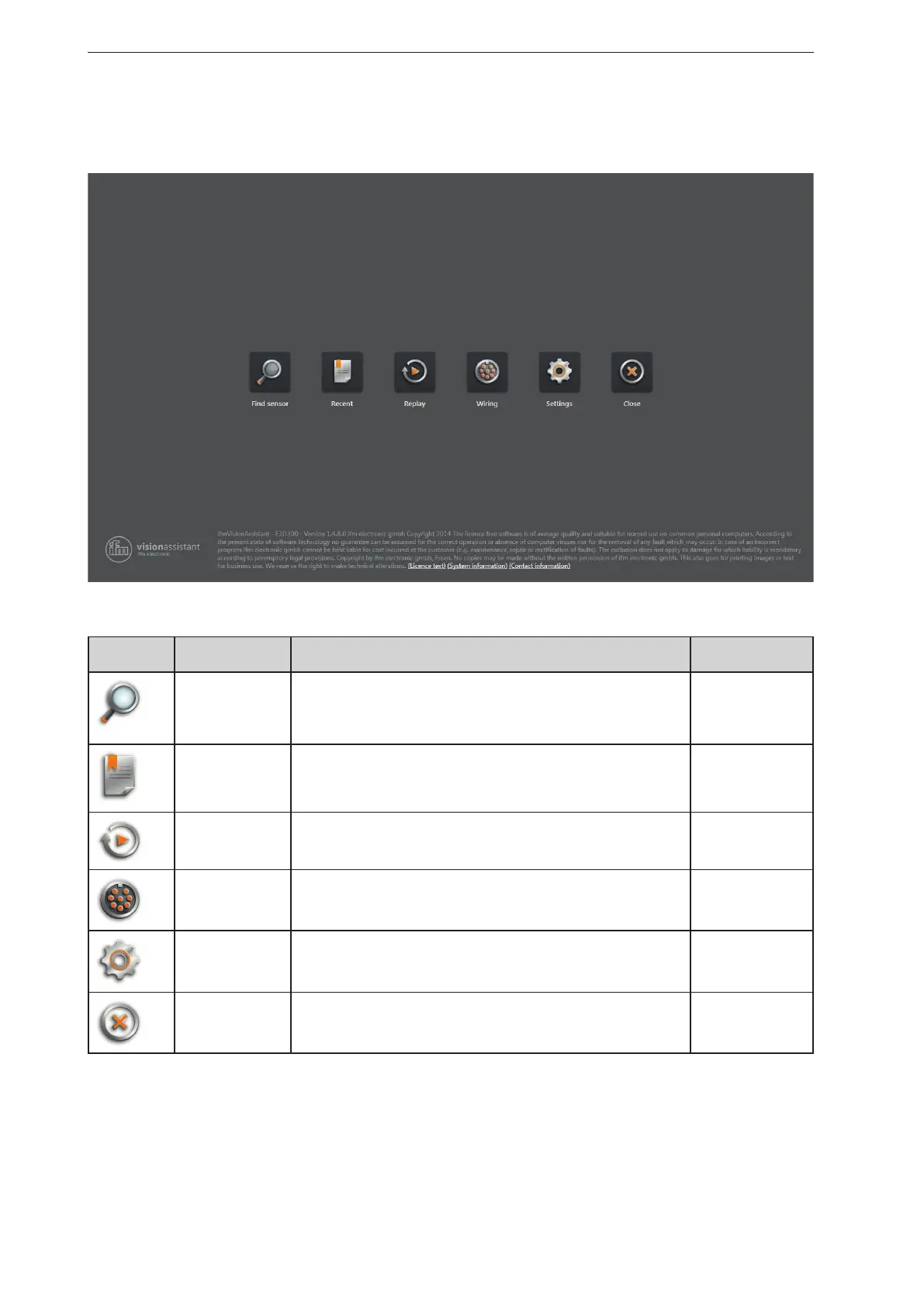
On the start page, the basic functions of the ifm Vision Assistant can be selected.
Basic functions of the start page:
Symbol name Function The device must
be connected
Find sensor Connection with the new added device.
Searches for connected devices and displays a selection list of the
devices found (→ „4.1 Find sensor“).
yes
Recent Connection with the device that has connected itself successfully once
before.
Opens a selection list of the devices which have been connected
before (→ „4.2 Recent“).
yes
Replay Plays recorded sequences (→ „4.3 Replay“). no
Wiring Display of the wiring of the voltage supply.
The display is used to simplify the connection during set-up
(→ „4.4 Wiring“).
no
Settings Language and image mode setting of the user interface
(→ „4.5 Settings“).
no
Close Quits the ifm Vision assistant. no


 To Next Page