ifm Vision Assistant O3M
72
10.1.1 Pixel properties
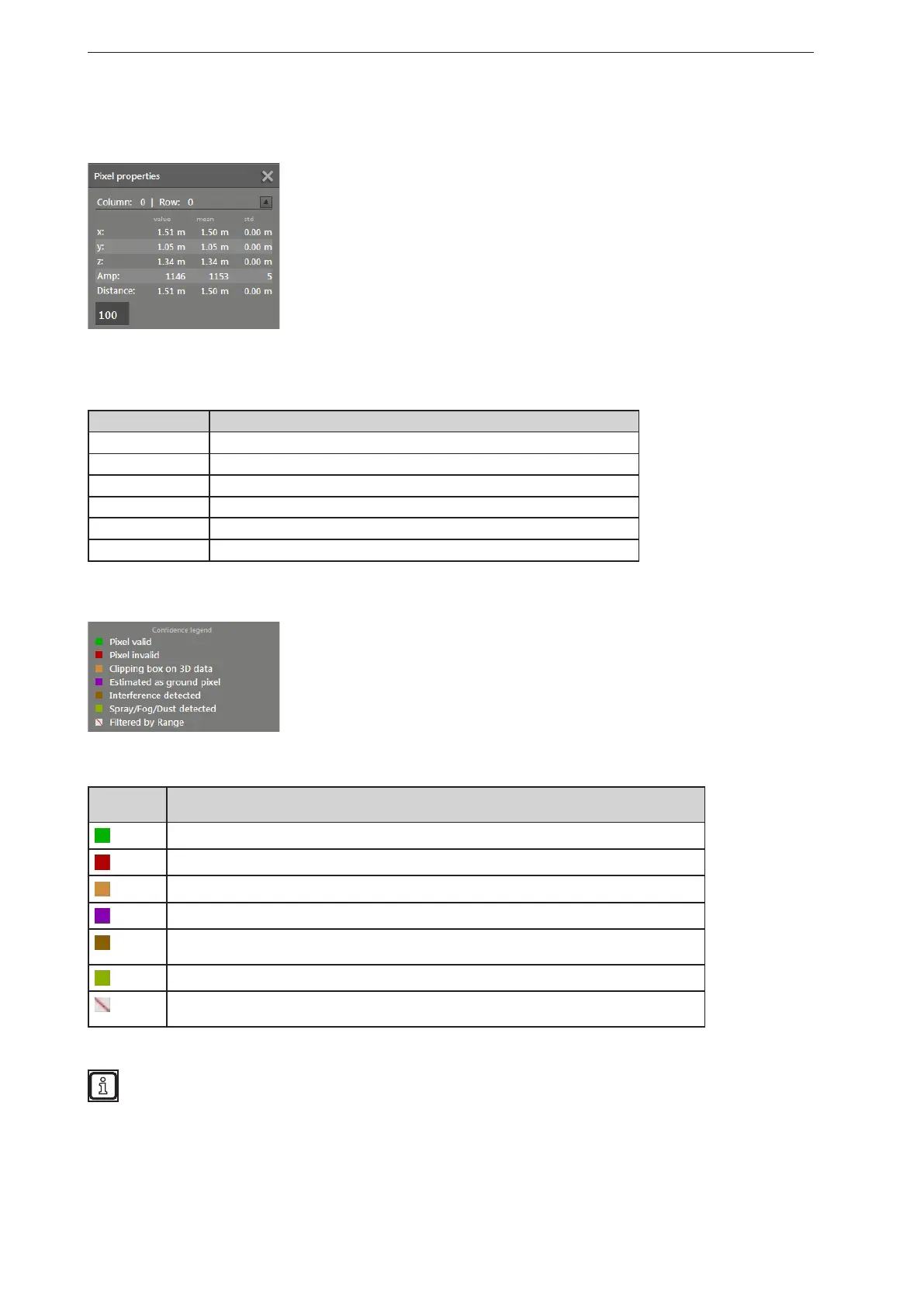
In the 2D view, the properties of a selected pixel can be displayed.
In the figure above, the pixel in column 0 and row 0 is selected.
The pixel properties contain the following values of a pixel:
Field Pixel property
Column | Row Column and row number
x x coordinates Measured value, average value and deviation [m]
y y coordinates: Measured value, average value and deviation [m]
z z coordinates: Measured value, average value and deviation [m]
Amp Amplitude
Distance Distance
In the pixel properties, the legend of the pixel status indication is also explained.
In the pixel status indication, a pixel can have one of the following statuses:
Pixel
status
Description
Pixel valid
Pixel invalid, e.g. signal too strong or too weak
Pixel is within the range of spatially filtered data (→ „10.11 Measuring range“)
Pixel estimated as ground pixel
Pixel interference detected, e.g. caused by adjacent devices (→ „10.8 Modulation frequency
mode“)
Spray/fog/dust detected (→ „10.5 Detection of spray/fog/dust“)
Pixel filtered by distance. The pixel is outside the set distance. The distance is set in the view
options (→ „6.1 View Options“)
The legend of the pixel status indication is only valid for the pixel status indication.



 To Next Page