71
ifm Vision Assistant O3M
UK
10.1 Live image display
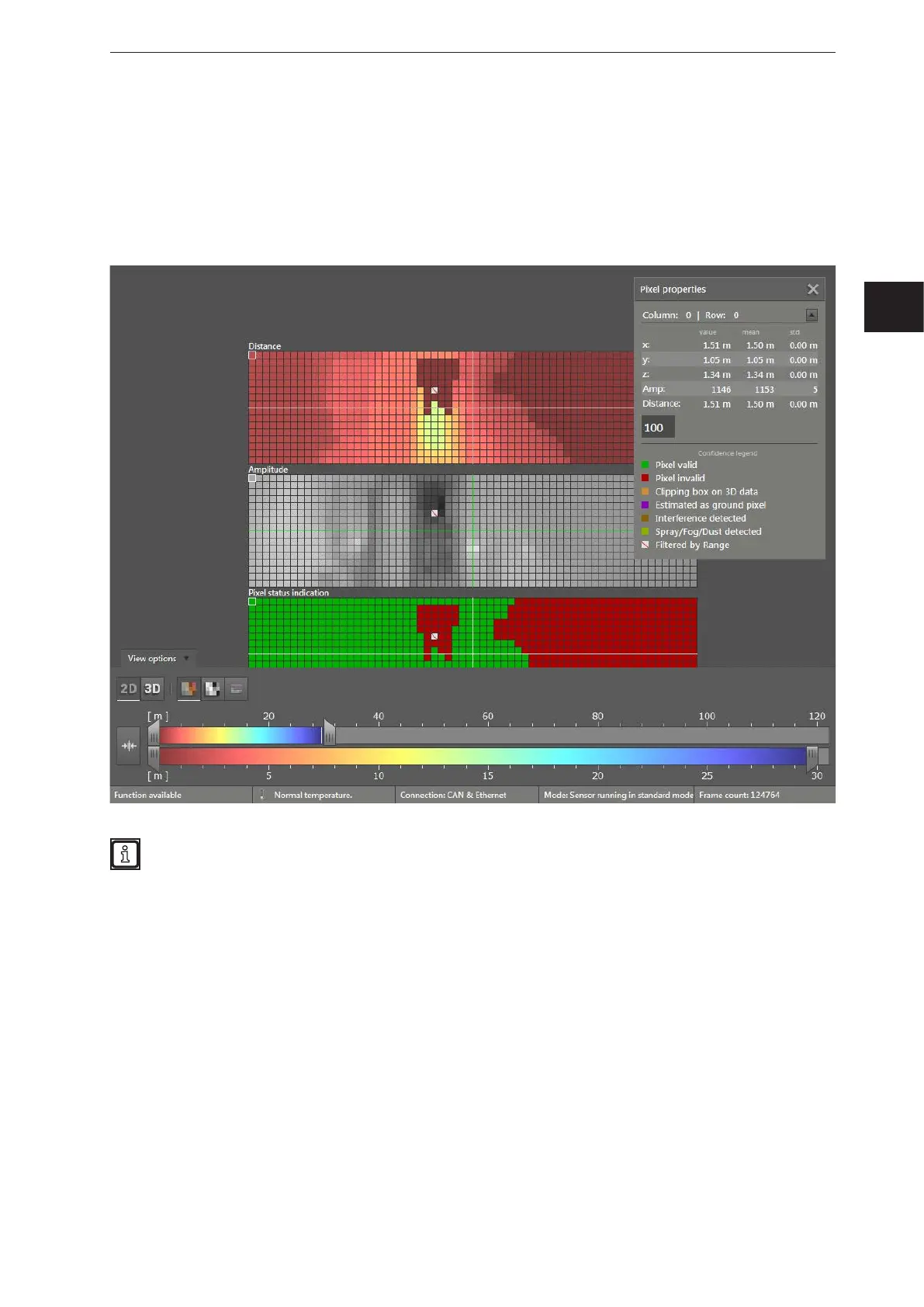
The live image display shows the live image of the device in 2D or 3D. In the default 2D view, the live
image in the three views is displayed simultaneously:
● Distance: The pixels are shown in colour depending on the distance value.
● Amplitude: The pixels are shown in shades of grey depending on the amplitude value.
● Confidence: The pixels are displayed in accordance with the legend of the pixel properties.
In the view options, it is possible to change between a 2D and 3D view. The "view options" are
described in chapter (→ „6.1 View Options“).



 To Next Page