ifm Vision Assistant O3M
138
15.2.1 Generate example
This function is intended for users who have no or little experience in creating output logics.
► Click [Generate example].
> An output logic suitable for the sensor parameterisation is generated as an example.
15.2.2 Place new logic module in main area
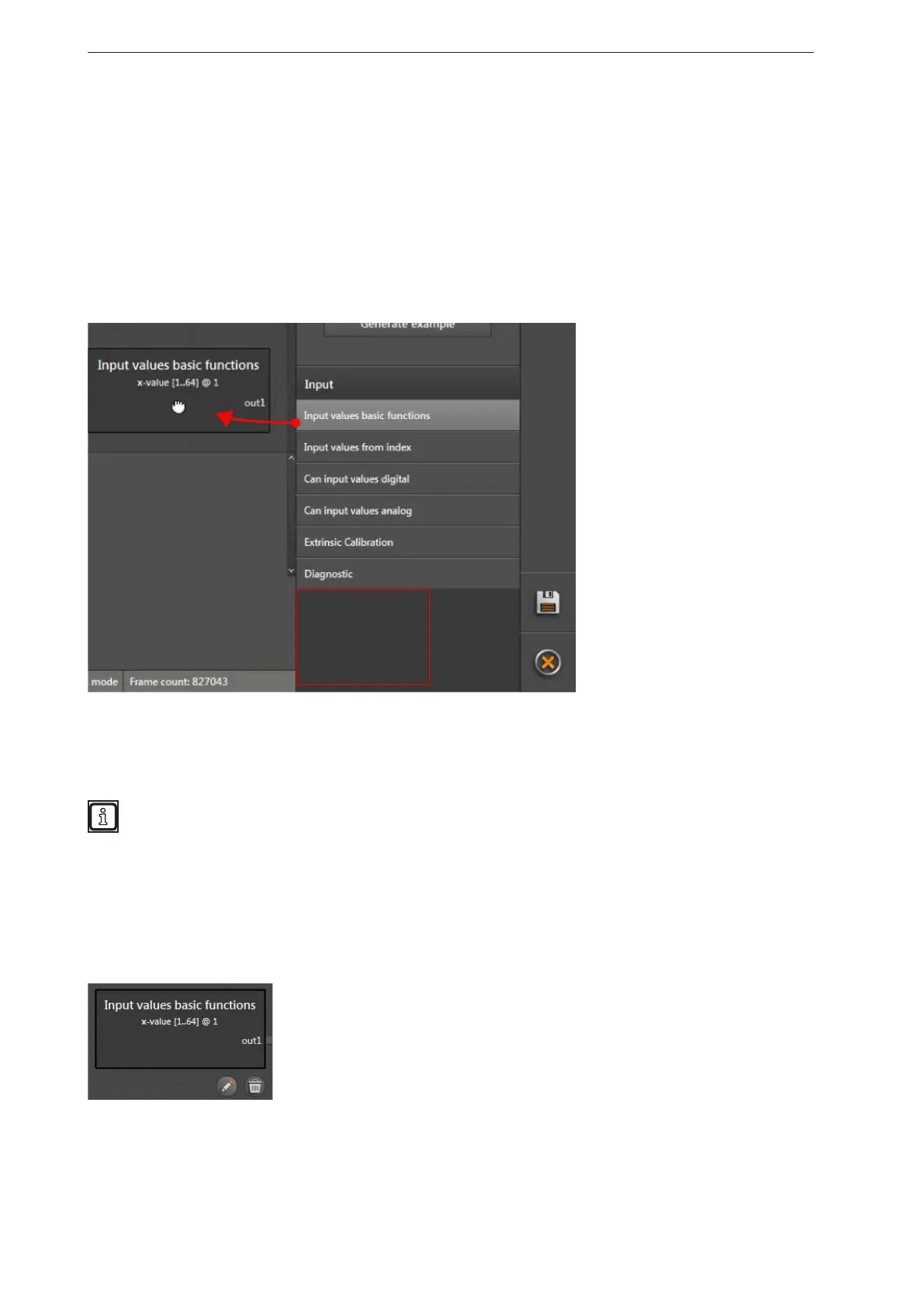
► Click on the module in the selection area and keep the mouse button pressed.
► Hold the mouse button down to drag & drop the module at the requested position.
> The module is placed in the main area. The module can be moved to any position in the main area
using drag & drop.
> Each module has at least one pin to connect further modules.
The number of outputs used simultaneously is limited. An error message appears if modules with
further outputs are placed and the capacity is exceeded.
15.2.3 Delete a module
► Click on the module.
> In the bottom right corner of the module a recycle bin is displayed.
► Click on recycle bin.
> The module and the connection, if any, to another module are deleted.


 To Next Page