11
ifm Vision Assistant O3M
UK
4.1 Find sensor
With this function, it is possible to search for the connected devices or to establish a manual connection
with a connected device.
► Ensure that the device and the PC are ready for operation and that there is a CAN bus and Ethernet
connection.
> If the device is neither connected via CAN bus nor via Ethernet, only a restricted 3D visualisation is
possible and the connection is not automatically established.
> If the device is connected via Ethernet and not via CAN bus, no parameters can be written to the
device. Only monitoring is possible.
If possible, always connect the device both via CAN bus and Ethernet. Otherwise, functionality
is restricted. This documentation assumes that the device is connected via both CAN bus and
Ethernet.
The following ports must be open (if necessary, adjust the settings of the firewall):
● UDP: 42000
4.1.1 Direct search
► Click .
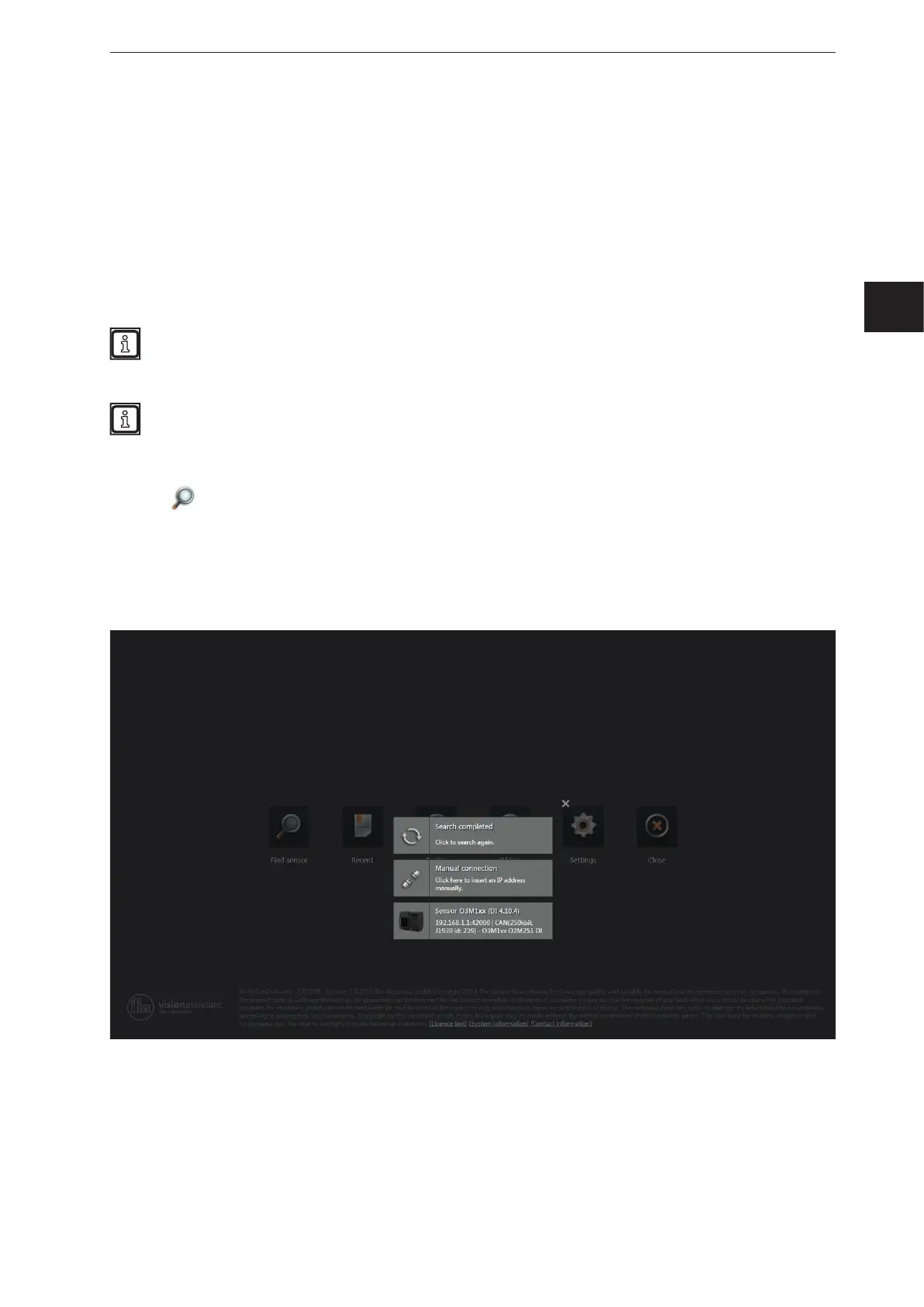
> The ifm Vision Assistant searches for connected devices via the Ethernet connection.
> All devices found are shown in a list for selection. If there is a CAN bus connection, the CAN settings
are shown additionally.
► Click on the button of the found device in order to establish connection.
► If the ifm Vision Assistant does not find a device automatically:
● Check if the device is correctly connected and ready for operation and click on [Search completed]
to start a new search.
● Connect the device directly with the PC without any additional network devices in the connection
(e.g. router).
● Click on [Manual connection] and enter the connection settings manually
(→ „4.1.2 Manual connection“).


 To Next Page