ifm Vision Assistant O3M
86
11 2D overlay
The 2D overlay is a function which is available for each firmware.
Some functions of the 2D overlay require a specific type of firmware
(→ „7.1.3 Firmware update“).
The 2D overlay is only available for the O3M2xx devices.
The 2D camera of the O3M2xx displays a 2D image of the application. With the 2D overlay, the output
of the 2D image can be set. Additionally, the following elements can be shown as an overlay in the 2D
image:
● Graphics (logos, warning symbols, etc.)
● Text (system status, distance information, etc.)
● Vectors (ellipses, polygons, polylines)
Each element has its own ID. The visibility of the elements can be adjusted in many ways.
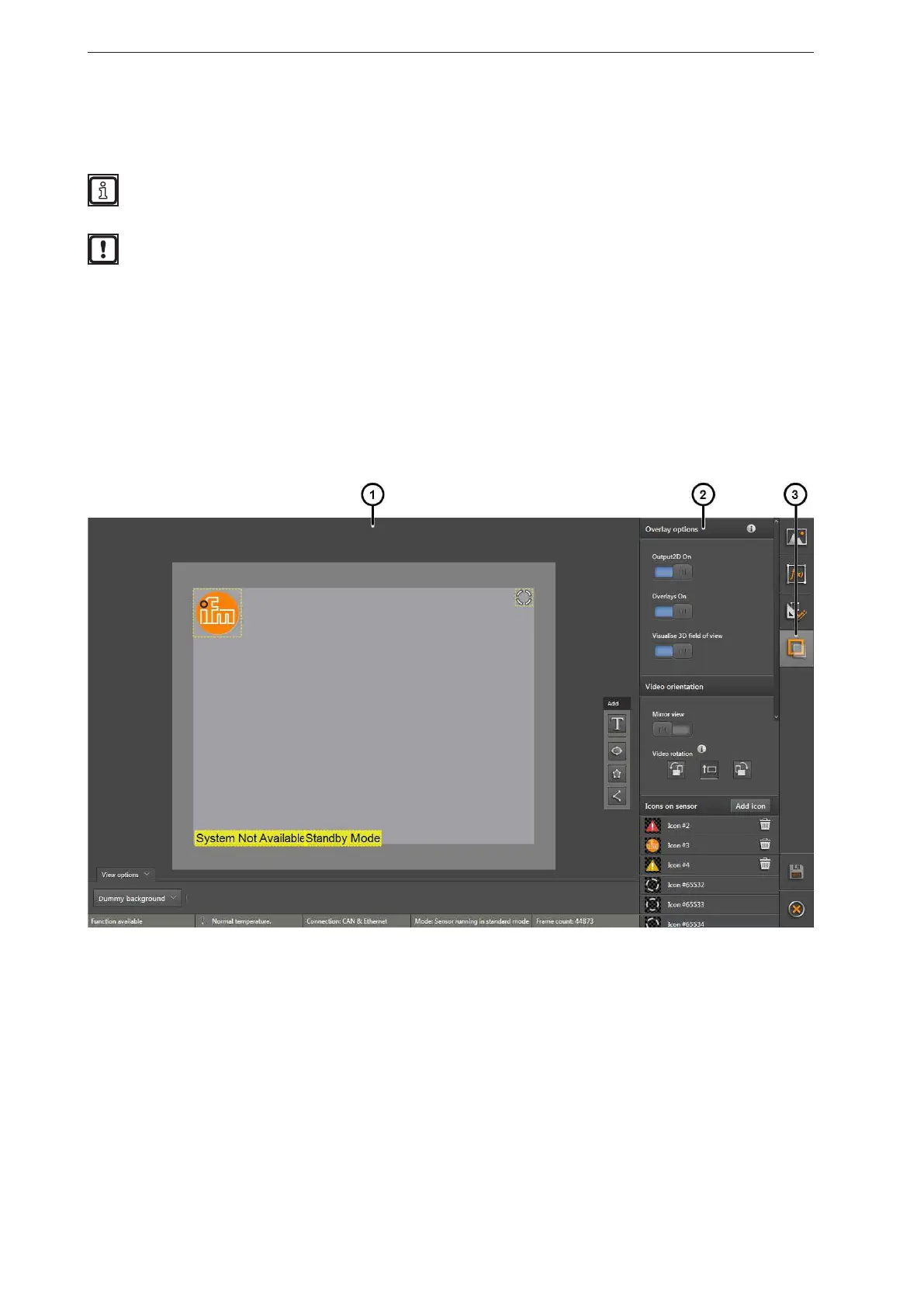
The 2D overlay is divided into three areas:
1: Preview of the 2D overlay
2: Settings: Functions



 To Next Page