65
ifm Vision Assistant O3M
UK
9.7.1 Normal mode
In the normal mode, the angle of pitch and the angle of rotation can be set. The angle of roll is not
specified.
It is best to mount the device with an angle of roll of 0 degrees.
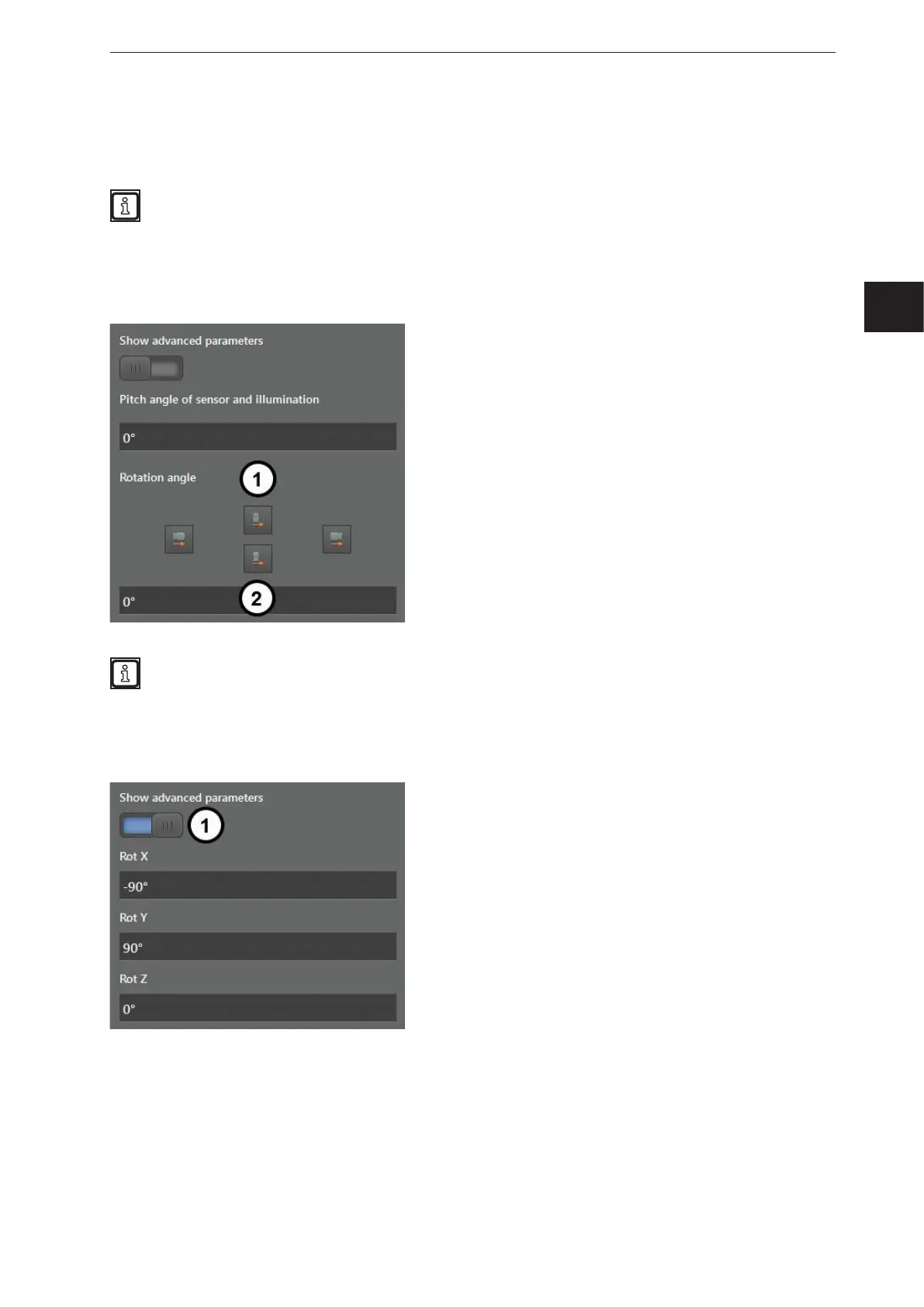
The angle of pitch is set in degrees in the field "Pitch angle of sensor and illumination".
The angle of rotation is set via the four buttons (1). The arrows on the four buttons indicate the driving
direction of the vehicle. The camera that is shown above the arrows shows the device's direction of view.
In the input box (2), the angle of rotation can be set precisely.
The angle of roll is determined and corrected automatically if the automatic calibration function is
later used (→ „9.8 Automatic calibration“).
9.7.2 Expert mode
The switch (1) is used to activate the expert mode. In the expert mode, the rotation of the device is
entered separately for the X, Y and Z axis in the world coordinate system.
The image shows three input boxes for the rotation of the device. Depending on the orientation of the
sensor, the input boxes already contain values (→ „9.4 Position of the device“). With the values, the
overall rotation is calculated.



 To Next Page