ifm Vision Assistant O3M
92
The available conditions depend on the installed firmware (→ „7.1.3 Firmware update“).
The following conditions are available in each firmware:
● Static
● Operation Mode
● Availability
● Digital I/O
Clicking on
deletes the live ticker. The live ticker can be restored.
To restore the live ticker, click on an icon of the live ticker in the selection. The mouse pointer turns
into a cross hair. Then, the live ticker in the 2D overlay is shown in the "Preview of the 2D overlay".
11.3 Variant options of the OD firmware
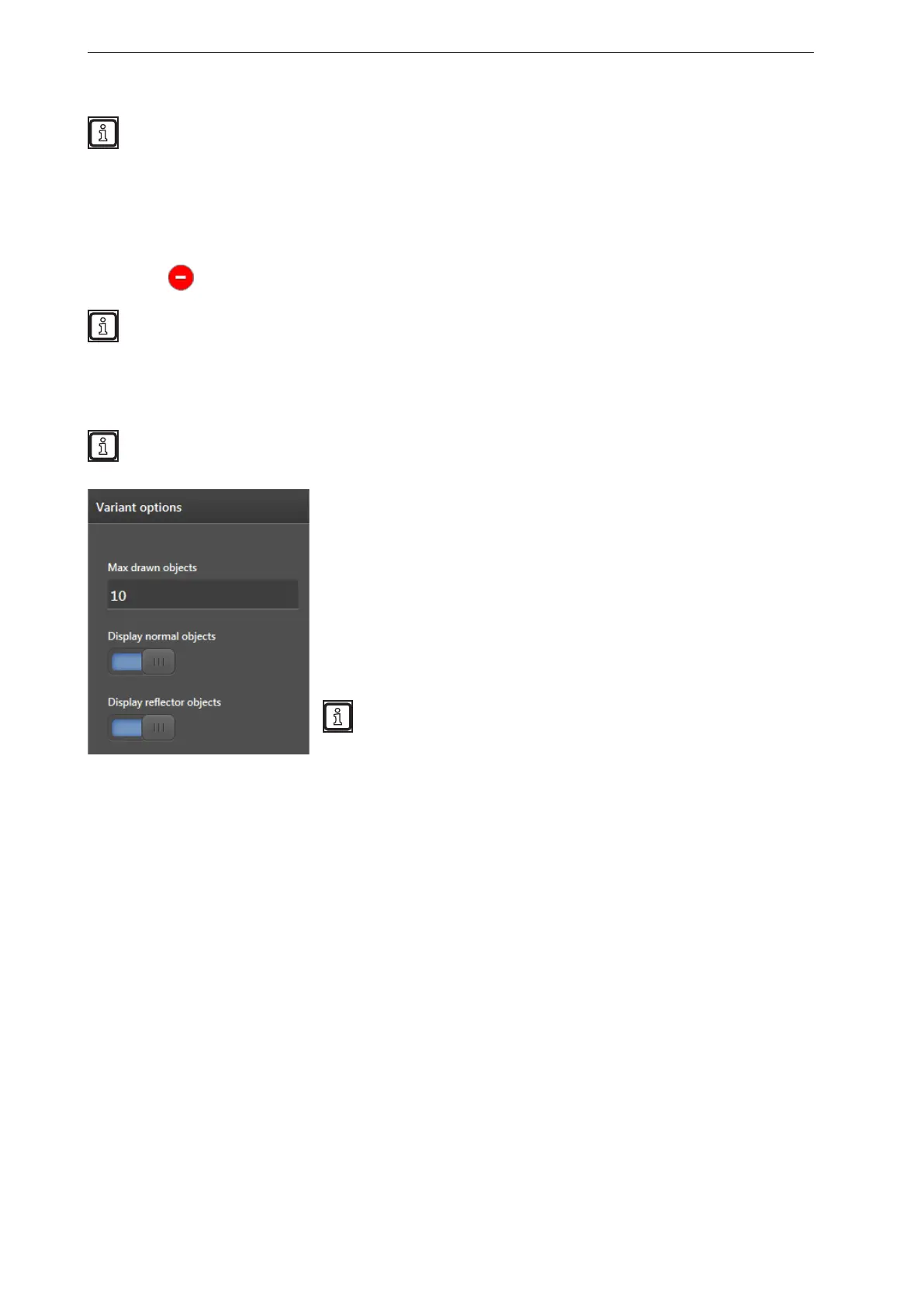
The variant options contain options to display 3D objects in the 2D overlay.
The available options depend on the installed firmware (→ „7.1.3 Firmware update“). The following
options require the OD firmware object detection.
In the field "Max. drawn objects", the maximum number of normal
objects and reflector objects which are simultaneously indicated with
the 2D overlay can be entered. If more objects are recognised as are
specified in the "Max drawn objects" field, the objects at the shortest
distance will be indicated with priority. If "Display reflector objects" is
activated, reflector objects are shown with priority.
The switch "Display normal objects" activates the visualisation of
normal objects in the 2D overlay.
The switch "Display reflector objects" activates the visualisation of
reflector objects in the 2D overlay.
For the visualisation of reflector objects in the 2D overlay, the 3D
reflector recognition must be active. The 3D reflector recognition
can be activated in the object recognition application.



 To Next Page