35
ifm Vision Assistant O3M
UK
6.1.4 Slider bar
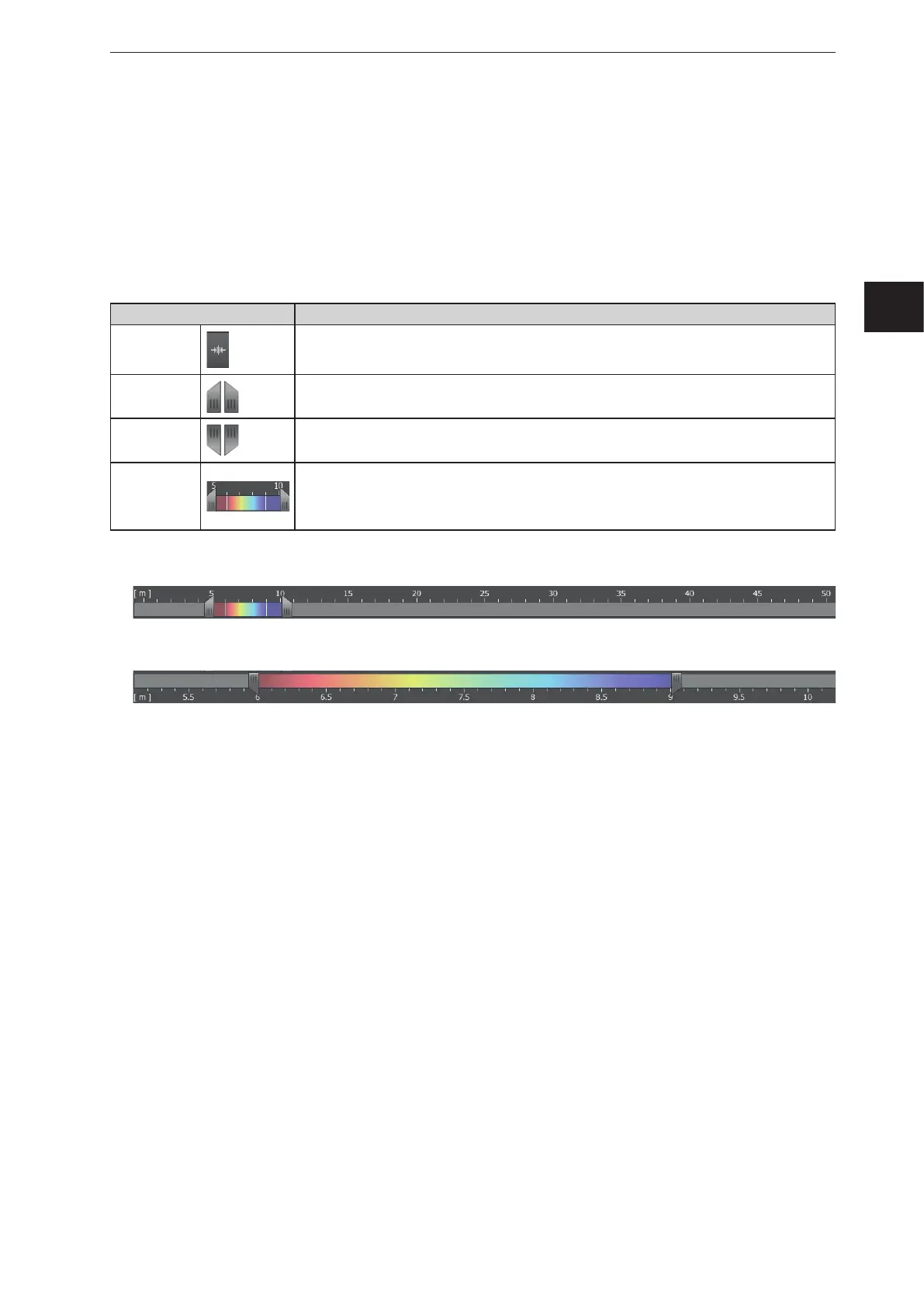
With the slider bar, the colour range of the display can be set manually. The results of the application are
not changed by it.
● Distance image: Measuring range in metres (from-to)
● Amplitude image: Measuring range in amplitudes (from-to)
Setting the colour range
Operating element Description
Automatic
range
selection
The button sets the colour range automatically to an appropriate area. The settings of the slider
bars are dismissed.
Upper
slider bar
With the upper slider bar, the colour range for the distance or amplitude image can be roughly
set.
Lower
slider bar
With the lower slider bar, the set colour range can be fine-adjusted.
Colour range
The set colour range can be shifted using the left mouse button without changing the size of the
range.
The vertical white lines within the colour range indicate the colour range that is fine-adjusted
with the lower slider bars.
► The upper slider bar can be set to the required colour range.
► Set the lower slider bar to fine-adjust the colour range.
> The scale of the lower slider bar corresponds with the colour range that is set above.



 To Next Page