ifm Vision Assistant O3M
66
Z
X
R_x
R_y
R_z
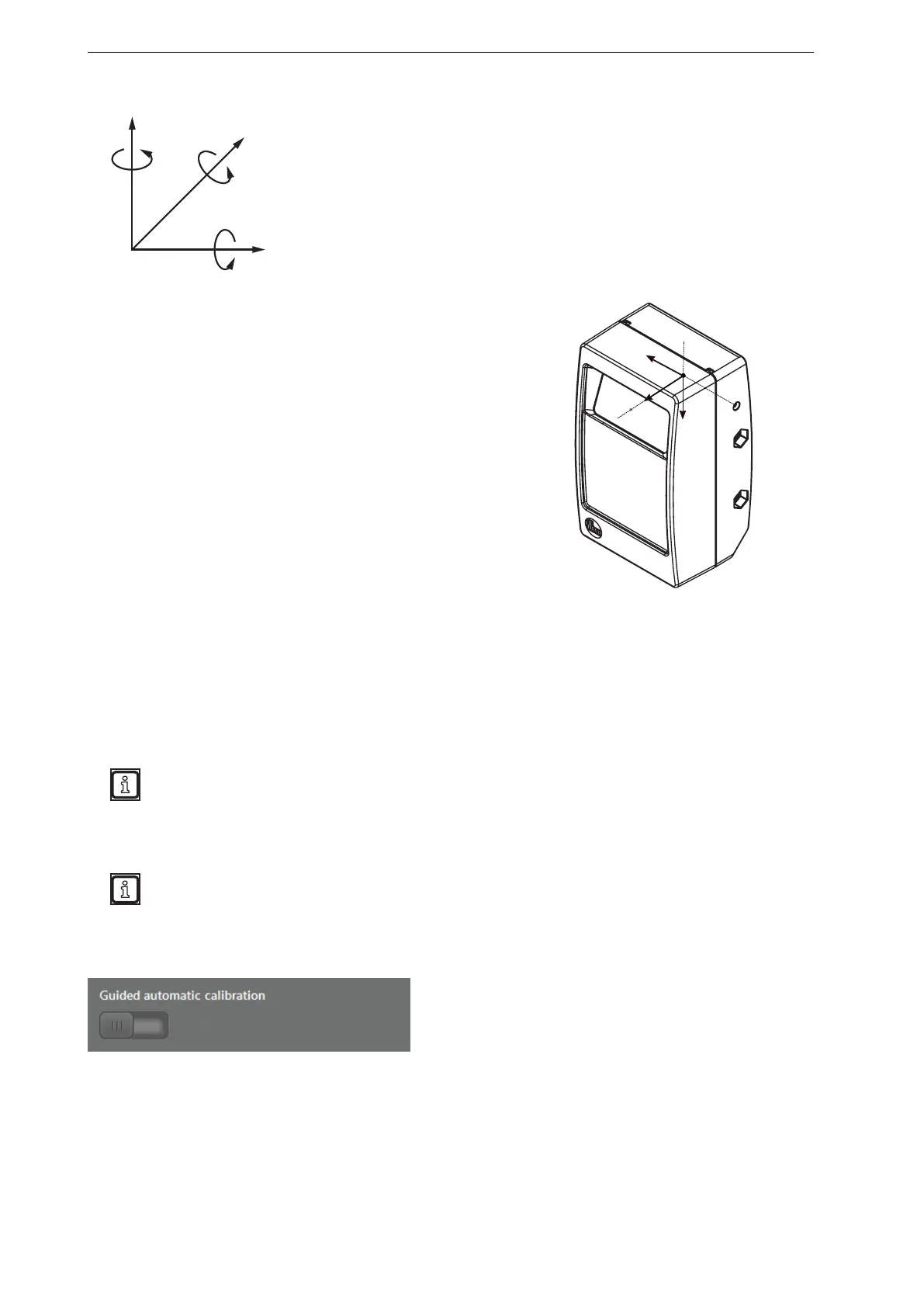
The overall rotation is calculated by multiplying the rotation matrices. The
rotations around the X, Y and Z axis are described by the rotation matrices
R_x, R_y and R_z. The rotation matrices R_x, R_y and R_z are formed
internally from the Euler angles that are entered in the input boxes.
The indices x, y and z describe the axis of rotation in the coordinate
system of the device. The overall rotation R of the device coordinate
system into the world coordinate system is defined as matrix multiplication:
R = R_x * R_y * R_z
The figure on the right shows the coordinate system of the device
originating from the reference point. The definition of the coordinate
axes is necessary for the configuration of the expert mode.
9.8 Automatic calibration
The device can be calibrated automatically in the world coordinate system. Especially setting the
orientation angle of the device is simplified by the automatic calibration.
For the automatic calibration, the following conditions must be met:
1. The origin of the world coordinate system must be placed on a plane.
2. Plane must be adjusted so that it covers a large part of the visible 3D image panel.
The automatic calibration is also possible if the origin of the world coordinate system is not on the
plane. Then, the height of the device is set to the reference level and, after the automatic calibration,
again referred to the actual world coordinate system.
3. If the automatic calibration is carried out for the first time, the position and the rotation of the device
must be set and stored manually.
Necessary accuracy for the manual setting of the position and the rotation:
● Height estimation above the plane: approx. +-0.5 m
● Angle of pitch: approx. +-10%
If the conditions are met, the automatic calibration can be released with the illustrated button.



 To Next Page