141
ifm Vision Assistant O3M
UK
15.2.5 Connect modules
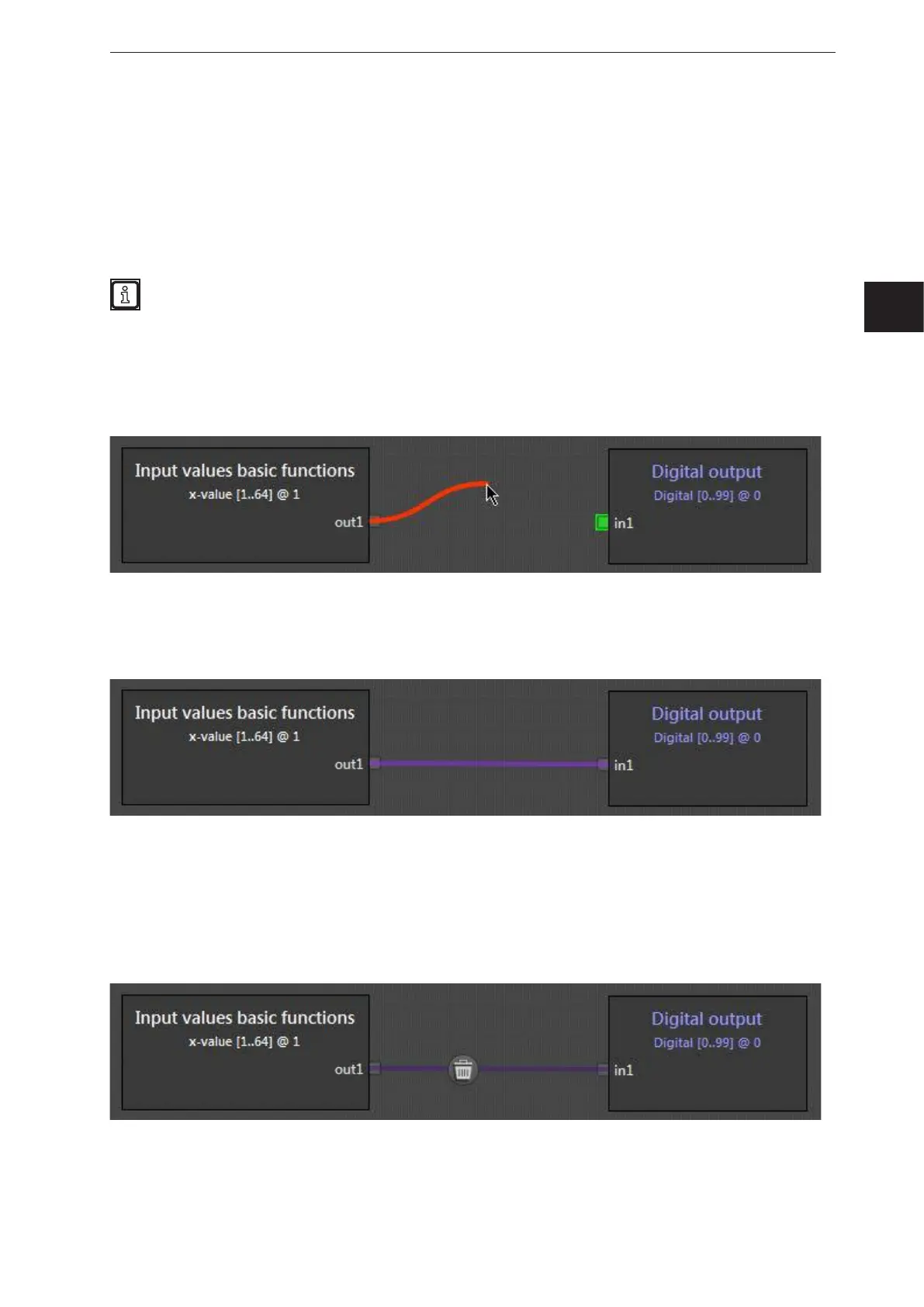
► Set the mouse pointer to the output pin at the right edge of the module.
► Keeping the mouse button pressed, drag the mouse pointer out of the output pin.
> Free usable input pins are displayed in green.
– Only one signal can be assigned to each input pin.
– An output pin can be assigned to several input pins.
Pay attention to the properties of the modules when assigning the signals:
● data types
● units of measurement
● vector quantities
> A red connecting line is displayed between the pin and the mouse pointer.
► Move the mouse pointer to the green pin of the module.
► When the connecting line turns green, release the mouse button.
> Successful connections between modules are represented by purple connecting lines.
> When moving modules, the connecting lines are carried over.
15.2.6 Delete module connections
► Click on the connecting line to be deleted.
> A recycle bin is displayed.
► Click on the recycle bin.



 To Next Page