ModifyingwheelchaircongurationwithPCtool
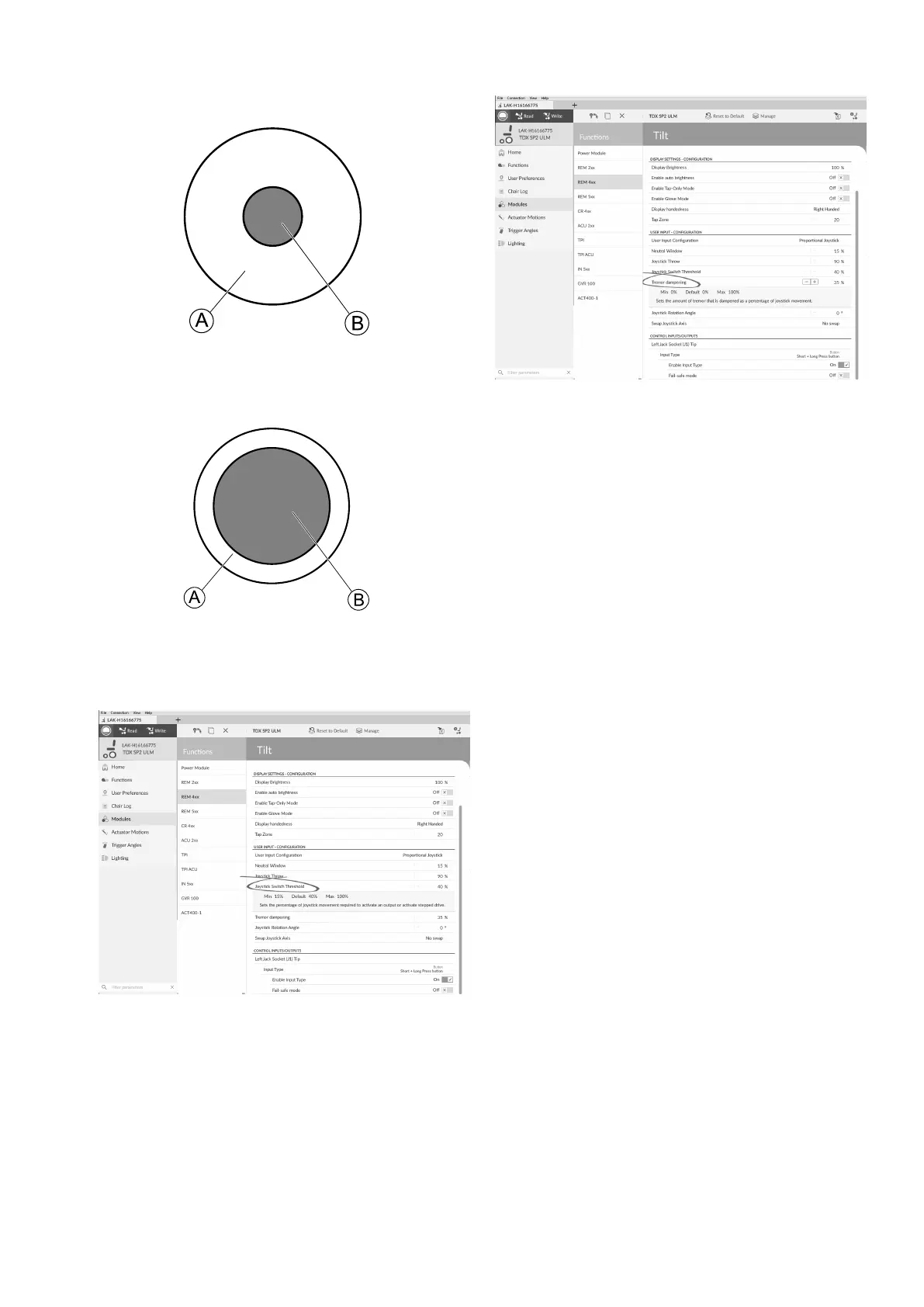
isapercentageofthejoystick’sfulltravelandshouldbe
setaccordingtotheuser’sneeds.Forexample:
•
Fig.10-26
forusersthathavedifcultymovingthejoystick,set
JoystickSwitchThresholdtoalowvalue,suchas40
%orless,
•
Fig.10-27
forusersthatlacknemotorcontroloraresubjectto
handtremors,setJoystickSwitchThresholdtoahigh
value,suchas80%,toavoidunintentionalswitching.
1.
Fig.10-28
ClickonModules.
2.Clickonremoteyouwanttoedit.
3.Setthedesiredpercentage.
TremorDampening
Fig.10-29
Usethisparametertoreducetheeffectofhandtremors
onthejoystick.Lowvaluesaresuitableforuserswithlow
frequency(slow)tremors.Highervalueswillsuituserswith
higherfrequency(fast)tremors.Settingtheparameter
valueto0%resultsinnotremordampening.
10.8SettingupSystemforLatched
Driving
Tosetupawheelchairforlatcheddriving,anexternal
stopswitchmustbettedtothewheelchair .Ideally,the
externalstopswitchshouldbehighlyvisibleandeasily
accessibletoprovideanextralevelofsafetyandsecurity
fortheuser .
Connecttheexternalstopswitchtoacontrolinput.
Invacarerecommendstoconnecttheexternalstopswitch
totheinputmodule.Theexternalstopswitchshouldbea
singlepole,normally-openswitch.Mostlylatcheddriving
isusedincombinationwithaSipandPuffarray,where
thelipswitchservesasexternalstopswitch.
CongureExternalStopSwitchParameters
Congurefollowingparameterstosetuptheexternalstop
switch.
1605129-G129












 To Next Page