Invacare®LiNX
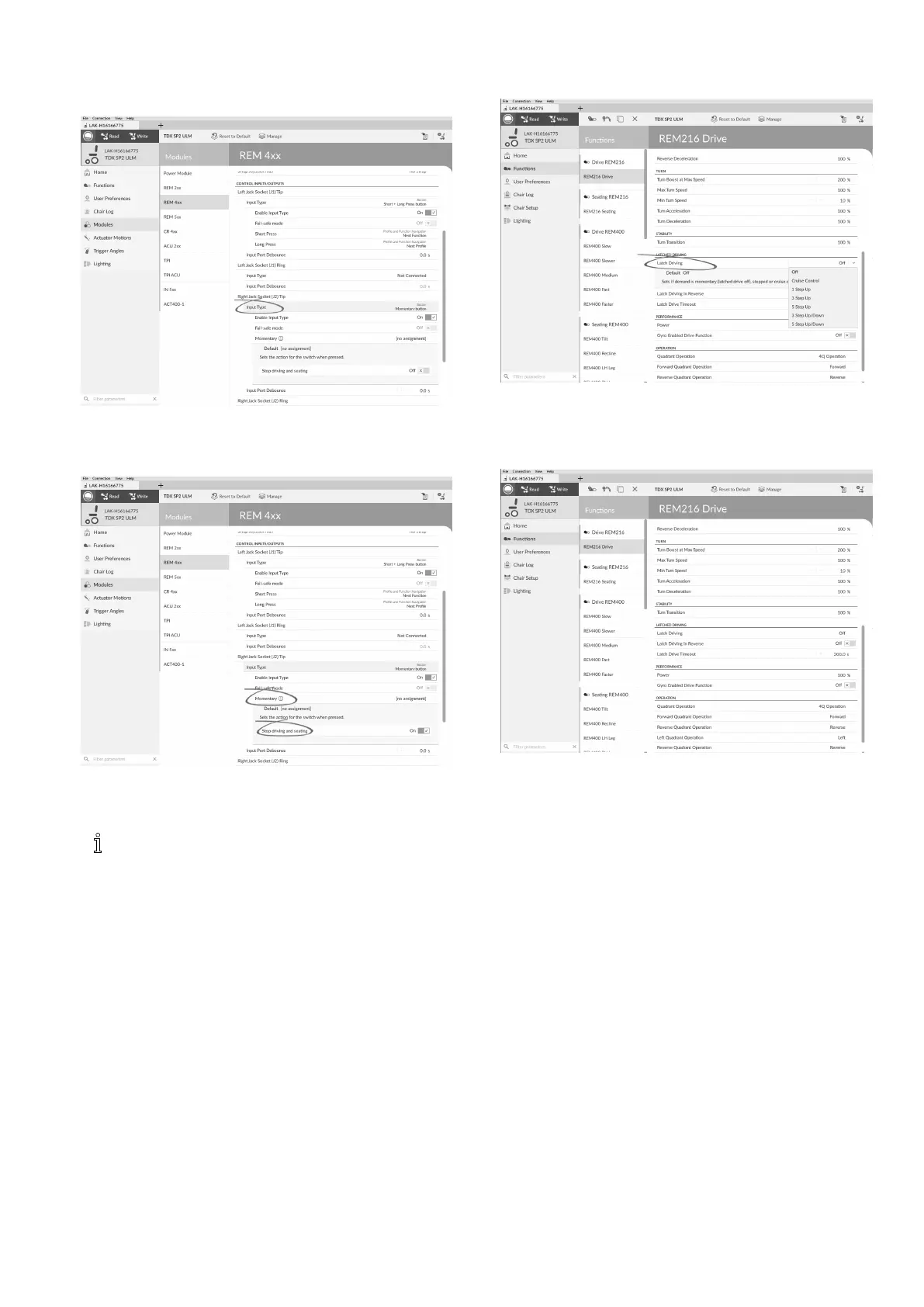
1.OpenModules–>desiredinputtowhichexternalstop
switchisconnected.
2.
Fig.10-30
SetInputTypetodesiredinput,forexample,
Momentary.
3.
Fig.10-31
ClickoninformationiconnexttoMomentary.
EnableStopdrivingandseating.
Youdonotneedtoassignafunctiontothe
switch.
CongureLatchDriveParameters
Thefollowingparameterscanbesetindividuallyforeach
drivefunction.
1.OpenFunctions–>opendesireddrivefunction.
2.
Fig.10-32
SettypeoflatcheddrivingwithLatchDriving.For
moreinformationabouttypesoflatcheddriving,refer
tousermanualofremote.
3.
Fig.10-33
SetLatchDrivinginReverseparametertoOn,toallow
latcheddrivinginreverse.
4.Setmaximumtimethatdrivingislatchedwithout
inputfromuserwithLatchDriveTimeoutparameter .
10.9Adjustquadrantoperation
Thisparametersetsthedrivefunction’suserinputto
operatein3–quadrant(3Q)or4–quadrant(4Q)mode.
Typically,the4Qmodeischosenwithjoystick-basedinputs
orarrays,thatprovide4quadrants,forexample,aSipand
Puffarray.The3Qmodeischosenforuserinputsthat
provide3quadrants,forexample,aheadarray.
1301605129-G












 To Next Page