UsingtheLiNXAccessiOStool
5.
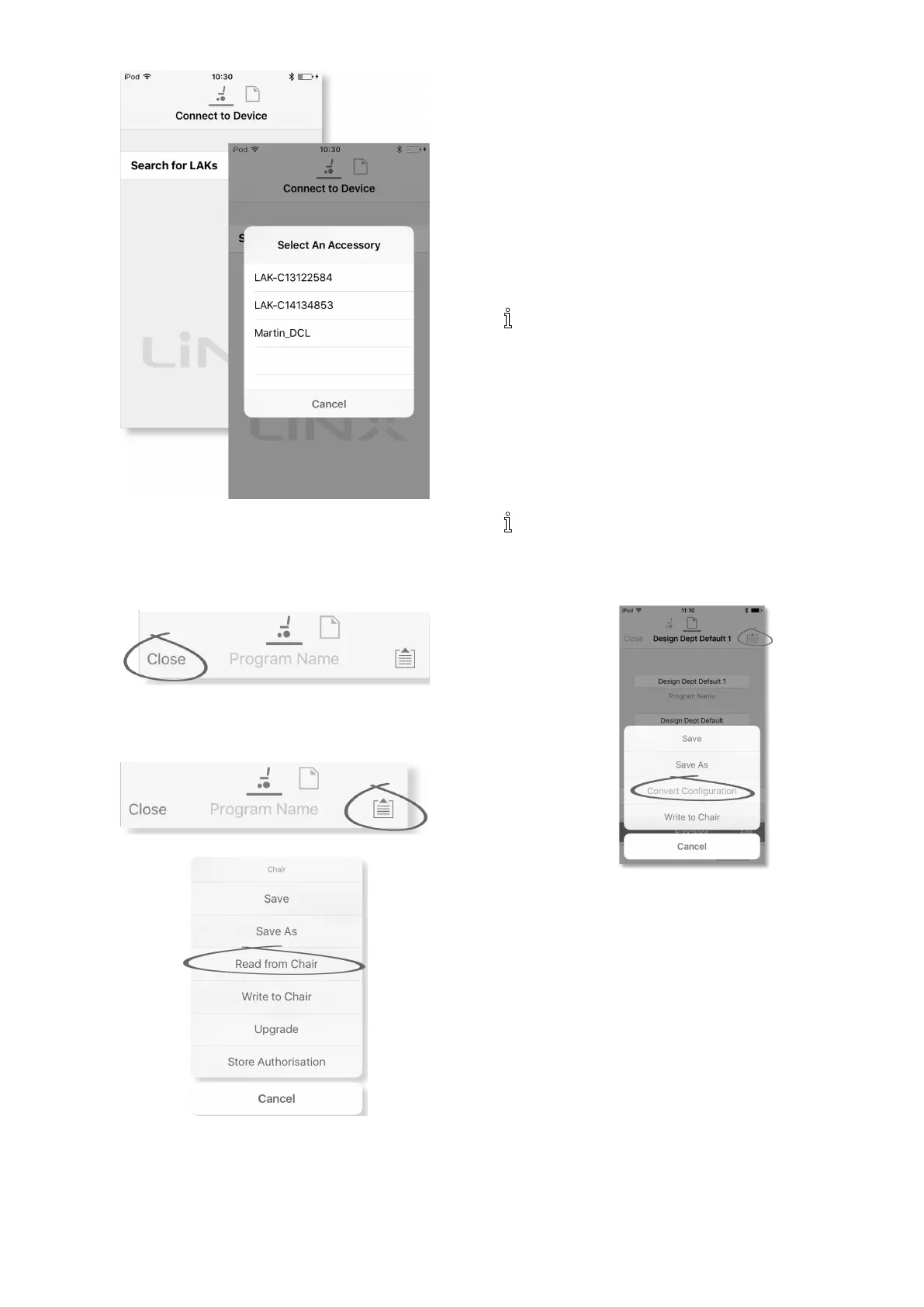
ClickonSearchforLAKsandselectonefromdialogue
boxSelectanAccessory.
6.AWarningscreenisdisplayed.Readthewarningand
clickonIAgreebuttontocontinue.
Disconnecting
1.
ClickonClosebutton.
7.3.2Readingaprogramfromthewheelchair
1.
ClickonApplicationmenubutton.
2.
SelectReadfromChair.
7.3.3RestoringDefaultWheelchair
Congurations
Thefactoryset-upforthepowermoduleprovidesone
wheelchairconguration.Ifyouorderapowermoduleas
asparepart,itisprovidedwithuptoeightwheelchair
congurations.Selecttheoneyouneed.
1.ClickonChairCongsatthetopofHomeScreen.
Chaircongscreenisdisplayed.
2.Clickonnamedwheelchairconguration.AWarning
screenisdisplayed.
3.ClickonYestoproceedwiththeselection.
4.ClickonBacktoreturntoHomescreen.
Whenanewwheelchaircongurationisselected,
thesystemautomaticallypowercyclesbeforethe
wheelchaircongurationbecomesactive.
7.3.4ConvertingCongurationFiles
Usingoldercongurationlesonwheelchairscanresultin
missingfeatureswhichwereintroducedinlaterrevisions
ofrmware,suchasSwitchControl.Inmostcases,
convertingthesecongurationlesallowsyoutoupdate
user’scongurationtolatestreleasetoenableallfeatures.
Incasecongurationleisoncurrentrevisionor
incompatible,menuentryisshowngreyedout.
1.Connectwithwheelchair.
2.OpenApplicationmenu.
3.
Fig.7-5
TaponentryConvertCongurationandfollowscreen
prompts.
7.3.5ModifyingaProgram
Tomodifyaprogram,rstselectaparameterfromoneof
theparametersectionslistedontheHomescreen:
•Drivefunctions
•Seatingfunctions
•Userpreferences
•Modules
•ActuatorMotions
•TriggerAngles
Parameterscanbemodiednumericallyorgraphically,
referto10ModifyingwheelchaircongurationwithPC
tool,page121 .
Parameterscanbemodiedinliveeditmodeorinbulk
editmode.
1605129-G79












 To Next Page