Invacare®LiNX
FourSelect
Momentary
Left
Up-Down
Arrow
FiveNext
Momentary
Up
MouseClick
Left
Six
Previ-
ous/Back
Momentary
Right
MouseClick
Right
SevenHome
Momentary
Down
Eight
Position
Light
LatchedLeft
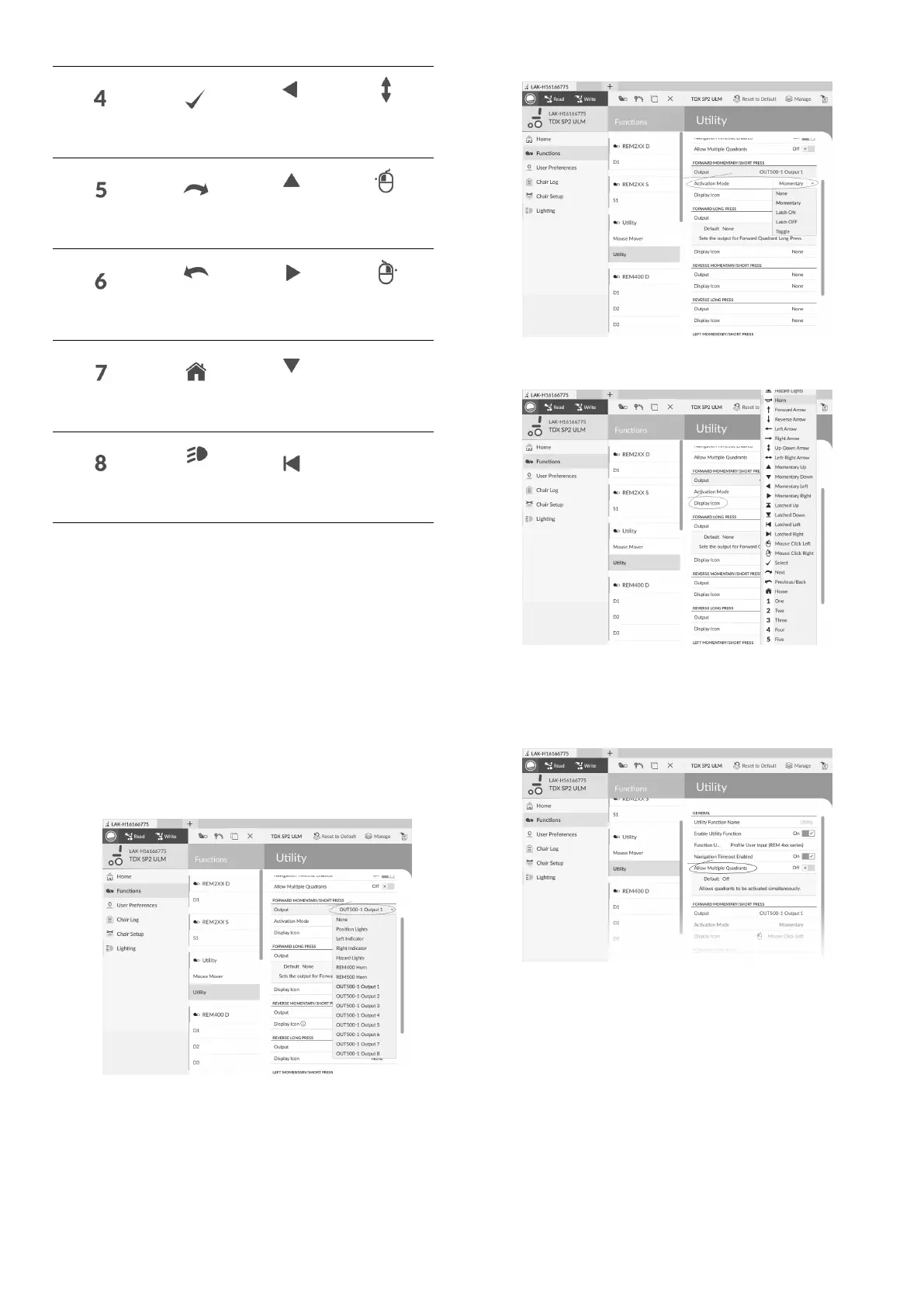
Torepresenttheoutput,selectadisplayiconforthe
switchineithertheinnerorouteractivationbandinone
ofthesystemcontrolinput’sfourquadrants(forward,
reverse,leftorright)
ExampleofAddingOutput
Thefollowinginstructionshowsyouhowtoprogram
therstcontroloutputofDLX-OUT500usinga
short/momentarypressforwardsasanexample.
1.OpenFunctions.
2.Addnewutilityfunctionoropenexistingutility
function.See10.1ProleandFunctionActions,page
121 .
3.Scrolltosectionaboutyourdesiredinputcommand,
likeForwardMomentary/ShortPress.
4.
Fig.10-22
AssignoutputOUT500–1Output1toparameter
Output.
5.
Fig.10-23
SetparameterActivationModetodesiredvalue.
6.
Fig.10-24
SetparameterDisplayIcontodesiredvalue.Selecta
displayiconfromlistofavailableicons.
7.Modifyparametersfortheothercommands.
8.ScrolltosectionGeneral.
9.
Fig.10-25
SetparameterAllowMultipleQuadrantstoOnto
allowswitchingtwooutputssimultaneously.
10.7JoystickSwitchThreshold
Setsthepercentageofjoystickmovementrequiredto
activateanoutputwhenthejoystickisoperatingasa
switchedinputdevice.
Whenthejoystickisusedasaswitchedinputdevice,
thisparameterspecieshowfarthejoystickhastobe
pushedbeforeitsstatechanges(OFFBtoONA)and
activatesanoutput.TheJoystickSwitchThresholdvalue
1281605129-G












 To Next Page