Invacare®LiNX
Operation
Purpose
ProportionalDeectingthejoystick
forwards/backwards
activatesthemotion
intheextend/
retractdirection
fortheduration
thatthejoystick
isdeected.The
motionisdeactivated
whenitreachesits
end-of-travelorwhen
thejoystickisreturned
totheneutralposition.
Thespeedofthis
motioniscontrolled
bytheamountof
deectionfromthe
neutralpositionand
scaledfurtherbyusing
theSpeedparameter.
NotUsed
Nooperation.
d.Speed:Fortheswitch-typeoperations(Switched,
Latched,Toggle,Toggle/latched),thisparameter
appliesthespeedofthemotionwhenthejoystick
crossestheJoystickSwitchThreshold.
Fortheproportionaloperation,thisparametersets
themaximumspeedatwhichthemotionwilltravel
whenthejoystickisdeectedto100%ofitstravel.
Forallotherpositionsofjoystickdeectionthe
appliedspeedwillbescaleddownaccordingly.
10.5ModifyingAttendantParameters
Attendantprolesallowanattendanttocontroldrive
functionsandseatingfunctionsofwheelchair.Currently
twoUserInputsareavailable,AttendantControlUnit
(DLX-ACU200)andIntuitiveDualControl(InvacareIDC).
AttendantControlUnit(DLX-ACU200)
Inputallowsprogrammingdrivefunctionsandseating
functions.Parametersoffunctionsareidenticaltoprimary
remotes.See10.3Modifyingdriveparameters,page122
and10.4ModifyingSeatingParameters,page123 .
IntuitiveDualControl(InvacareIDC)
Inputallowsprogrammingmaximumonedrivefunction.
AddNewAttendantFunction
Toolallowsyoutoaddallfunctiontypesto
Attendantprole.Incaseofaninvalidfunction,
likeSwitchControl,youwillgeterrorpromptwith
furtherinstructionstosolveerror.
Whencreatinganewfunctionallparameterswill
besettotheirdefaultvaluesandwillrequire
modication.Itmightbeeasiertoduplicatean
alreadyexistingfunctionandmoveittocurrent
prole.
1.OpenFunctions.
2.SelectproleAttendantfromlist.Otherwise,both
userinputsarenotavailable.
3.Addnewfunctionorduplicateexistingfunction.See
10.1ProleandFunctionActions,page121 .
4.Modifyotherparameters.
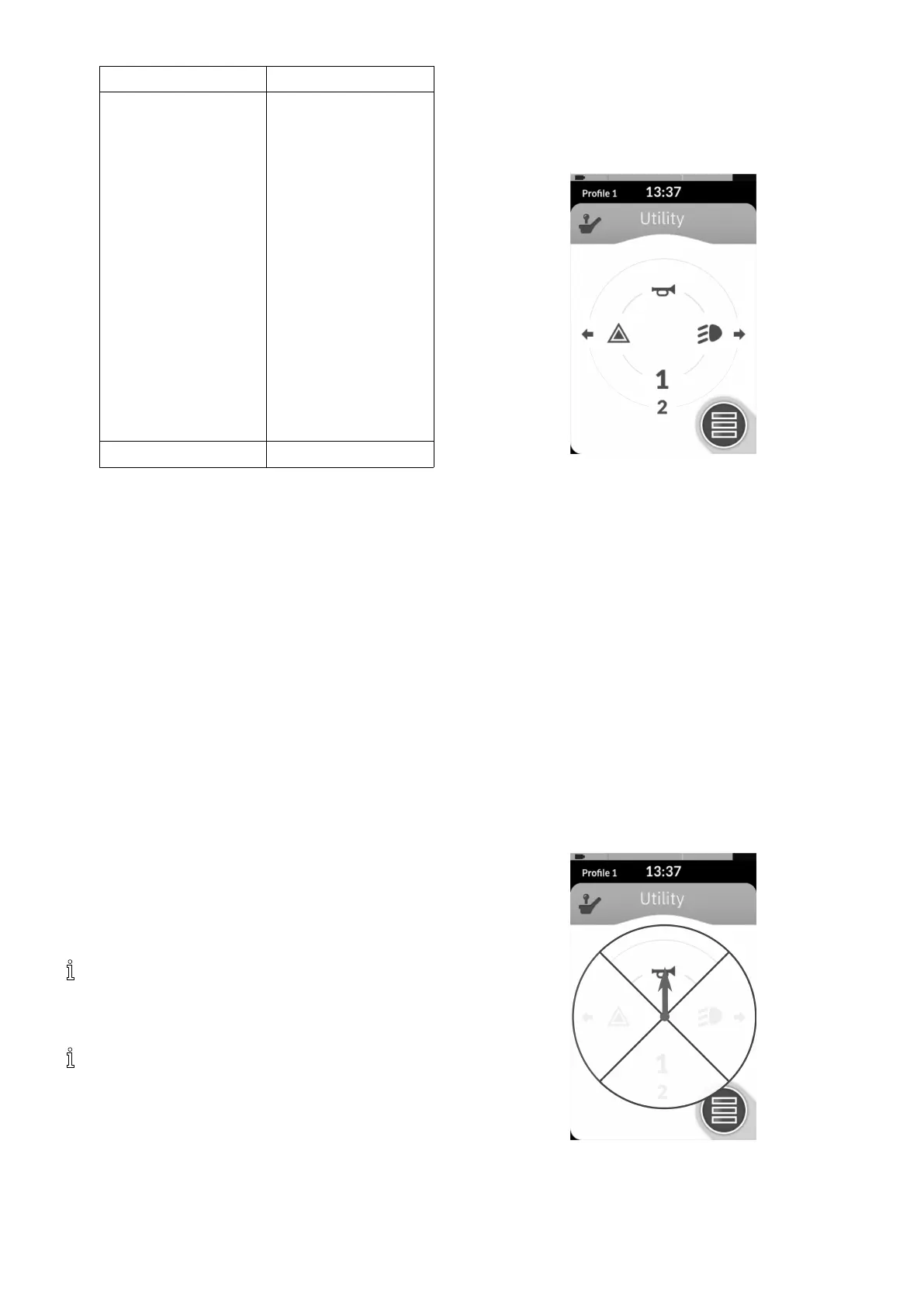
10.6ModifyingUtilityFunctions
Fig.10-14
Theutilityfunctionallowstheusertooperateoutputs
(lights,horn,etc.)aswellasaccessoriesconnectedto
controloutputs,suchasthoseavailableontheLINX
Outputmodule.
Theutilityfunctionissuitableforboth3Qand4Q
navigationandcanbeoperatedfromarangeofsystem
controlinputssuchasremotemodules,switchesandhead
arrays.
Utilityfunctionscanbeaddedtoanyprole,exceptthe
attendantproleandcanbeconguredtooperate:
•thehorn
•thehazardlights
•thepositionlights
•theindicators
•controloutputs(onLiNXOutputmodule)
AllowingMultipleOutputs
Thenumberofoutputsthatcanbeswitchedbyasingle
systemcontrolinputdemandiscontrolledbyAllow
MultipleQuadrants.
Fig.10-15
Bydefault,asingleoutputisswitchedfromasingle
quadrant.
1261605129-G












 To Next Page