Invacare®LiNX
•Discard—discardthechangesandclosethele
•Cancel—cancelthelecloseaction
Forinformationaboutmodifyingparameters,referto10
ModifyingwheelchaircongurationwithPCtool,page
121 .Forinformationaboutsavingles,referto9.5.4Save
aprogramasale,page117 .Forinformationabout
readingaprogram,referto9.5.3Readaprogramfroma
wheelchair,page116andforinformationaboutwritinga
programtoawheelchair,referto9.5.2Writeaprogram
toawheelchair,page116 .
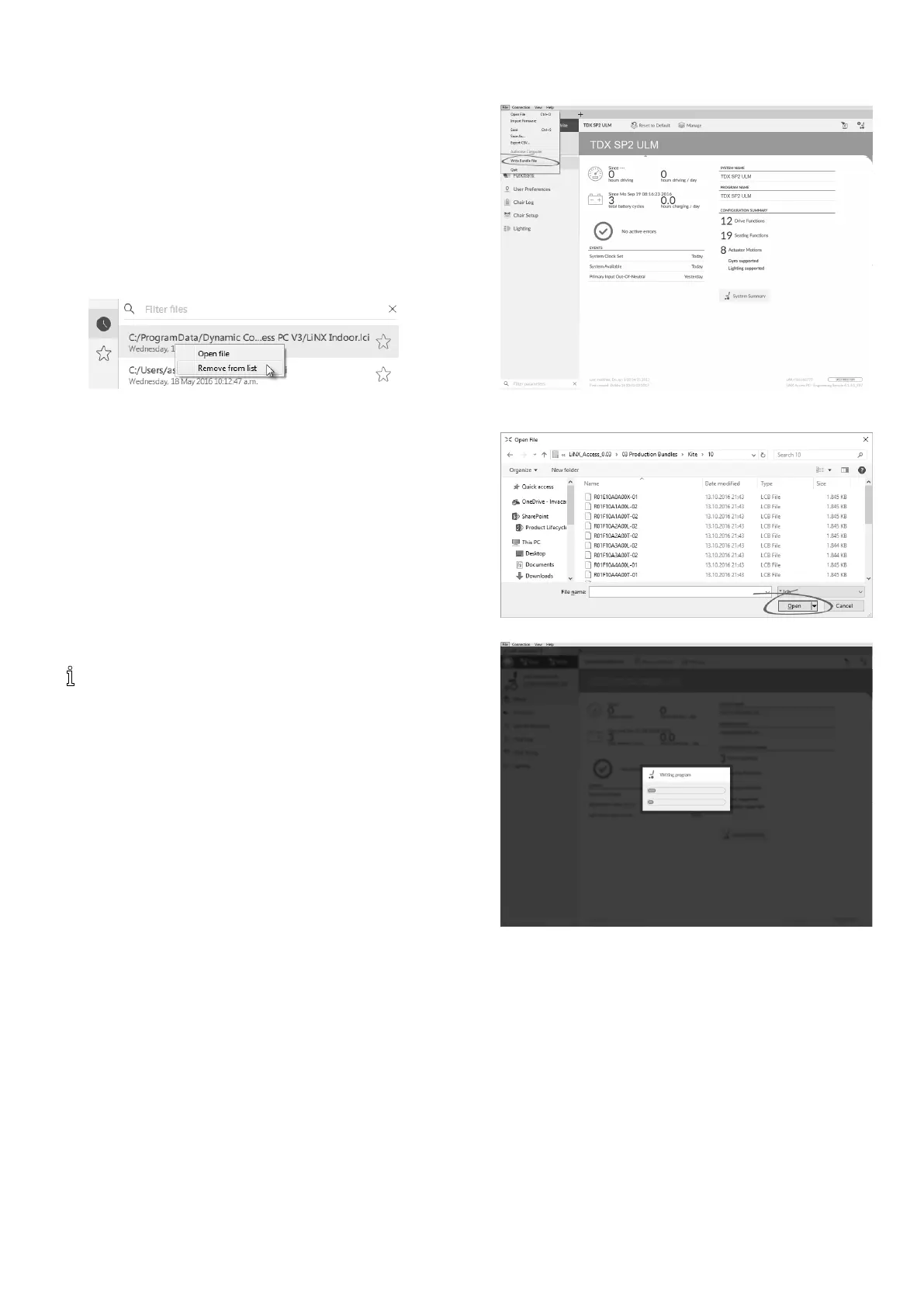
9.6.2Removealefromlist
Right-clickonaleintheopenledialogueandselect
Removefromlist.
9.6.3Writingbundlelestoachair
Bundlelescanbewrittentoaconnectedchair.Bundle
lescanincludewheelchaircongurationsand/orrmware
les.
Updatingthebundlelessetscongurationandincluded
parametersbacktodefaultsettings.
Invacarerecommendsmakingabackupofconguration
lespriortoupdatingabundlele.See9.5.4Savea
programasale,page117
.
WheelchairswithSerialNumbersbefore
18JE000303:IfyouareaddingOUT500orreplacing
aREM400AwithaREM400B,contactInvacare
TechnicalServicetohavetheexistinglessaved
andthebundlelesupdated.
1.ContactInvacareTechnicalServicestoobtainthe
bundlele.
2.
ClickonFilemenu.
SelectWriteBundleFile.
3.
SelectdesiredbundleleandclickOpen.
4.
Bundleleiswrittentochair.
1201605129-G












 To Next Page