Invacare®LiNX
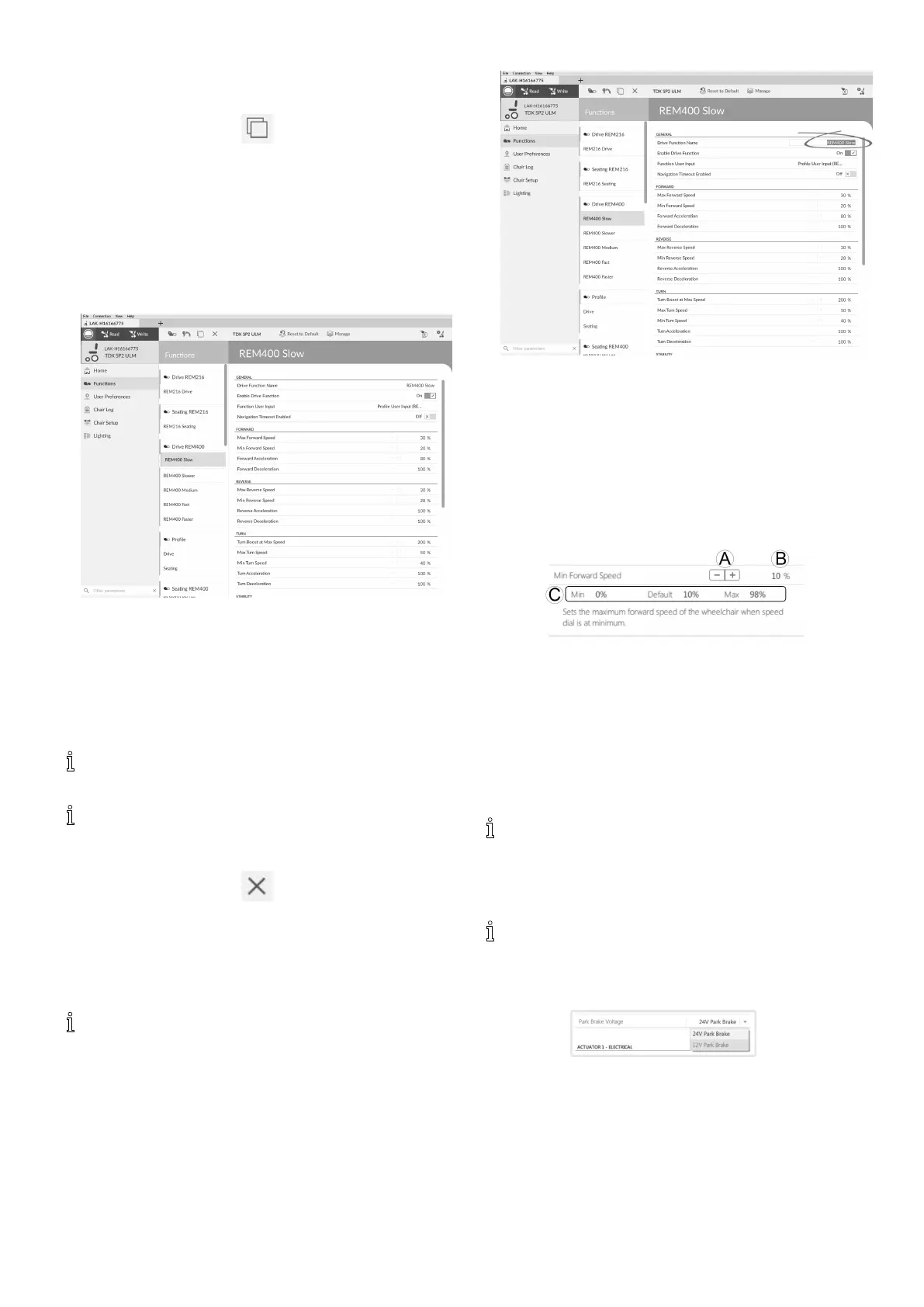
DuplicateFunction
1.Selectfunctionyouwanttoduplicate.
2.
ClickoniconC.
duplicatedfunctionappearsdirectlyunderoriginal
function.
3.Editfunctionasrequired.
MoveFunction
Functionscanbereorderedbydragginganddropping
insideaproleorbetweenproles.
1.
Fig.10-4
Clickandholdfunctionyouwanttomove.
Functionmovesslightlyupandtotherightanda
dashedboxappearsbeneathit.
2.Dragfunctiontorequiredpositioninsameoranother
prole.
DeleteFunctionofProle
Afunctionisdeletedimmediatelywhenthedelete
buttonisclicked.
Aprolecannotbedeleteduntilitsfunctionsare
deleted.
1.Selectfunctionorproleyouwanttodelete.
2.
ClickoniconD.
10.2Modifyingfunctionandprole
names
OnlychangingDriveFunctionNamedisplayed.
ChangingSeatingFunctionName,MouseMover
FunctionNameorProleNameworksthesame
way.
1.
Clickonfunctionname.
2.Enternewfunctionname.
10.3Modifyingdriveparameters
1.Selectaparametertoedit.
2.Clickontheparameter’snametoopentheparameter’s
details.Default,minimumandmaximumvalueswill
bedisplayed,aswellastheparameter’ssummary.
3.Therearedifferentwaystomodifytheparameters:
a.Incrementanddecrementtheparameterwith
theplus(+)andminus(-)buttonsA.Clickthese
buttonstochangethevalueindiscretestepsor
clickandholdthebuttonstochangethevalue
morequickly.
b.Double-clickonthevalueBandchangeitdirectly
viathekeyboard—pressEntertosetthevalue.
c.SettheparametervaluebyclickingontheMin,
DefaultorMaxbuttonsC.
Whenyoueditaparameter’svalue,itsbackground
colorwillchangetoindicatethatithaschanged
fromitspreviousvalue.Oncethevalueiswritten
tothecontroller(orle),thebackgroundwill
reverttowhite.
Wheninliveeditmode,itmightbedifculttosee
theparameterbackgroundchangingsincethelive
editoperationcantakeplaceveryrapidly.
Drop-downlist
Clickonthedrop-downlisttoselectanoption.
10.3.1ModifyingLightingParameters
Wheninstallinglightingsystem,replacingpowermodule
orresettingdefaultcongurationfrompowermodule
itcanbenecessarytoadjustlightingsettings.Insome
congurationslightingfunctionsaredisabledbydefault
andneedmanualactivation.
122
1605129-G












 To Next Page