Invacare®LiNX
•fromthemainmenuontheLiNXAccessPCtool,click
onHelpandthenonCheckforupdates.
Toviewwhichversionyouhaveinstalled,clickonHelpon
themenubarandthenclickonAbout.
AnInternetconnectionisrequiredwhenchecking
forupdates.IfanInternetconnectionis
unavailable,thefollowingmessageisdisplayed:
Failedtocheckforupdates.Thesoftwarewas
unabletoconnecttotheInternet.Checkthatyour
networksettingsarecorrectandtryagain.
Ifyourcomputerusesaproxyservertoconnect
totheInternet,thenyouneedtocongureyour
Internetsettings.
IfInternetaccessisavailablebuttheLiNXAccess
PCtoolisnotabletocheckforupdates,itis
possiblethatyourorganisation’snetworkpolicy
doesnotpermittounapprovedwebsites.In
thiscaseyouneedtohavethefollowingURL
addedtoyourorganisation’snetworkwhitelist:
https://mage.dynamiccontrols.com/
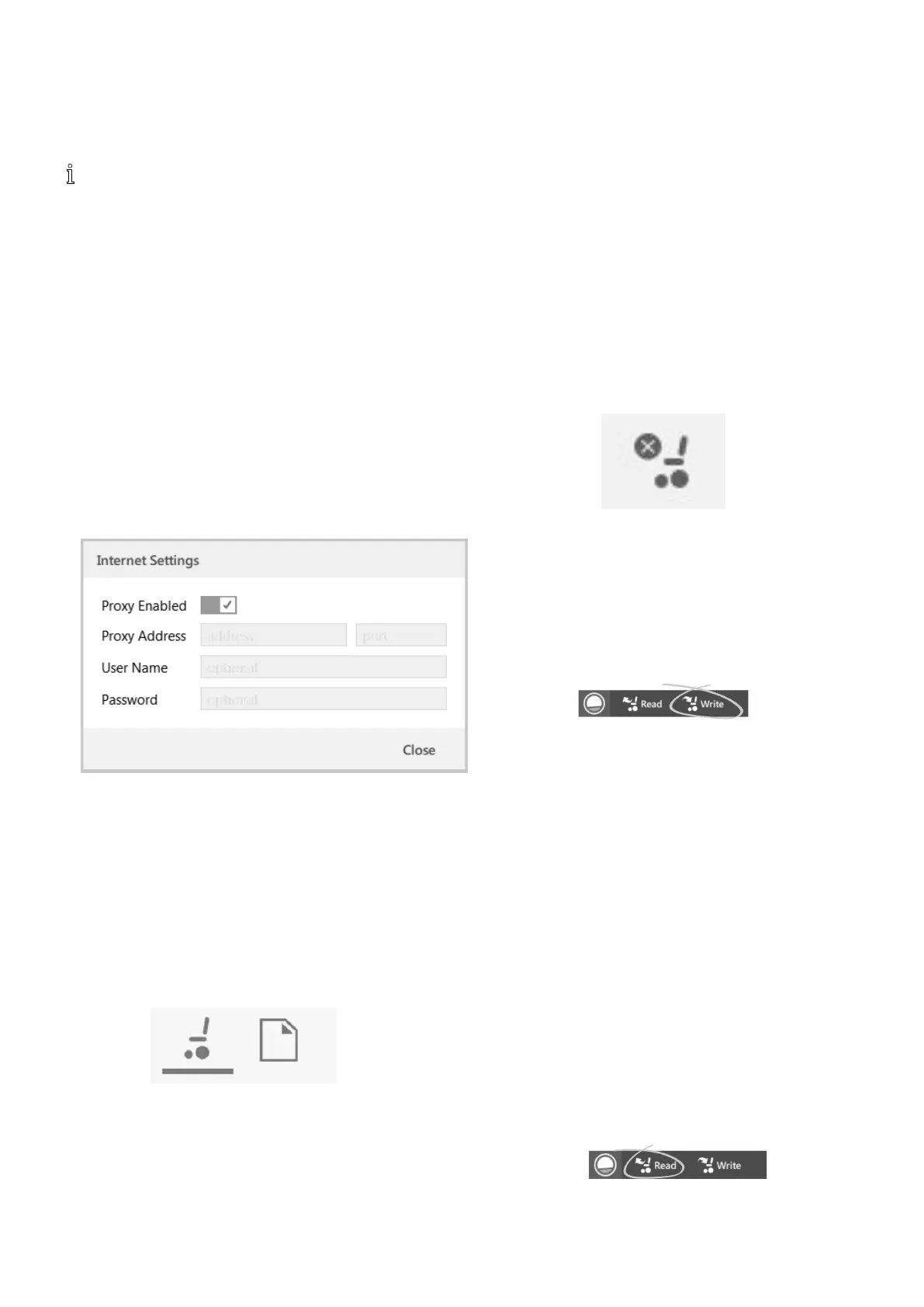
ConguringInternetSettings
1.ClickonHelpandselectInternetSettings.
2.
Fig.9-1
EnableproxysettingsbyclickingonProxyEnabled
switch.
3.Addfollowingdetails(youmayneedtoconsultyour
ITdepartmentforthisinformation):
•Proxyaddressandport
•Username
•Password
4.ClickonClosebutton.
9.5Connectioncontextactions
ThefollowingtasksareonlyrelevantfortheConnection
contextmode.FortasksrelatedtotheFilecontextmode,
referto7.4Filecontextactions,page82.
9.5.1Connecting/DisconnectingtheLiNX
AccessPCtool
Connectingtoawheelchair
1.PowerupLiNXsystem.
2.InsertLiNXAccessKeyintoremotemodule.
3.OpenLiNXAccessPCtoolapplication.
4.FromtheOpenaconnectiontab:
a.SelectLiNXAccessKeyfromlistunderPAST
CONNECTIONS,or
b.clickFindmorebutton(topleft)toforceapplication
tosearchformoreLiNXAccessKeys,or
c.iflististoolongtoread,enterLiNXAccessKeyinto
FilterconnectionstextboxtolocateLiNXAccess
Keyinlist.
AfterselectingaLiNXAccessKey,theLiNXAccessPCtool
connectstothewheelchairandreadsitscongurations.
Disconnectingfromawheelchair
Todisconnectfromaconnectedwheelchair,clickthe
Disconnecticonontheright-handsideofthetoolbar.
9.5.2Writeaprogramtoawheelchair
Thereisnoneedtowriteaprogramtoawheelchairif
youareinconnectioncontextandworkinginliveedit
mode,becauseallparameterchangesarewrittentothe
wheelchairinstantly.
Ifyouareworkinginbulkeditmode,youcanwritetothe
wheelchairbyclickingontheWritebuttoninthetoolbar.
AfterclickingWrite,theLiNXAccessPCtoolwillperform
thefollowingtasks:
•Writetheprogramtowheelchair.
•Powercyclewheelchair.
•Readprogramfromwheelchair.
•Readdiagnosticinformationfromwheelchair .
AftertheWriteoperation,theLiNXAccessPCtoolreverts
toliveeditmode.
9.5.3Readaprogramfromawheelchair
Thecongurationprogramisautomaticallyreadfroma
wheelchairsystemwhenyouconnecttoit.However,you
canmanuallyreadthecongurationprogramfromthe
connectedwheelchairbyplacingtheLiNXAccessPCtool
inbulkeditmodeorlecontextmode.
Toreadcongurationfrombulkeditmode
1.Changetobulkeditmodebyunlockingbulkedit
parameter.
2.
ClickonRead(fromwheelchair)iconintoolbar .
1161605129-G












 To Next Page