Invacare®LiNX
3.
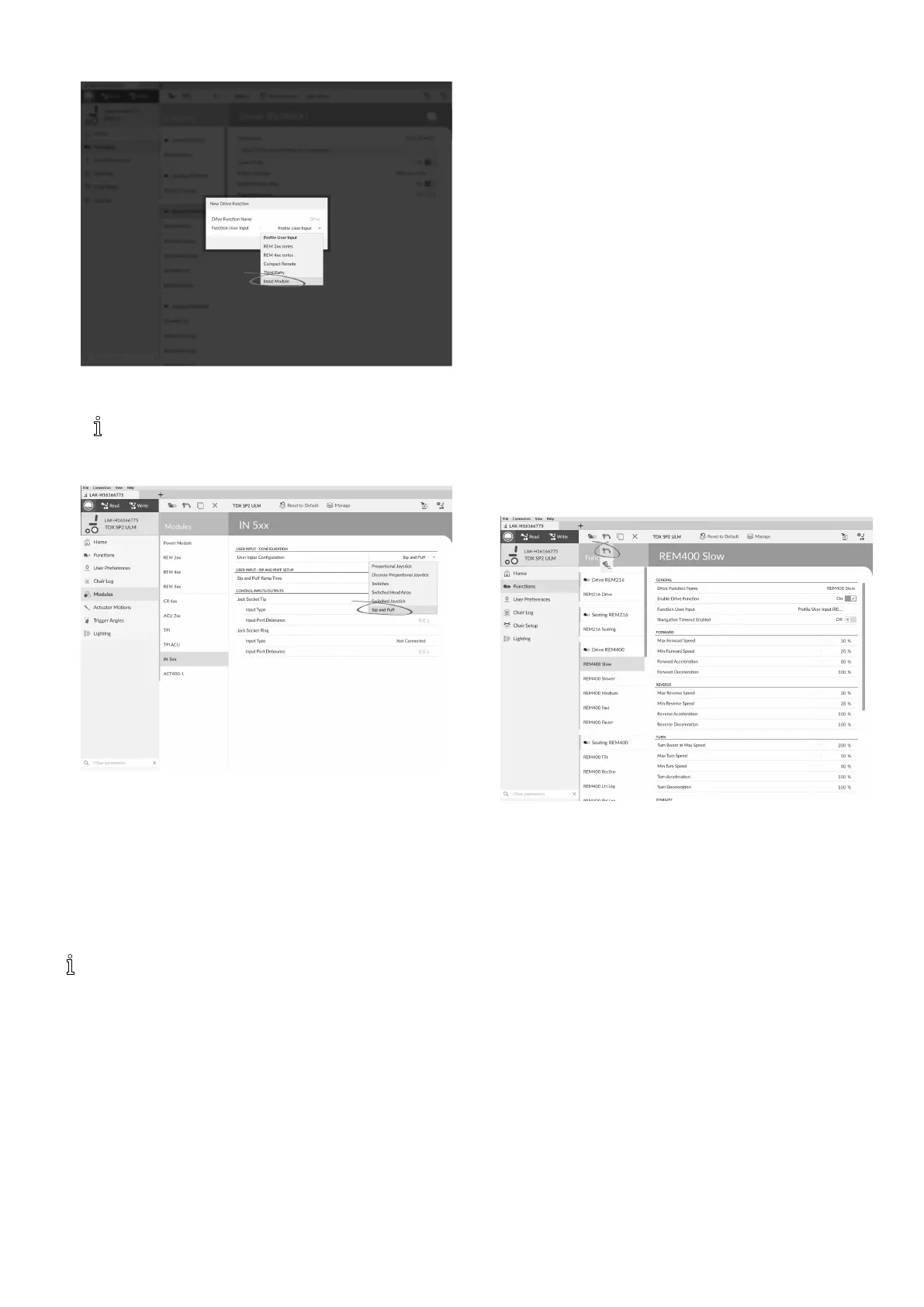
Fig.10-61
SetFunctionUserInputtoInputModule.
Sameprocedurefordrive,seatingand
connectivityfunctions.
4.OpenModules–>IN5xx.
5.
Fig.10-62
SetUserInputCongurationtoSipandPuff.
6.CalibrateSipandPuffmodule,referto10.13.1Sipand
PuffCalibration,page140 .
7.OpenUserPreferencestoadjustveerbehaviourfor
switchedinputs.Formoreinformationreferto5.2.1
OverviewUserPreferences,page60.
10.13.1SipandPuffCalibration
Primaryinputoperations,suchasdriving,are
disabledwhenusingthecalibrationtool.Thisis
forsafetyreasonstopreventunintendedoperation
whencalibrating.
Therearethreepressurezonesforeachpressuredirection
(sipandpuff):
•Neutralzone,
•softzoneand
•hardzone.
TheSipandPuffmodule’sresponsetoasiporpuffinput,
dependsonwhichzonethepressurefallswithin:hardor
soft.Pressureswithintheneutralzoneareignored.
Sinceallusershavedifferentcapabilities,theSipandPuff
modulecanbecalibratedtochangethesizeandposition
ofthesezones.Thezonesneedtobesetsothatausercan
controlthewheelchaircomfortablyandconsistently.ASip
andPuffcalibrationtoolisusedtodeterminethepressure
thresholdsthatdenethezones.Thesethresholdsare:
•Minimumlimitforsoftpuff,
•minimumlimitforhardpuff,
•minimumlimitforsoftsipand
•minimumlimitforhardsip.
TocalibratetheSipandPuffmodule,youhavetorecord
pressuremeasurementsfromaseriesofpressuresamples
performedbytheuserandadjustthefourpressure
thresholdsaccordingly.
1.
Fig.10-63
OpenConnectioninmenubar.
2.SelectSipandPuffCalibration.
1401605129-G












 To Next Page