Invacare®LiNX
4.
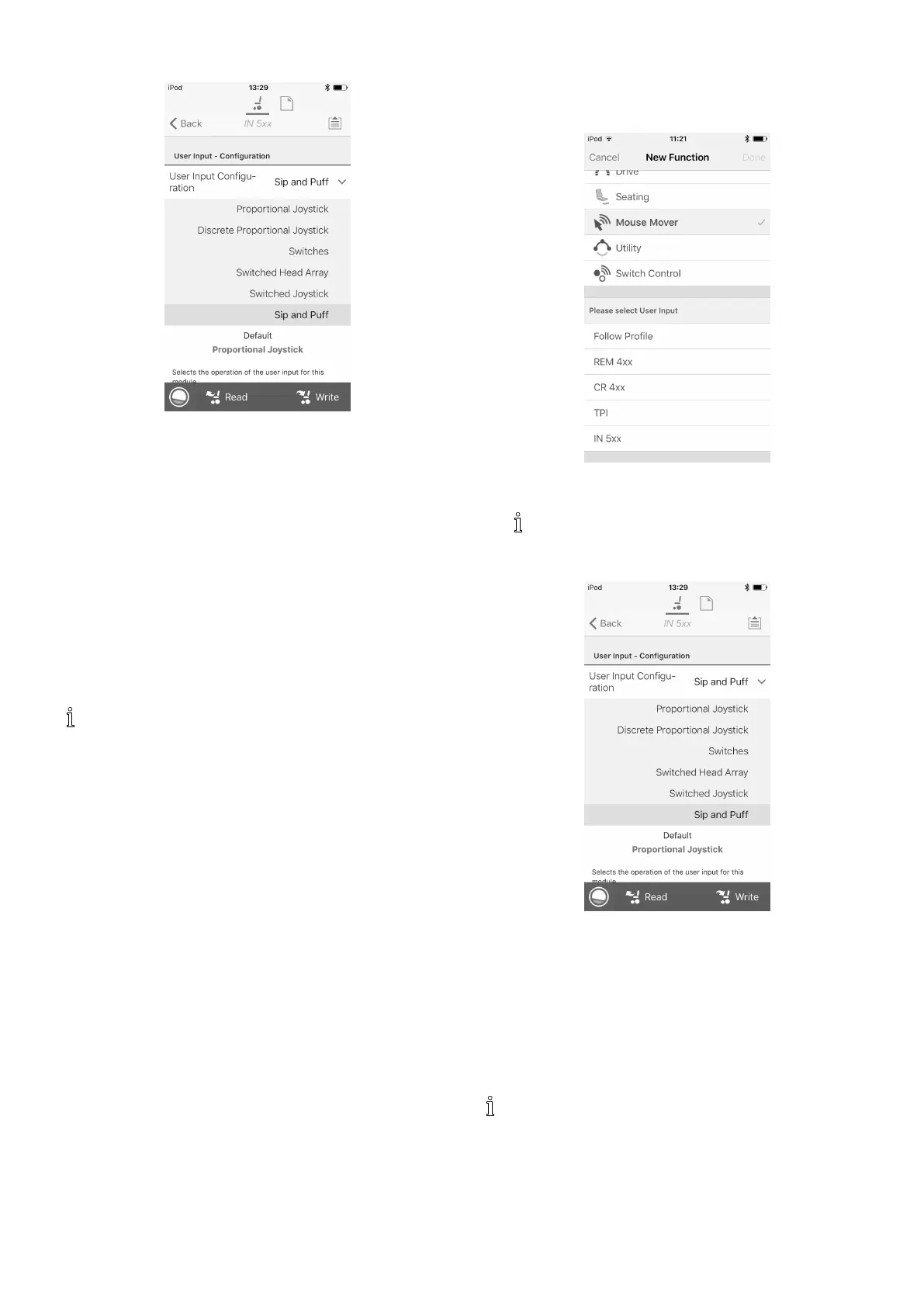
Fig.8-73
SetUserInputCongurationtodesiredcomponent.
Optionsare:
•ProportionalJoystick:PediatricCompactJoystick,
ChinControl,CompactSingleSwitchJoystick
•DiscreteProportionalJoystick:notused
•Switches:FourSwitchProximityArray,Sipand
PuffHeadArray
•SwitchedHeadArray:HeadArray
•SwitchedJoystick:notused
•SipandPuff:SipandPuff
5.Dependingoncomponent,modifyotherparameters.
Forswitchedinputs,suchasSipandPuff,parameters
arefoundunderUserPreferences,referto5.2.1
OverviewUserPreferences,page60.
FormoreinformationaboutinstallingaSipand
Puff,referto8.15SipandPuffInstallation,page110 .
8.15SipandPuffInstallation
ASipandPuffmoduleisincludedintheinputmodule.
ASipandPuffmoduleprovidestheuserwiththeability
toactivatefourdigitalinputswiththeirbreathviaatube
dependingonpressurelevel,hardorsoft,anddirection,
siporpuff.Theseinputscanbeusedtocontroldrivingor
seatingactions.
1.AdduserfunctionforSipandPuffmodule.Formore
informationaboutaddingprolesandfunctions,refer
to8.1ProleAndFunctionActions,page85.
2.
Fig.8-74
SetUserInputtoIN5xx.
Sameprocedurefordrive,seatingand
connectivityfunctions.
3.OpenModules–>IN5xx.
4.
Fig.8-75
SetUserInputCongurationtoSipandPuff.
5.CalibrateSipandPuffmodule,referto8.15.1Sipand
PuffCalibration,page110
.
6.OpenUserPreferencestoadjustveerbehaviourfor
switchedinputs.Formoreinformationreferto5.2.1
OverviewUserPreferences,page60
.
8.15.1SipandPuffCalibration
Primaryinputoperations,suchasdriving,are
disabledwhenusingthecalibrationtool.Thisis
forsafetyreasonstopreventunintendedoperation
whencalibrating.
Therearethreepressurezonesforeachpressuredirection
(sipandpuff):
1101605129-G












 To Next Page