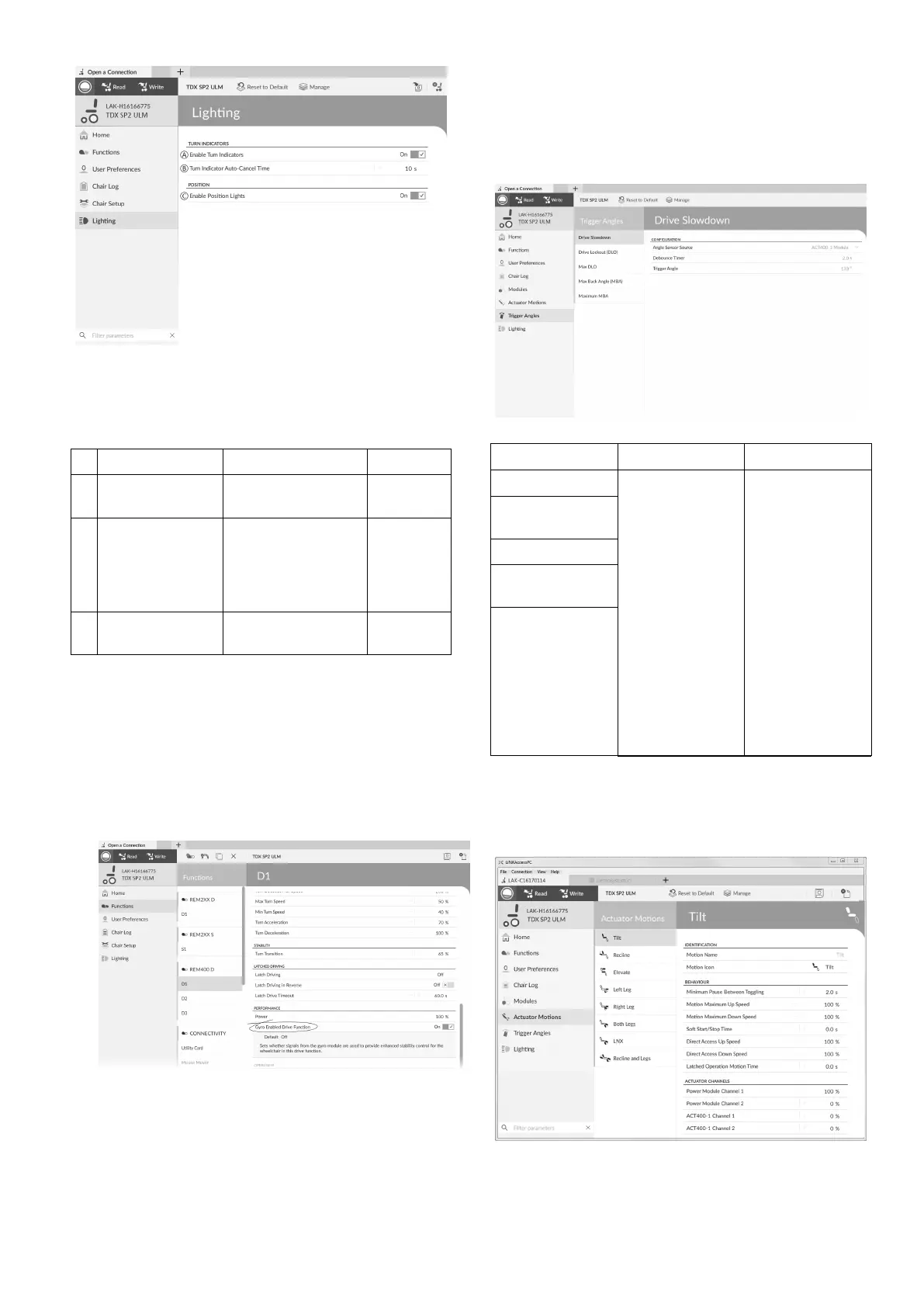
ModifyingwheelchaircongurationwithPCtool
Fig.10-5
1.Ifnecessary,resetwheelchairconguration.See9.5.8
LoadingDefaultCongurations,page118 .
2.OpenLighting.
3.Editparametersaccordingfollowingtable.
ParameterDescriptionValues
A
EnableTurn
Indicators
Allowssystemto
useturnindicators
Off/On
B
TurnIndicator
Auto-Cancel
Time
Setslengthoftime
aturnindicator
willbeonbefore
beingautomatically
turnedoff
0s...30s
C
EnablePosition
Lights
Allowssystemto
usepositionlights
Off/On
10.3.2ModifyingGyroSupportinDrive
Functions
Bydefault,Gyrosupportisenabledindrivefunctions.The
followinginstructionsshowyouhowtodisabletheGyro
supportfordrivefunctionsortohideGyrosymbolon
screenifnoGyroisinstalledonwheelchair .
1.OpenFunctions→opendesireddrivefunction.
2.
Fig.10-6
SetGyroEnabledDriveFunctiontoOn,toprovide
enhancedstabilitycontrolforthisdrivefunction.
Otherwise,settoOfftodisablegyrosupportforthis
function.
10.4ModifyingSeatingParameters
TriggerAngles
Anglesensor-triggersallowyoutomodifyfactorydefault
angletriggersofwheelchairtoaccommodatespecicuser
needs.
Fig.10-7
TriggerAnglesCongurationDescription
DriveSlowdown
DriveLockout
(DLO)
MaxDLO
MaximumBack
Angle(MBA)
MaximumMBA
AngleSensor
Source
DebounceTimer
TriggerAngle
Speciesthe
connection
locationor
sourceofthe
anglesensor .
Appliesa
debouncetime
tothetrigger
angle.
Thedebounce
timeisapplied
onlywhilst
driving.Sets
thetriggerangle
value.
1.OpenTriggerAngles.Selectyourtypeoftriggerangle,
forexampleDriveSlowdown.
2.Setparameterstouser’sneeds.
SeatingMotion
Fig.10-8
1.OpenActuatorMotions.Selectseatingmotionyou
wanttochange.
1605129-G123












 To Next Page