ModifyingwheelchaircongurationwithiOStool
AddNewAttendantFunction
Toolallowsyoutoaddallfunctiontypesto
Attendantprole.Incaseofaninvalidfunction,
likeSwitchControl,youwillgeterrorpromptwith
furtherinstructionstosolveerror.
1.OpenFunctions.
2.SelectproleAttendantfromlist.Otherwise,both
userinputsarenotavailable.
3.Addnewfunction.See8.1ProleAndFunction
Actions,page85.
4.Modifyotherparameters.
8.9ModifyingUtilityFunction
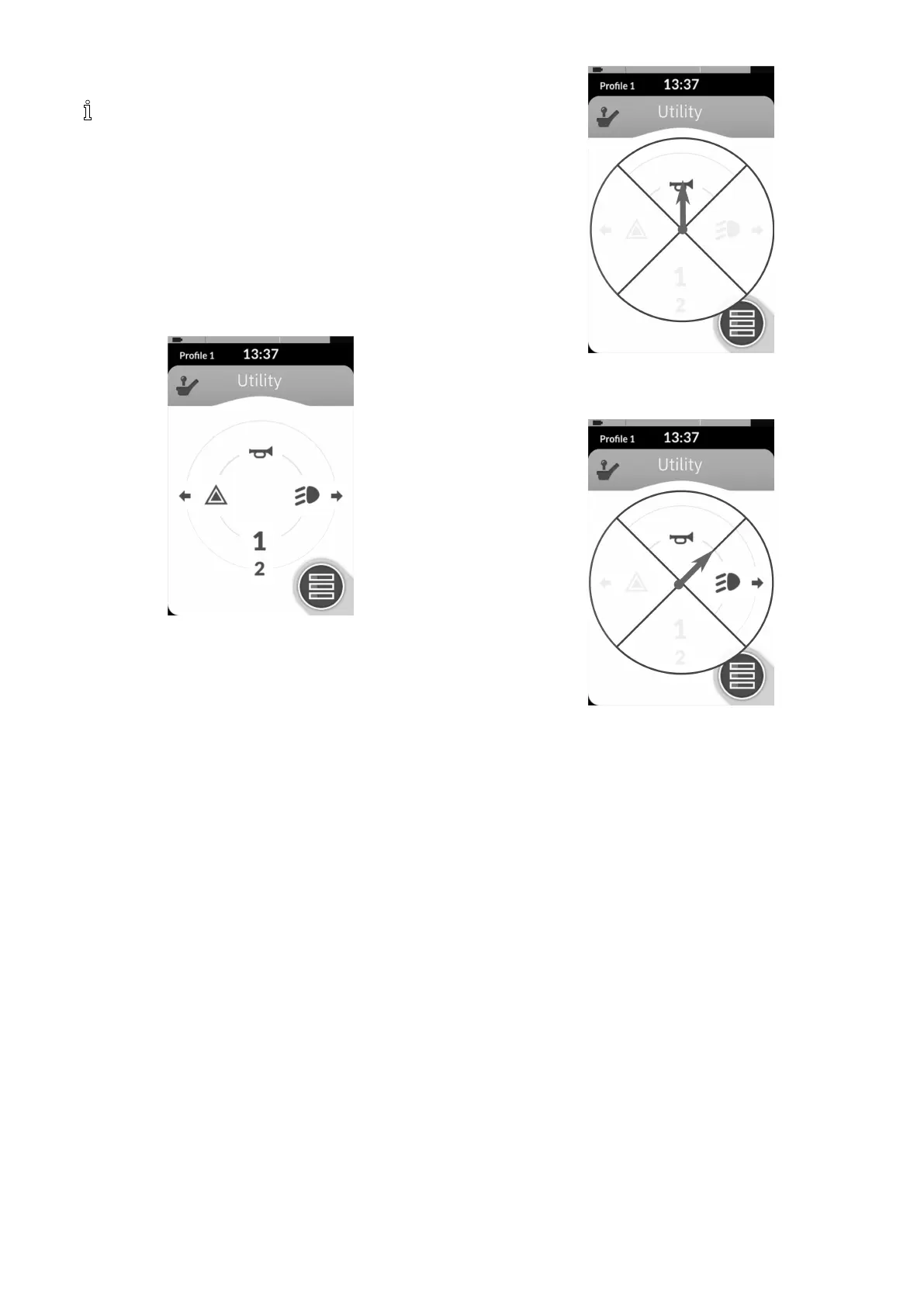
Fig.8-17
Theutilityfunctionallowstheusertooperateoutputs
(lights,horn,etc.)aswellasaccessoriesconnectedto
controloutputs,suchasthoseavailableontheLINX
Outputmodule.
Theutilityfunctionissuitableforboth3Qand4Q
navigationandcanbeoperatedfromarangeofsystem
controlinputssuchasremotemodules,switchesandhead
arrays.
Utilityfunctionscanbeaddedtoanyprole,exceptthe
attendantproleandcanbeconguredtooperate:
•thehorn
•thehazardlights
•thepositionlights
•theindicators
•controloutputs(onLiNXOutputmodule)
AllowingMultipleOutputs
Thenumberofoutputsthatcanbeswitchedbyasingle
systemcontrolinputdemandiscontrolledbyAllow
MultipleQuadrants.
Fig.8-18
Bydefault,asingleoutputisswitchedfromasingle
quadrant.
Fig.8-19
However,ifAllowMultipleQuadrantsissettoOn,then
twooutputscanbeswitchedsimultaneouslybyselecting
twoadjacentquadrants.
Adjacentquadrantsareselectedbydeectinga
joystick-basedsystemcontrolinputdiagonally(between
quadrant)orselectingthefollowingswitchcombinations
withaswitch-basedsystemcontrolinput:forward/left,
forward/right,reverse/left,reverse/right.
AddingOutputs
Theproceduretoaddanoutputtoautilityfunctionis
asfollows:
•assignanoutputtoaswitch,
•settheoutputbehaviourand
•selectadisplayiconfortheswitch.
1605129-G93












 To Next Page