Invacare®LiNX
3.
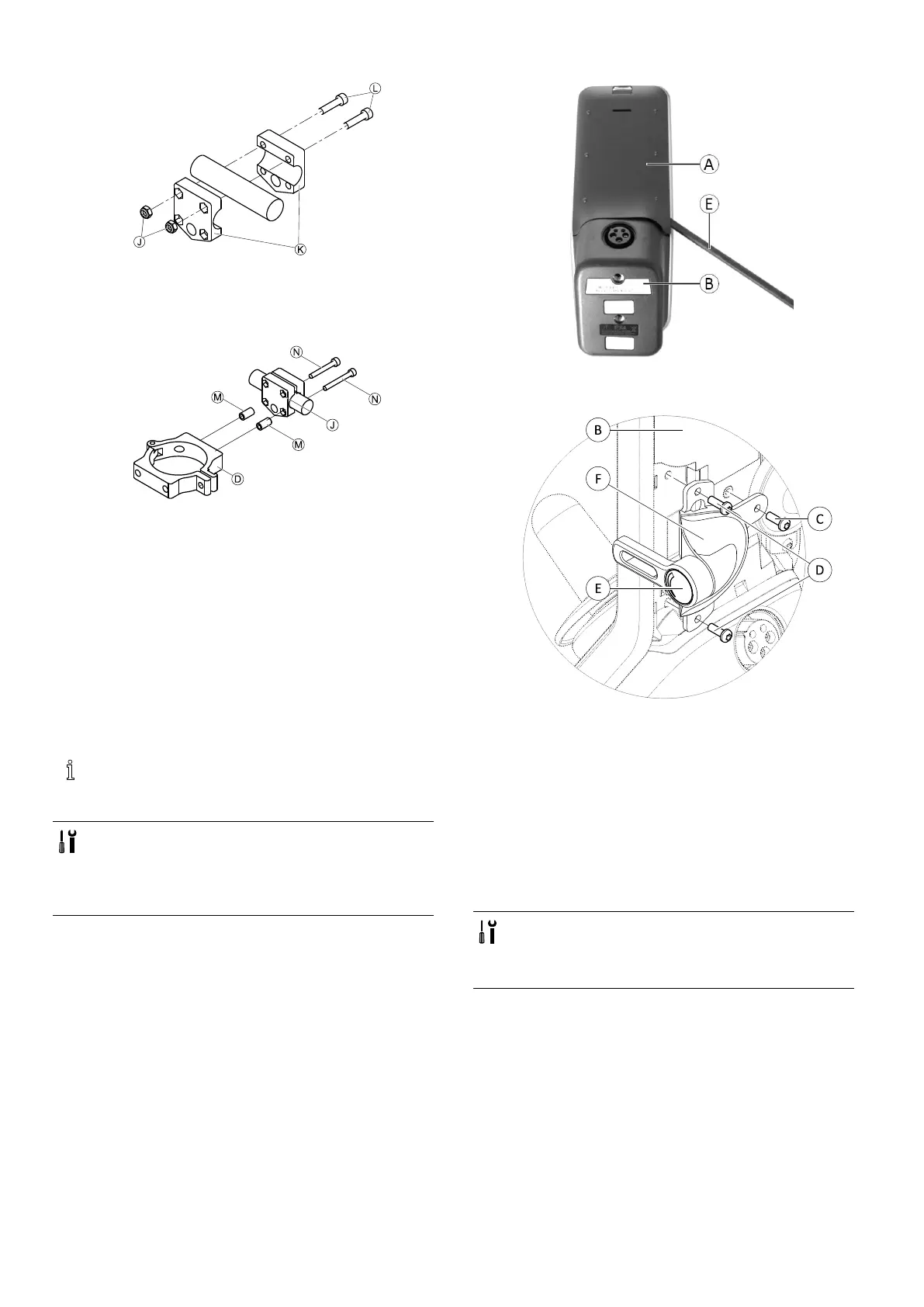
Fig.3-31
InstallgripperclampKtopushbarusingscrewsL
andnutsJ.
Tightenscrewswith10Nm.
4.
Fig.3-32
InsertscrewsNthroughgripperclampJandspacers
MinclampD.
Usethreadlockingadhesiveandtightenscrewswith
10Nm.
NucleusMidlineHolder
Formountingprimaryremotestonucleusmidlineholder,
referto3.10MountingPrimaryRemotestoNucleus
MidlineHolder,page39
.
3.9.4MountingToggleSwitchesonthe
DLX-REM400
Thetoggleswitchesaresuitableforthe
DLX-REM400–Bremotemoduleonly—theymust
notbeinstalledtotheDLX-REM400–Aversion.
•TX8Torxkey
•Openingpick(orsimilar)
•Twoadditionalscrews(includedinmounting
kit)
•Labelkit(includedinmountingkit)
1.
Fig.3-33
RemoverearshroudAusingopeningpickE.
2.
Fig.3-34
LoosenandremovefoursilverscrewsD.
3.MounttoggleswitchFtoremoteBwithscrewsC
andD.
4.Repeatstep2and3toinstallsecondswitch/blanking
plate.
5.Installnewrearshroudincludedinmountingkit.
6.InstalllabelsEonbothtoggles.
3.9.5MountingDLX-REM500toSwing-Away
RemoteHolder
•3mmAllenkey
•4mmAllenkey
•Medium-strengththreadlockingadhesive
(Loctite243orsimilar)
381605129-G












 To Next Page