Assembly
Channel
Seatingmotion(Icon)Seatingfunction(Operation)
E
LNX
ProportionalFWD/REV
F
Recline
ProportionalFWD/REV
3.7.4PortCongurationsforFunctionkeys
Ifthesystemisinstalledwithanexternalswitchtocontrolthepoweredseatingfunctions(excepta10–wayswitch),a
functionkeyisanoptiontointerfaceswitches.Therearetwodifferentcongurationsoffunctionkeys.Thetypeof
functionkeydeterminesthebehaviourofthesysteminregardstothecontrolofactuators.Propertiesandbehaviourper
switcharedenedbyInvacareandcanbereassignedviatheporttowhichthecontrolinputisconnected.Reassigningis
doneintheCONTROLINPUTS/OUTPUTSsectionoftherespectivemodule.See10.11.1ConguringExternalSwitches,
page135 .
Type1:SingleActuatorSystem(SAS)
Thisfunctionkeyisforsystemswithonephysicalactuator .Itisavailableinoneconguration:
•FKEY01TDC:actuatorcontrolthroughswitchesandjoystick
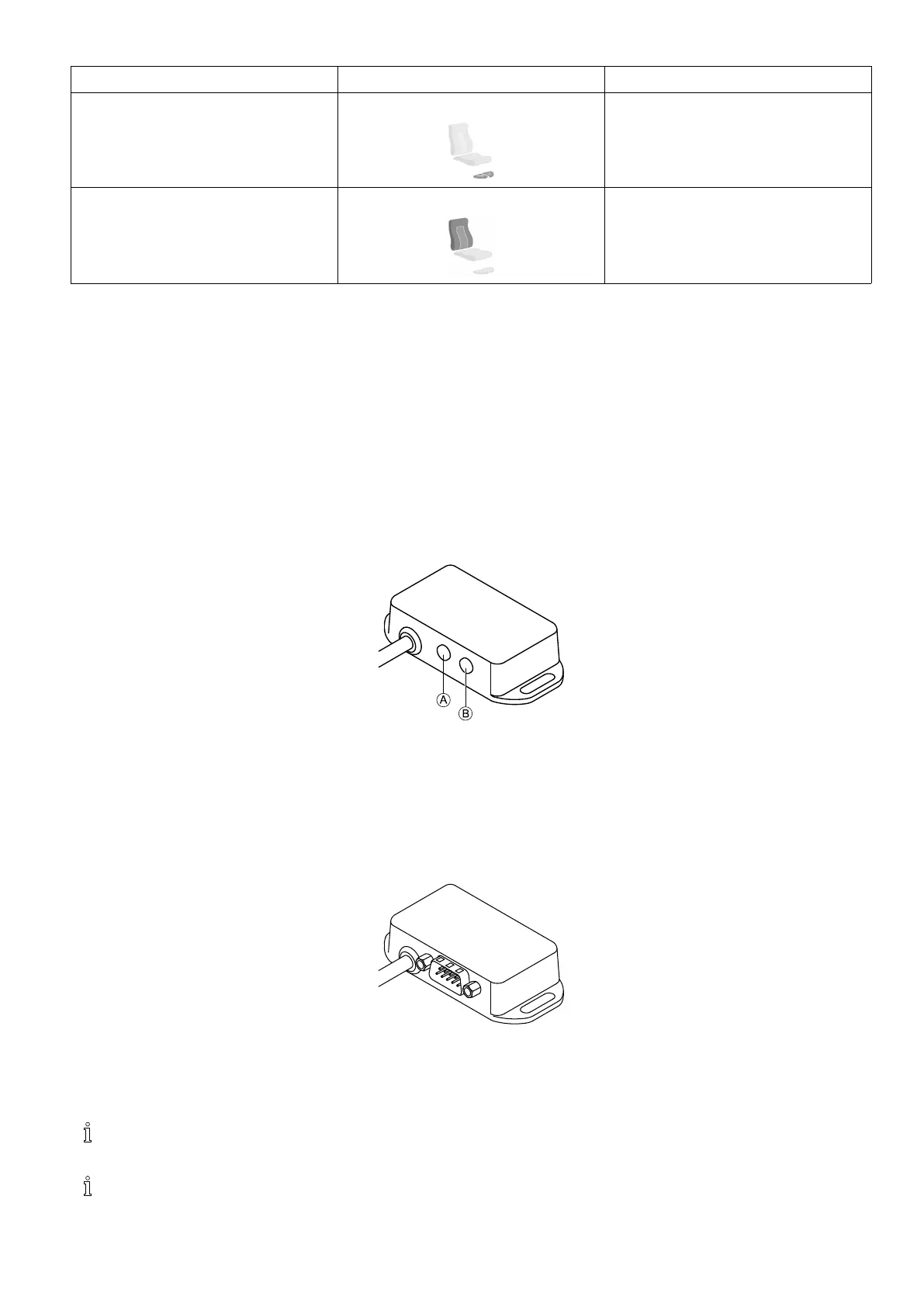
Externalswitchestocontrolthepoweredseatingfunctions,mustbepluggedintotheJacksockets,seetablebelow.
A
Monojacktoconnecteggswitch
B
Stereojacktoconnectstereobuttonswitchorstereotoggleswitch
Type2:Multi-ActuatorSystem(MAC)
Thisfunctionkeyisforsystemswithtwoormorephysicalactuators.Itisavailableinoneconguration:
•FKEY02TDC:actuatorcontrolthroughswitchesandjoystick
The4–waybuttonswitchorthe4–waytoggleswitchmustbepluggedintotheDB9socket.
3.8WiringDiagrams
Thefollowingdiagramsshowthewiringforawheelchairinacomplexcongurationincludingmultipleactuators,
lightsandattendantcontrolunit.
Toidentifytherequiredcablelength,seetablesbelowormeasurethecableafterremovingit.
1605129-G
17












 To Next Page