Assembly
1.
Riskofdamagetotheremote
Themaximumtorquetotightenthescrew
is1Nm.
–Donotexceedthisratingasitmay
damagetheremote.
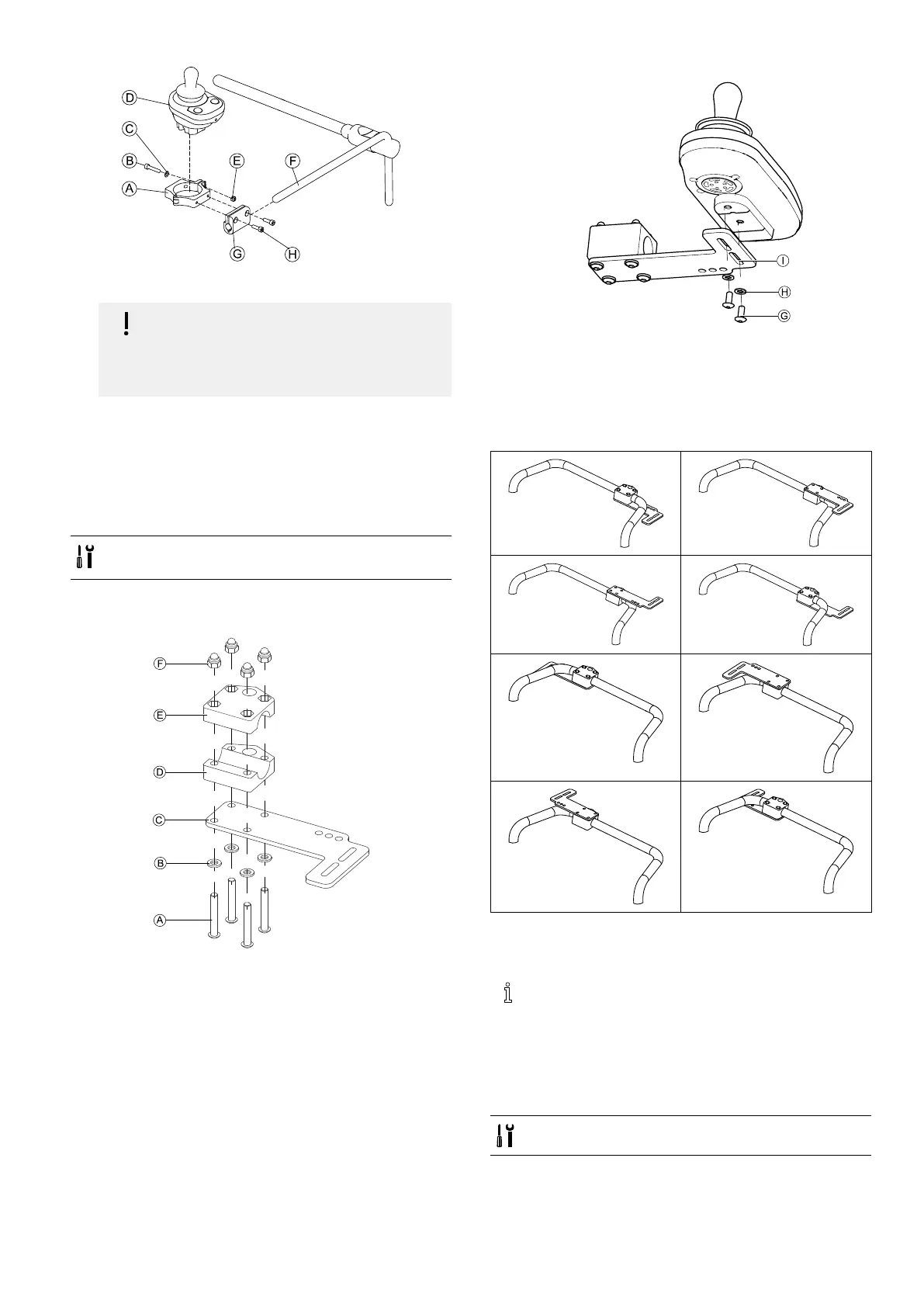
SetremoteDinclampAandtightenscrewBand
washerCwithnutE.
2.PullclampbracketGovernucleusF.
3.AttachclampAtoclampbracketGandxeverything
withscrewsH.
3.11.4MountingtheDLX-REM050
•4mmAllenkey
•3mmAllenkey
Theattendantcontrolunitisttedtothewheelchairusing
abracketonthepushhandleorthepushbar.
Fig.3-48
1.PullscrewsAthroughwashersB,mountingplateC
andbottomsideofbracketD.
2.Tightenbottomsideofthebrackettopushbarwith
thetopsideofthebracketEandnutsF.
3.
Fig.3-49
PullscrewsGthroughwashersHbracketIand
attendantcontrolunit.
4.Tightenscrews.
5.Connectattendantcontrolunit.
Mountingpositions
3.12MountingtheASLcomponents
Formoreinformationabouthowremoteholders
aremountedtothewheelchair,refertotheservice
manualoftheseatingsystem.
3.12.1MountingInterfaceBoxes
MountingASLJoystickInterfaceBoxforUltraLowMaxx
•5mmAllenkey
1605129-G43












 To Next Page