Invacare®LiNX
Step6
ClickFinishtocompletetheinstallation.
9.1.1UsingBluetoothonacomputer
YouneedaBluetoothconnectiontocommunicatebetween
theLiNXAccessPCtoolandaLiNXsystem.Youcanuse
acomputer’sbuilt-inBluetoothadaptor(usuallyfoundon
laptops)oranexternalUSBBluetoothadaptor.
Usingbuilt-inBluetoothadaptor
Switchonthebuilt-inBluetoothadaptor(referto
computer’smanualforhelponthis).
UsinganUSBBluetoothadaptor
PlugintheexternalUSBBluetoothadaptorintoaspare
USBport.TheWindowsoperatingsystemdetectsand
installstheappropriatedriversfortheadaptor.Donot
installanydriversthatmayhavebeenprovidedwiththe
adaptor .
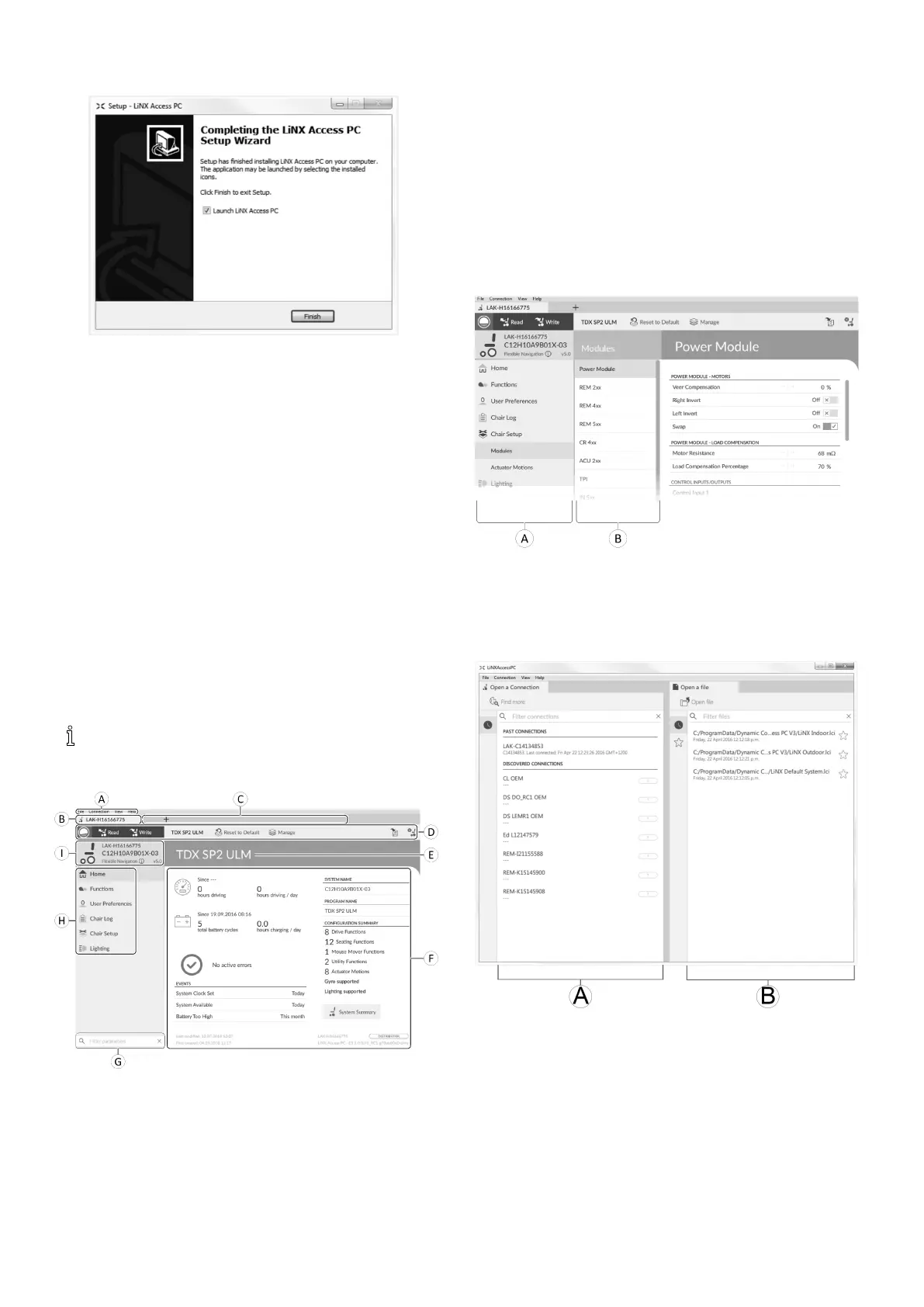
9.2Layoutoverview
Layoutmaychangewhetherconnectedornot.
Homescreen
A
Menubar
B
Connectiontab
C
Filetabs
D
Toolbar
E
Maincontentheader
F
Maincontent
G
Filterparametersbox
H
Primarynavigationsidebar
I
Tabcontext
Secondarynavigationsidebar
ThesecondarynavigationbarBisonlydisplayedfor
certainprimarynavigationbarselectionsAandprovidesa
meanstodrilldownfurtherthroughthefeatures,functions
andparameters.
Opening
A
Openaconnection
B
Openale
114
1605129-G












 To Next Page