UsingtheLiNXAccessiOStool
3.
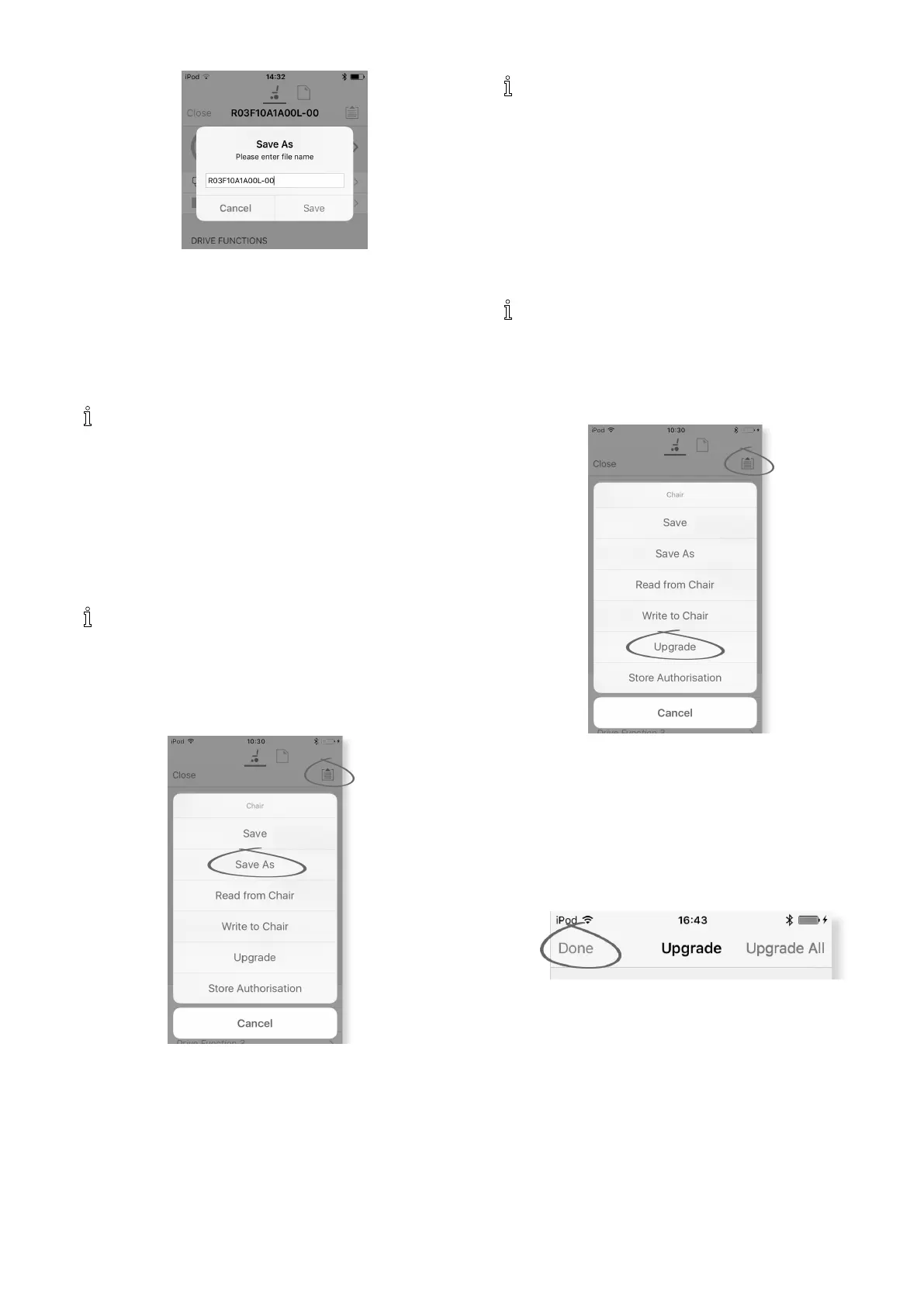
WhenusingConnectioncontextmode,aSaveAs
menuopensupautomatically.Enteralenameor
theprogrampromptsthecurrentprogramnamewith
“–1”ifalreadyexisting.
4.Aftersavingtheprogram,theLiNXAccesstooldisplays
amessagewiththele’snameandthatsavingwas
successful.
5.ClickonDismisstoremovethemessageandcontinue.
Alllesaresavedwitha.lciextension.Ifthe
Programnamehasbeenset,thentheleissaved
withtheProgramName.Ifnot,theleissaved
withadate/timestampasfollows:
YYYYMMDD-HHMMSS.lci(YYYYisyear,MMis
month,DDisday,HHishour,MMisminute,SS
issecond).Subsequentsaveswillretainthelast
savedlenameandoverwritepreviouslysaved
les.Tosavealewithoutoverwritinganexisting
le,usSaveAs,referto.
TheApplicationmenudialogueinthispicture
showsallavailableoptions,whenyouarein
Connectioncontext.InFilecontexttheselectionis
morelimited.
UsingSaveAs
Tosaveaprogramaslewithadifferentname.
1.ClickonApplicationmenubutton.
2.SelectSaveAs.Aftersavingtheprogram,theLiNX
Accesstooldisplaysamessagewiththele’sname
andthatsavingwassuccessful.
3.ClickonDismisstoremovethemessageandcontinue.
Alllesaresavedwitha.lciextension.Ifthele
hasnotbeensavedbefore,andiftheprogram
namehasbeenset,thentheleissavedwiththe
programname.Ifthelehasbeensavedbefore
withtheprogramname,thentheleissaved
withanumericalvalueappendedtotheprogram
name.Iftheprogramnamehasbeenset,thenthe
leissavedwiththeprogramname.Ifnot,the
leissavedwithadate/timestampasfollows:
YYYYMMDD-HHMMSS.lci(YYYYisyear,MMis
month,DDisday,HHishour,MMisminute,SS
issecond).
TheApplicationmenudialogueinthispicture
showsallavailableoptions,whenyouarein
Connectioncontext.InFilecontexttheselectionis
morelimited.
7.3.8UpgradingFirmware
Fig.7-8
1.TaponApplicationmenubutton.
2.TaponUpgrade.ThescreendisplaysEntering
FirmwareUpgradeMode–pleasewait….
Iftheconnectedmodulesareuptodate,thescreen
displaysFIRMWAREUPTODATEwithalistofthe
connectedmodulesandtheirrespectiveversions.
Ifoneormoremodulesneedupgrading,theseis
displayedunderNEWFIRMWAREAVAILABLE.
3.
Fig.7-9
Ifnomodulesrequireupgrading,tapDonebuttonto
nish.
1605129-G81












 To Next Page