ModifyingwheelchaircongurationwithiOStool
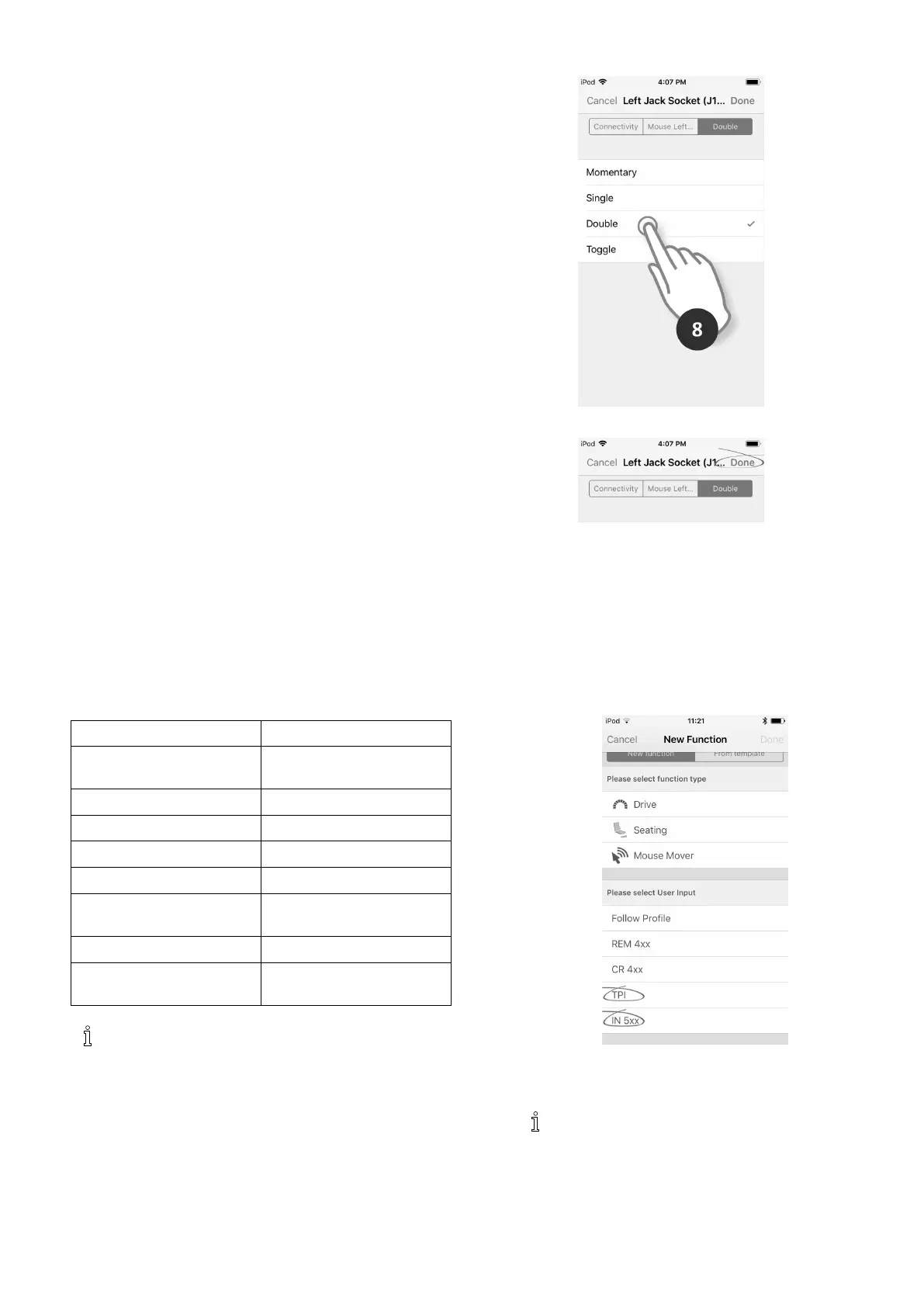
8.TaponDouble.
Fig.8-70
9.TaponDone.
Fig.8-71
Thesetupiscomplete.Nomorecongurationisrequired.
8.14Installing/SettingupAlternative
Switches
Therearedifferenttypesofalternativeswitches,that
interfacedifferentlytothesystem.Forcomponentsand
theirparticularconnections,seetablebelow.
Component
Connection
SipandPuffbreathtube
kit
InputModuleIN5xx
SipandPuffHeadArrayInputModuleIN5xx
PediatricCompactJoystickInputModuleIN5xx
HeadArray
Busport(TPI)
Chincontrol
Busport(TPI)
CompactSingleSwitch
Joystick
Busport(TPI)
FourSwitchProximityArray
Busport(TPI)
RemoteStopSwitch
Auxiliaryport(Power
Module)
ToinstallaRemoteStopSwitch,justconnectto
thePowerModuleusingtheinterfacecableand
the4–wayconnectorusingtheBuscable,see
wiringdiagram3.8WiringDiagrams,page17.
Programmingisnotnecessary.
Programming
1.Addnewproleoradduserfunctiontoexisting
prole.Formoreinformationaboutaddingproles
andfunctions,referto8.1ProleAndFunction
Actions,page85.
2.
Fig.8-72
SetUserInputtoTPIortoIN5xx,dependingon
componentinput.
Sameprocedurefordrive,seatingand
connectivityfunctions.
3.FromHomescreenopenModules–>IN5xxorTPI,
dependingoncomponentinput.
1605129-G109












 To Next Page