Invacare®LiNX
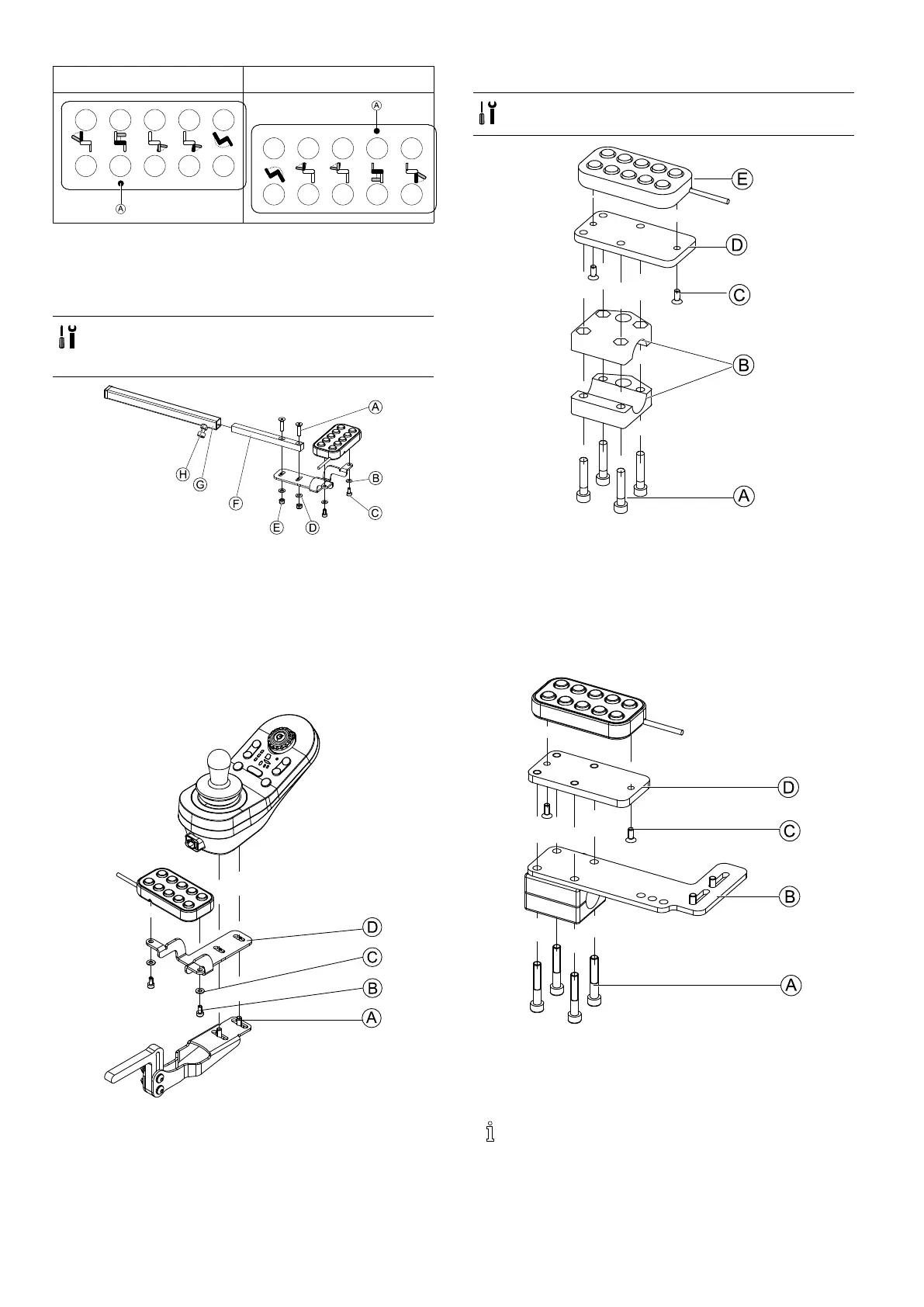
Orientationright
Orientationwrong
3.13.1Mountingthe10wayswitchfor
Modulite
Mountingatthefront
•3mmAllenkey
•4mmAllenkey
•8mmwrench
1.Tighten10wayswitchtobracketwithscrewsCand
washersB.
2.TightenbrackettoremotemountingtubeFwith
screwsA,washersDandnutsE.
3.Insertremotemountingtubeinsidemountingbracket
G.
4.Adjust10wayswitchtodesiredposition.
5.TightenwingscrewH.
IncombinationwithDLX-REM211/DLX-REM216
1.Tighten10wayswitchtobracketDwithscrewsB
andwashersC.
2.Tightenbrackettoremotemountingbracketwith
screwsA.
Mountingattherear(forattendants)
•3mmAllenkey
•4mmAllenkey
The10wayswitchisttedtotherearofthewheelchair
usingabracketBonthepushhandleorpushbar .
1.TightenmountingplateDwithscrewsCto10way
switchE.
2.PullscrewsAthroughbracketBandmountingplate
D.
IncombinationwithDLX-REM050(attendantcontrolunit)
1.Tighten10wayswitchtomountingplateDwith
screwsC.
2.TightenmountingplateDtomountingplateBwith
screwsA.
Forthepossiblepositionsoftheattendantcontrol
unit,referto3.9.3MountingtheDLX-REM400,
page36.
521605129-G












 To Next Page