Invacare®LiNX
11Diagnostics
Diagnosticoptions:
•SystemSummary
•ActiveErrors
•EventLog
•ChairStatistics
•Real-timediagnostics
11.1ViewingSystemSummary
iOStoolPCtool
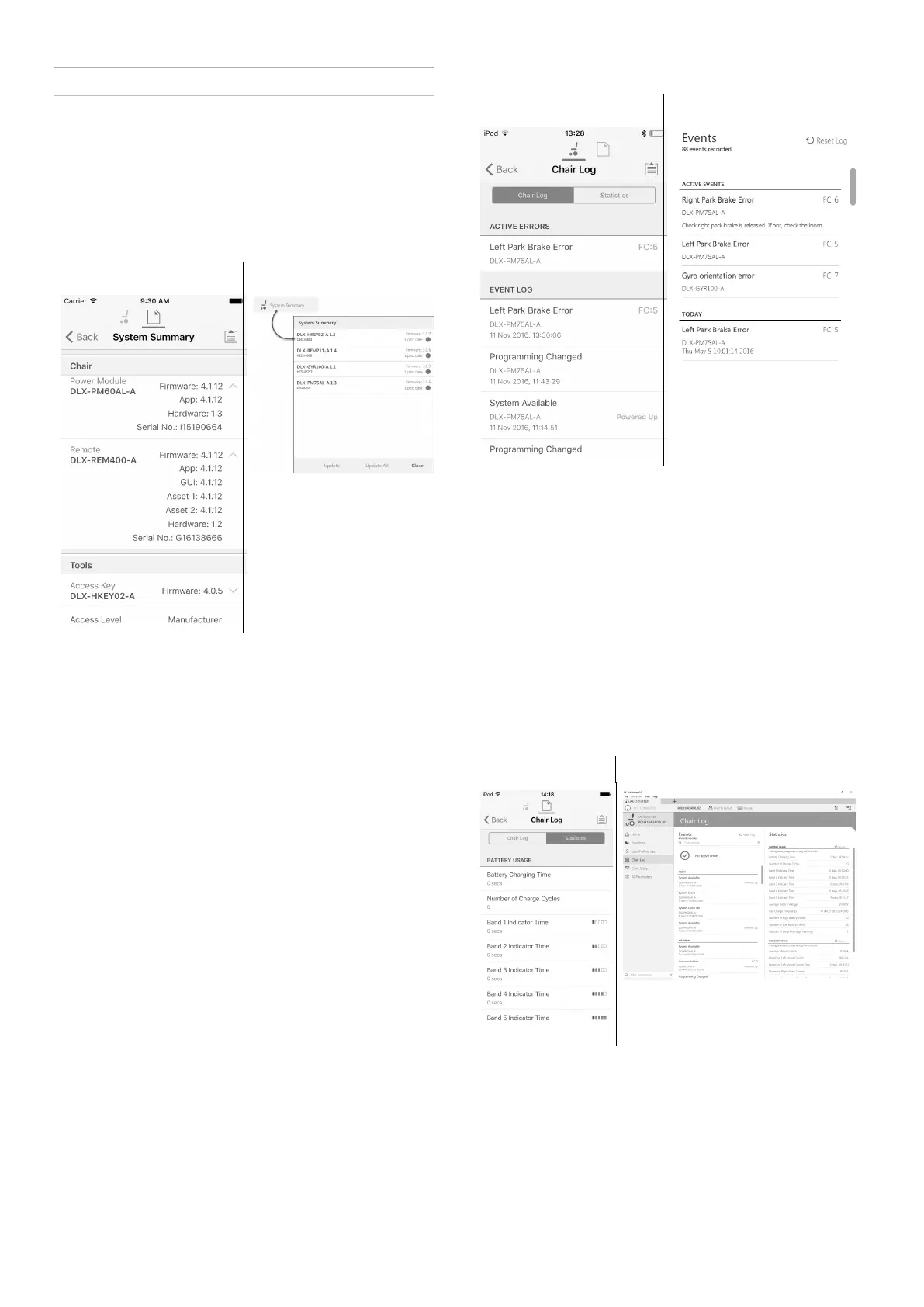
ClickontheSystemSummarybuttontoviewtheSystem
Summaryscreen.
TheSystemSummaryscreendisplaysdetailsofthe
system’sconnectedmodules,suchas:
•Connectedmodules
•Modulesoftwareversion
•Moduleserialnumber
•AccessLevelofLiNXAccessKey
ClickonBackorClosebutton,toexittheSystemSummary.
11.2ViewingActiveErrors
iOStoolPCtool
ClickontheActiveErrorsbuttontoviewwhicherrors,
ifany,arecurrent.Eachentryinthislogdisplaysthe
error,itsashcode(e.g.FC5)andthecomponentwhere
theerroris.Clickontheerrorentrytorevealanerror
descriptionwithmorehelpfulinformationabouttheerror .
ClickonBackorClosebuttontoexitActiveErrors.
11.3ViewingChairStatistics
GotoChairLogtoviewacomprehensivelistofcurrent
systemstatistics.Thechairstatisticsaredividedintothe
followingsections:
•Batteryusage
•Drivestatistics
iOStoolPCtool
Fig.11-1
Fig.11-2
ReadingBatteryUsage
Toviewmoreinformationaboutabatterystatistic,click
onastatisticandahelpfuldescriptionisdisplayedinthe
localhelppanel.
Theavailablestatisticsaredetailedinthefollowingtable.
142
1605129-G












 To Next Page