PLDC01938
REVISION 00
01/06/2011
TECHNICAL DEPT.
Stavale
- date 05/09/2011
124/195
B4.1 Checking the detergent tank float switch
As well as indicating when the tank needs refilling by a message on the control panel
display and a buzzer, the detergent tank float switch also commands raising of the head
and stopping of the brushes via the control panel board (in programs P1, P2 and P3 only).
When the detergent tank has been refilled, to reset operation of the brush head and turn
off the alarms, switch the machine off by turning the key to position "0" (reset).
1
Move the machine onto a flat dry area of floor.
2
Make sure there is water in the tank (visible through the fill hole). About 20 litres of water are enough.
3
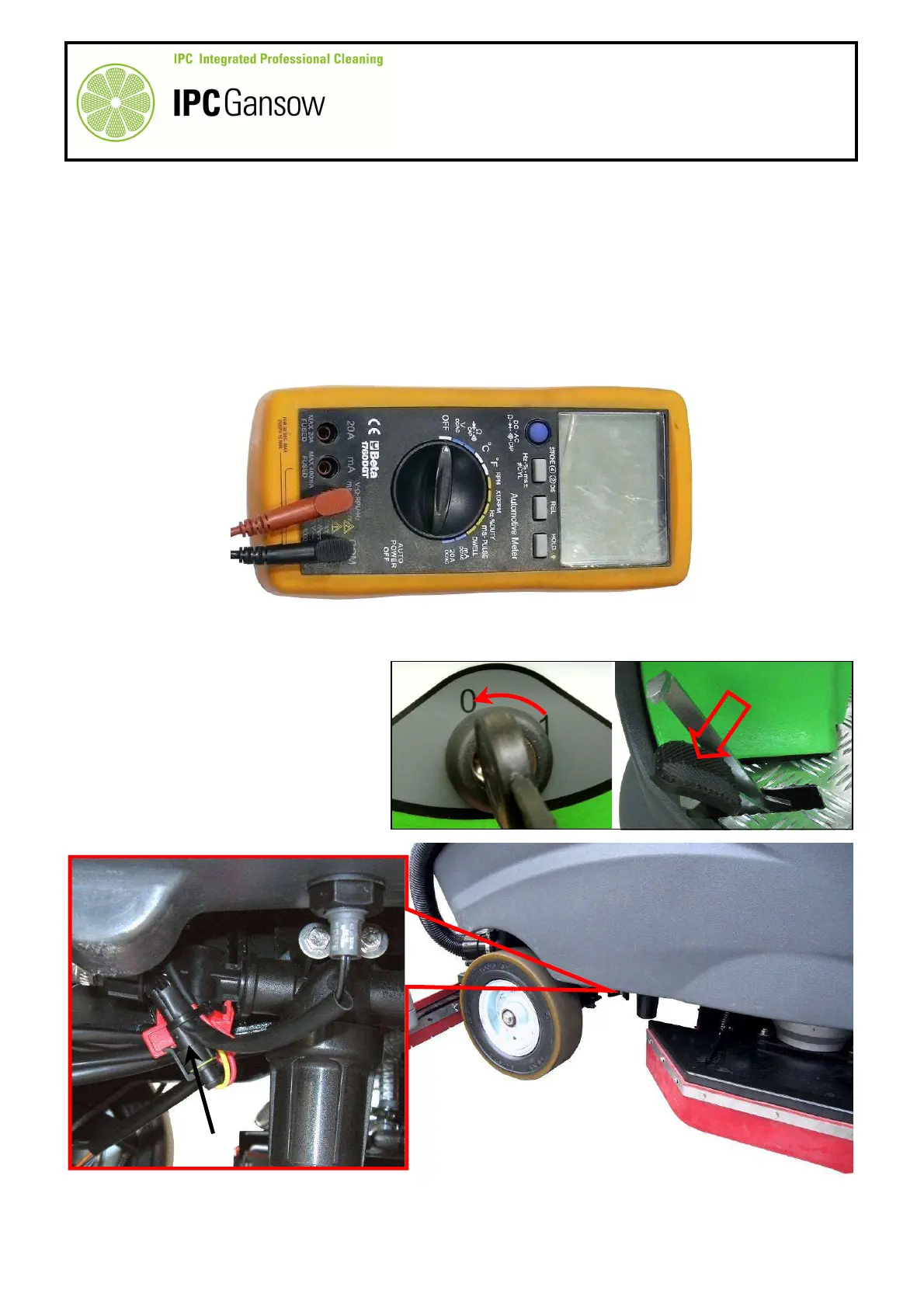
Obtain a digital multimeter with a continuity measurement function, see photograph below.
4
Turn the machine off and press the pedal to put the parking brake on.
5
Identify the location of the float switch (sensor) mounted at the bottom right of the detergent tank.
6
Disconnect the float switch connector
A from the main wiring.
PHOTO 267
PHOTO 265
PHOTO 266


 To Next Page