PLDC01938
REVISION 00
01/06/2011
TECHNICAL DEPT.
Stavale
- date 05/09/2011
4/195
7
To save the new settings, keep button C pressed until the battery voltage is displayed.
8
Press the display button C again for at least 10 seconds until the first selectable parameter, the language, is
displayed.
9
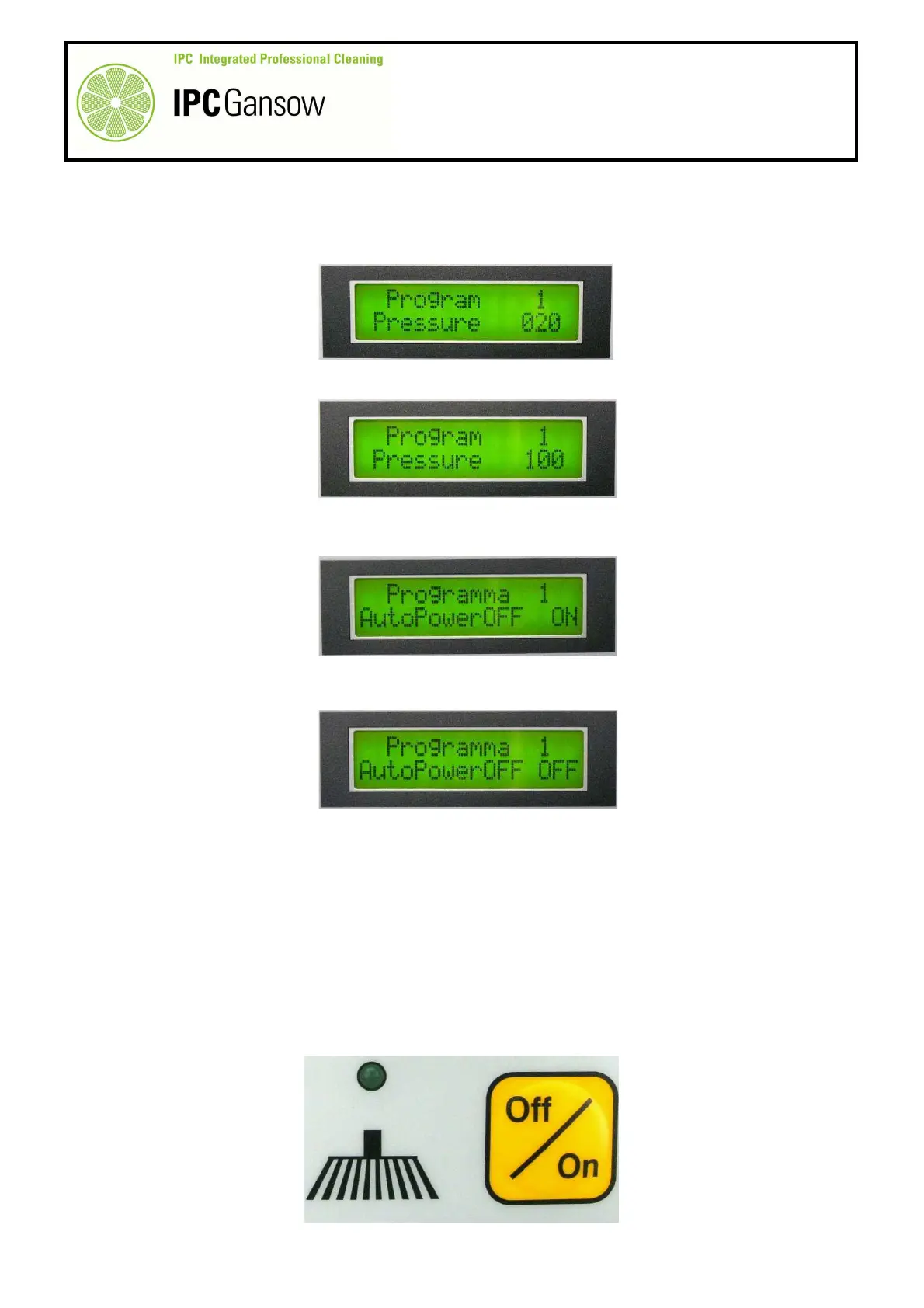
Press the display button C to scroll through the selectable parameters until you reach "Program 1 Pressure
0X0". The default setting is 020 = 20%.
10
Press the "+" and "-" buttons D to set the pressure value to maximum: 100 = 100%.
11
Press the display button C again to continue scrolling through the menu until you come to: "Program 1
AutoPowerOFF ON".
12
Press the "+" and "-" buttons D to change the setting from "ON" to "OFF"
13
Keep the display button C pressed for a few seconds to save the new settings.
For practical reasons, AutoPowerOff is disabled to allow the brushes to be used independently
from the drive. With AutoPowerOff enabled (ON), the brushes are connected to the accelerator
pedal and each time the accelerator pedal is released, the brushes stop operating after a delay of
about 5 seconds.
It was decided to vary the Program 1 settings in order for these settings to be called up by the
manual operation buttons, the brush button E and the suction motor button. In short, when the
brush button E is pressed, all Program 1 settings are called up and the brushes operate with
these settings.
PHOTO 8
PHOTO 9
E


 To Next Page