11 Device manager
110
Program section
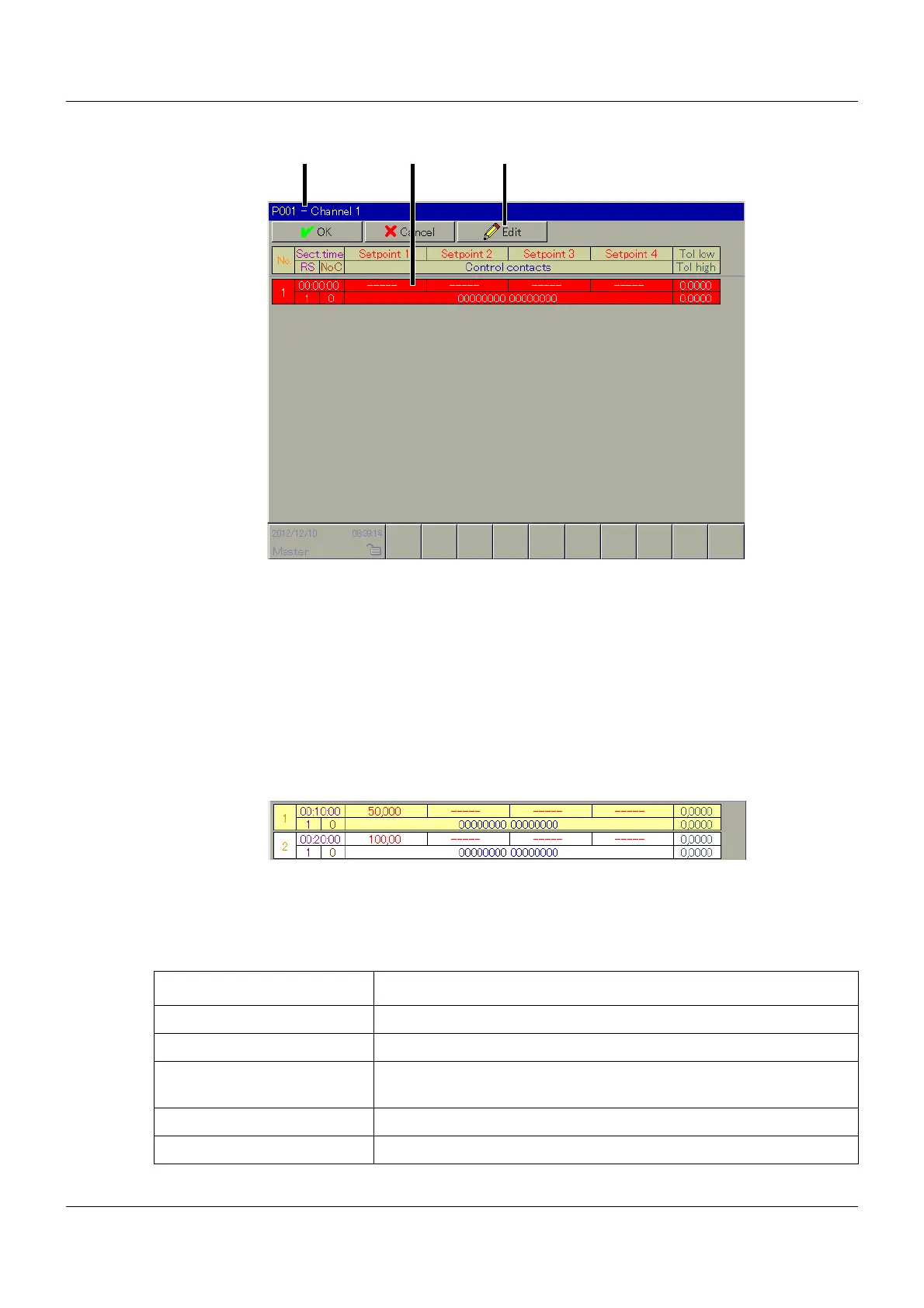
Program name and program channel
Display of the program name and the program channel.
Program section
The user can enter the section data by touching this section. When the section is marked red,
there is an entry error or required data is missing. If all data is available and entered correctly,
every section will be alternately displayed with a yellow or white background.
Chapter 11.3.3 "Section data", page 111
Edit function
The following edit functions are available:
(1) Program name and program channel (2) Program section
(3) Edit functions
Function Explanation
Program header Edit program header.
Copy channel Copy sections of the current program channel to the cache.
Replace channel Overwrite current program channel with data from the cache.
If this function is not available, there is no data present in the cache.
Delete channel Delete sections of the current program channel.
Copy program Copy data from the current program to the cache.



 To Next Page