177
13 Configuration
13.15 Serial interface
Each serial interface (Com1, Com2) can be executed with two different interface cards in the
multifunction panel (optional, see order details). One RS232 interface and one RS422/485 in-
terface are available. The type of interface card used is automatically identified by the multi-
function panel (hardware ID).
Chapter 1.4 "Identifying the device version", page 16
Both serial interfaces can be operated as a master or slave with the Modbus protocol (Modbus
RTU).
For more information on using the serial interface with the Modbus protocol, see:
Chapter 14.4 "Modbus frames for reading", page 212
Chapter 14.5 "Modbus frames for writing", page 213
For more information on using the serial interface with a barcode scanner, see:
Chapter 7.8.2 "Batch control via barcode scanner", page 71
Chapter 16.3 "Barcode", page 269
Communication via Modbus is described in more detail in the separate Modbus interface de-
scription (B 705060.2.0).
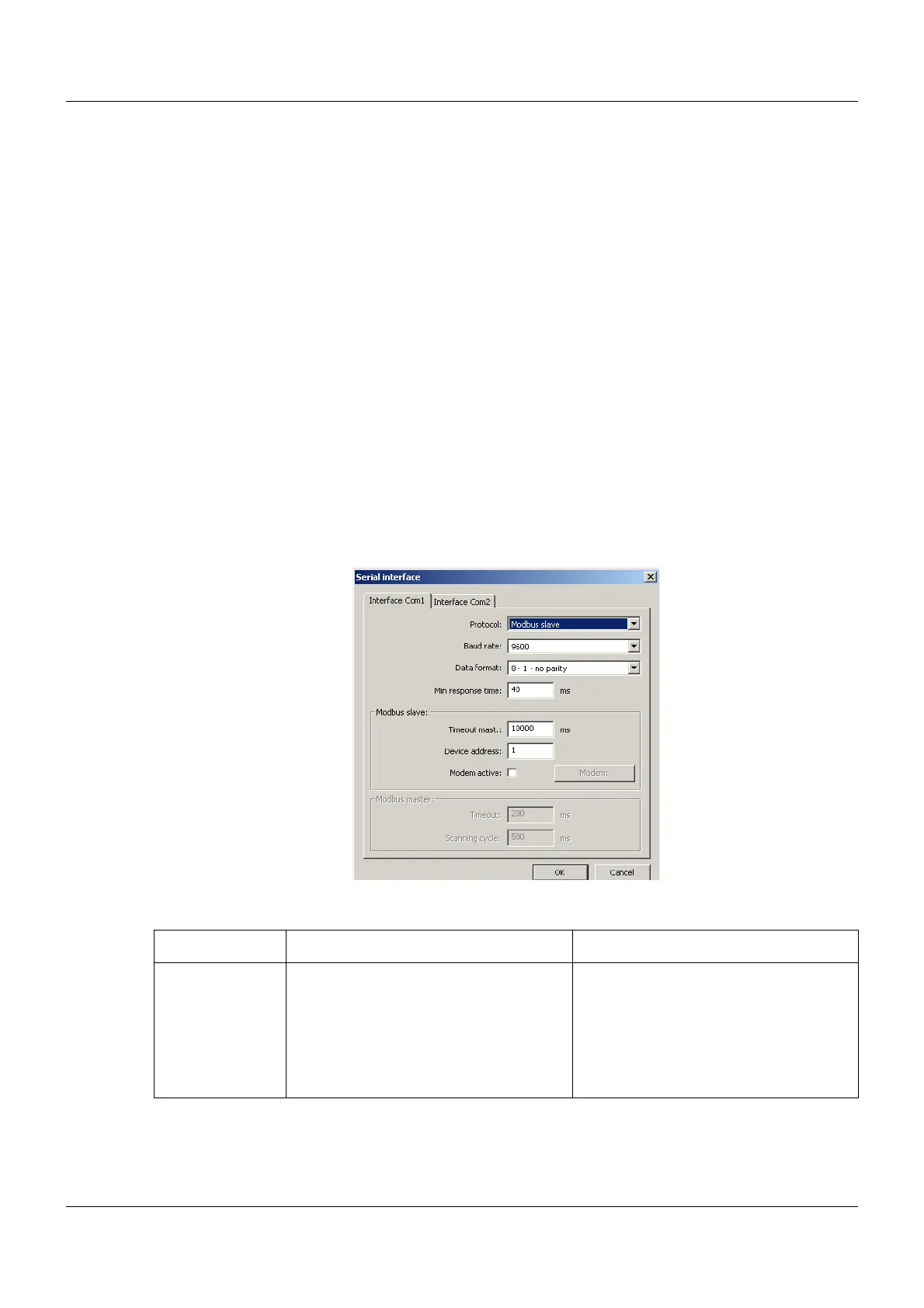
Setup dialog
Parameter
Parameter Selection/settings Description
Protocol Modbus slave Modbus RTU (multifunction panel as
Modbus slave)
Modbus master Modbus RTU (multifunction panel as
Modbus master)
Barcode A barcode scanner should be operated
on the interface.



 To Next Page