67
7 Visualization
7.7 Reports
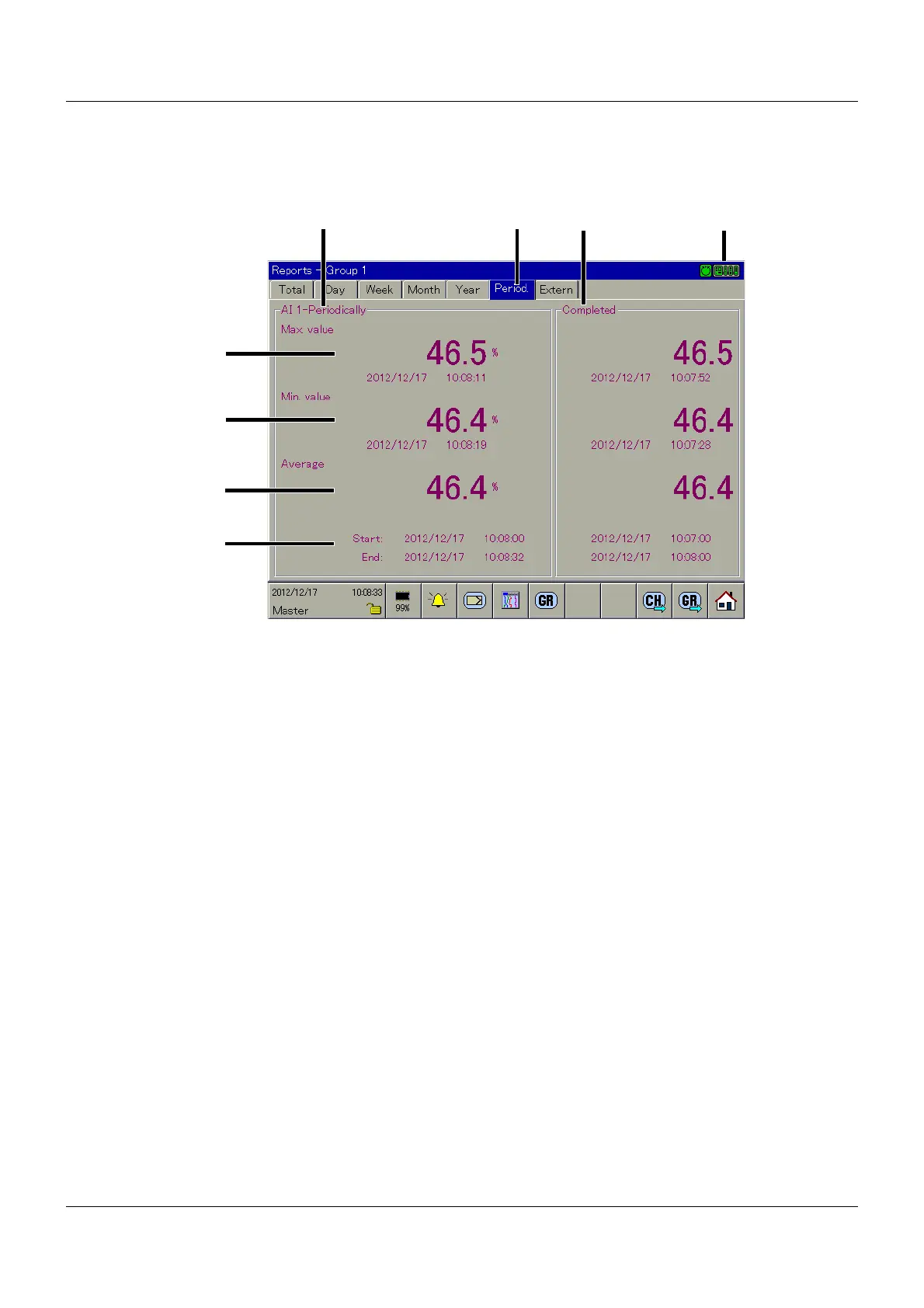
This lists every report on all of the analog channels in a group. Each group has its own config-
urable report.
Current report
The report data of the current capture period is displayed in this area. The title of the report is
composed of the channel name and the report type.
Type of report
This function is used to switch between the individual report types for the current channel. To
display a different report type, the user simply needs to touch the corresponding button (in this
example, from "Total" to "Extern").
Completed report
The report data of the previous capture period is displayed in this area.
Maximum
The current maximum value of the current capture period is displayed in this area. In addition
to the value and the unit, the date is also displayed.
(2)
(3)
(5)
(9) (10) (11) (12)
(4)
(1)
(6)
(7)
(8)
(1) Current report (2) Type of report
(3) Completed report (4) Communication status
(5) Maximum (6) Minimum
(7) Average (8) Period
(9) Group selection (10) Channel rotation
(11) Group rotation (12) Home button



 To Next Page