2 Description
30
2.7.2 Batch texts
How can something be edited?
Text left column
The text in the left column or the left half of the screen can be edited on the multifunction panel
and using the setup program.
Multifunction panel:
C
ONFIGURATION > HMI > BATCHES/PLANTS > BATCH 1 TO 9 > BATCH INFO 1 TO 10 > TEXT
LEFT
COLUMN
Setup program:
HMI > C
ONFIGURATION LEVEL > BATCHES/PLANTS > BATCH 1 TO 9 > BATCH INFO > BATCH
INFO
1 TO 10 > EDIT > TEXT LEFT COLUMN
Text right column
The text in the right column or half of the screen can be edited on the multifunction panel and
using the setup program.
Multifunction panel:
C
ONFIGURATION > HMI > BATCHES/PLANTS > BATCH 1 TO 9 > BATCH INFO 1 TO 10 > TEXT
RIGHT
COLUMN
and
C
ONFIGURATION > HMI > BATCHES/PLANTS > BATCH 1 TO 9 > BATCH INFO 1 TO 10 > FACTO-
RY SETTING
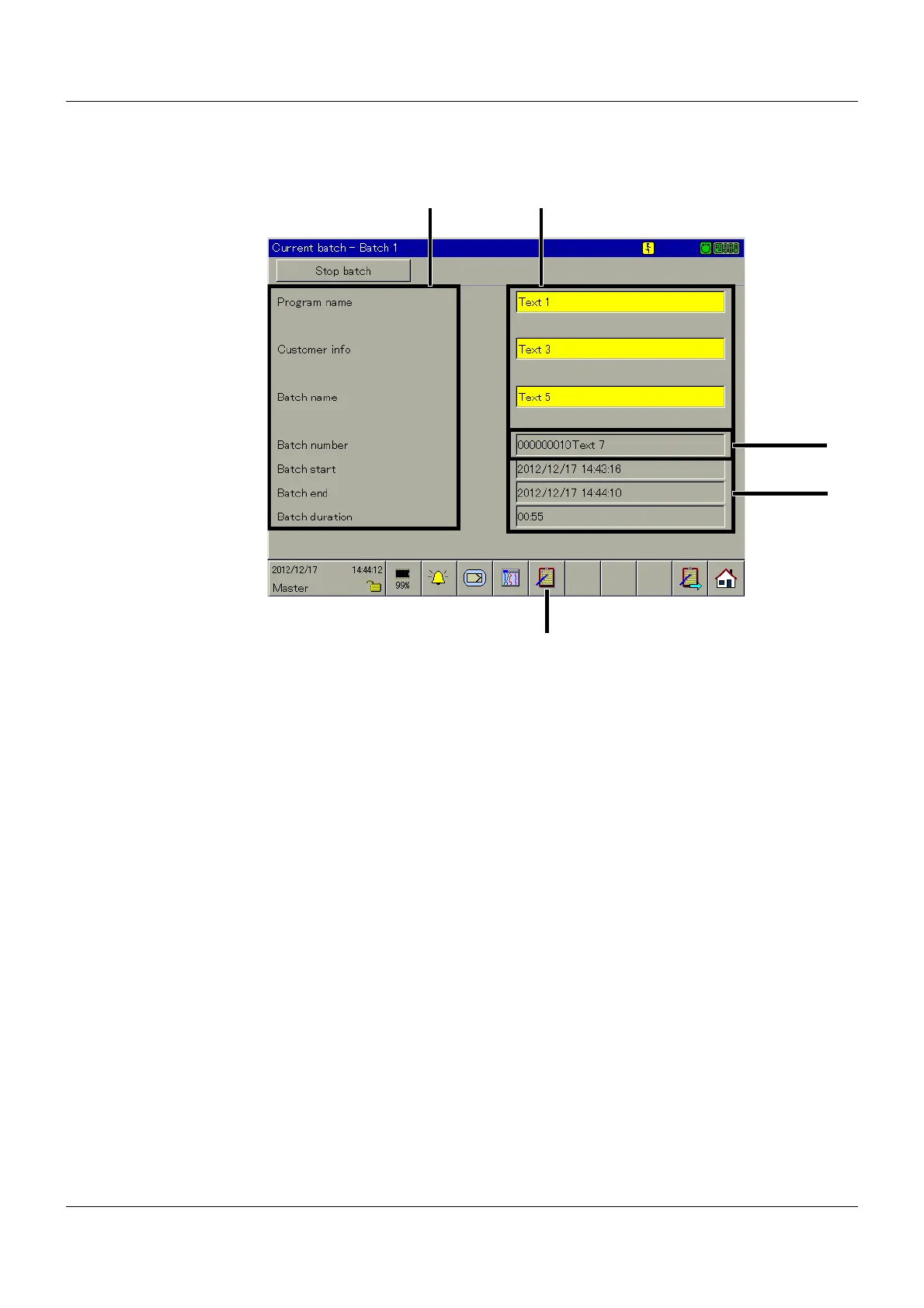
(1) Text left column (2) Text right column
(3) Batch number (4) Batch start, end, duration
(5) Batch selection



 To Next Page