13 Configuration
190
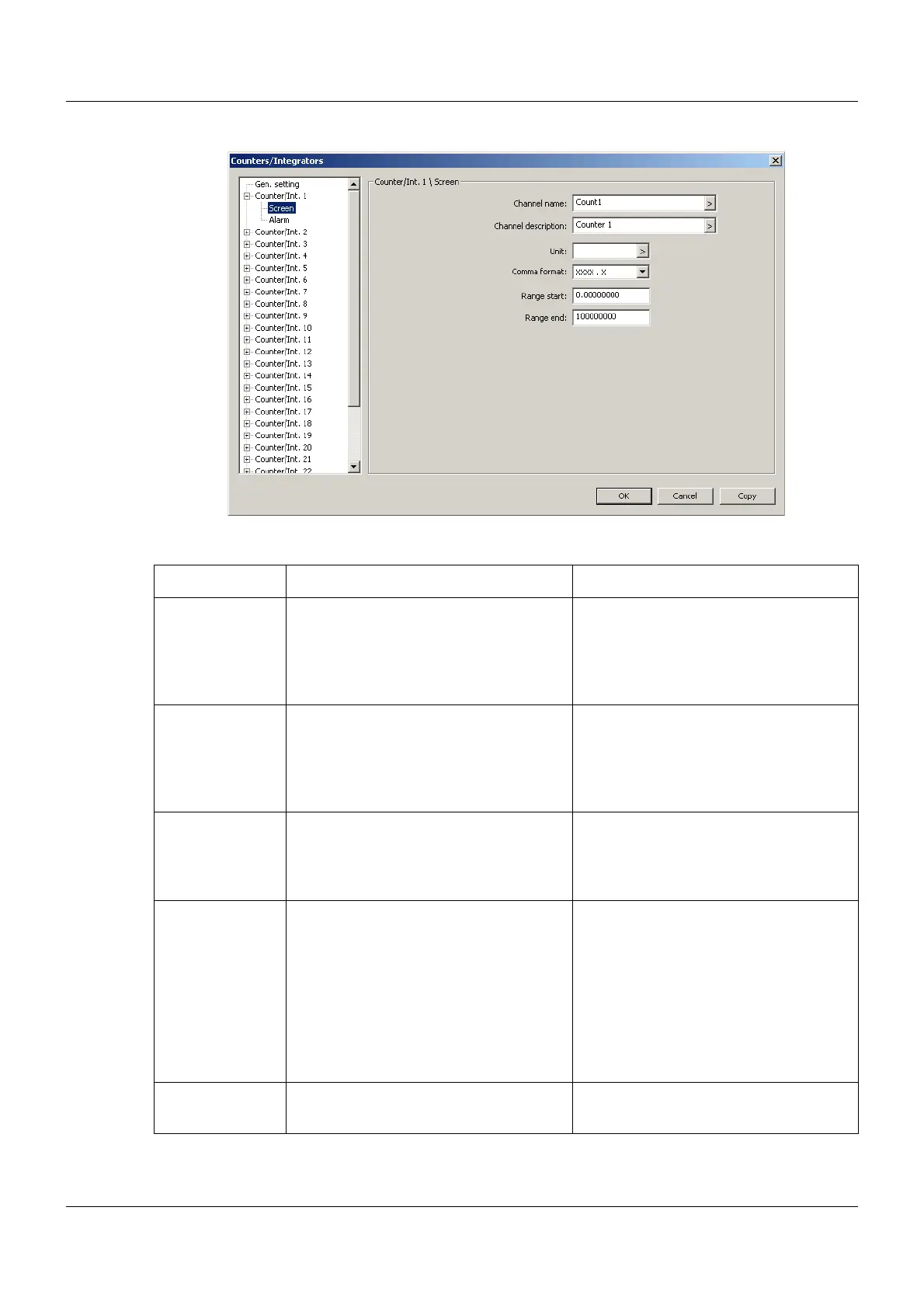
Setup dialog – Counter/Int. 1 to 27 – Screen
Parameter
Parameter Selection/settings Description
Channel name 7 characters (Count1) Brief designation of the counter/integra-
tor, with a max. length of 7 characters.
The channel name is displayed together
with the channel designation in the indi-
vidual visualizations.
Channel descrip-
tion
21 characters (Counter 1) Description of the counter/integrator,
with a max. length of 21 characters.
The channel description is displayed in
the individual visualizations together
with the channel name.
Unit 5 characters () Unit in which the counter or integrator
status is displayed.
The unit is displayed wherever the sta-
tus is displayed in numerical form.
Comma format XXXX.X The comma format determines the num-
ber of pre-decimal and post-decimal
places for the numerical display of the
counter or integrator status. If required,
the multifunction panel automatically
switches to a different format in order to
display all pre-decimal places.
First and foremost, all pre-decimal
places must be displayed.
Range start -999999999 to 0.00000000 to
999999999
Lower limit of the Bar graph display



 To Next Page