14 Configuration – in setup program only
226
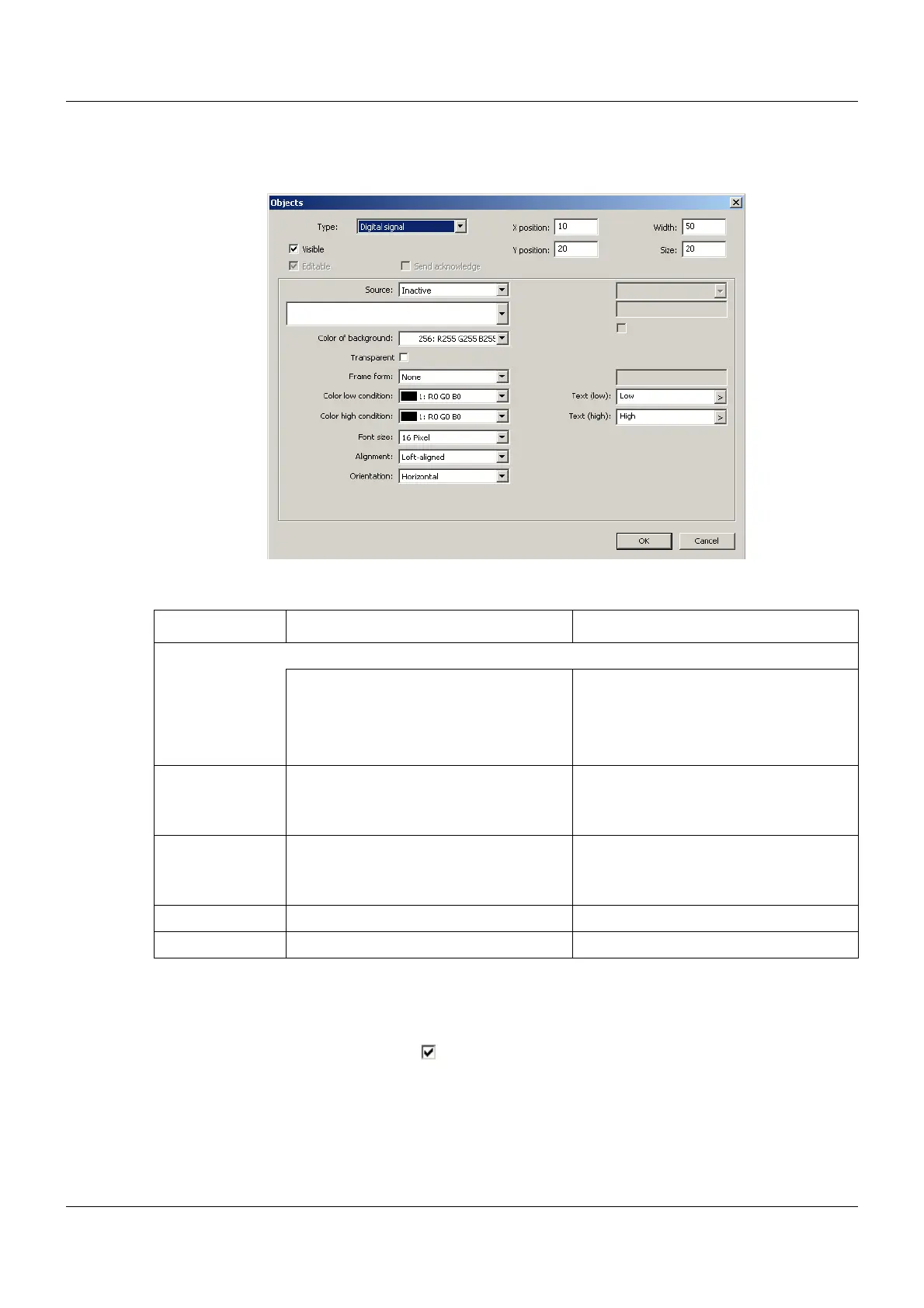
Digital signal
Setup dialog
Parameter
Colors for low condition and high condition (background color)
In order for the font to be visible, the foreground and background color must be different from
each another. If the "Transparent" setting is selected (), this applies with regard to the back-
ground color of the process screen.
Parameter Selection/settings Description
Source Digital signal whose status within the object is displayed via a text.
Inactive No signal selected.
(Text for low condition will be displayed.)
Select module and corresponding sig-
nal.
The signal must be of the "Binary" data
type.
Color low condi-
tion
Select color (drop-down menu). Font color (Text (low)) within the object
Color high condi-
tion
Select color (drop-down menu). Font color (Text (high)) within the object
Text (low) Enter text (or use default text). Text for low condition
Text (high) Enter text (or use default text). Text for high condition


 To Next Page