14 Configuration – in setup program only
240
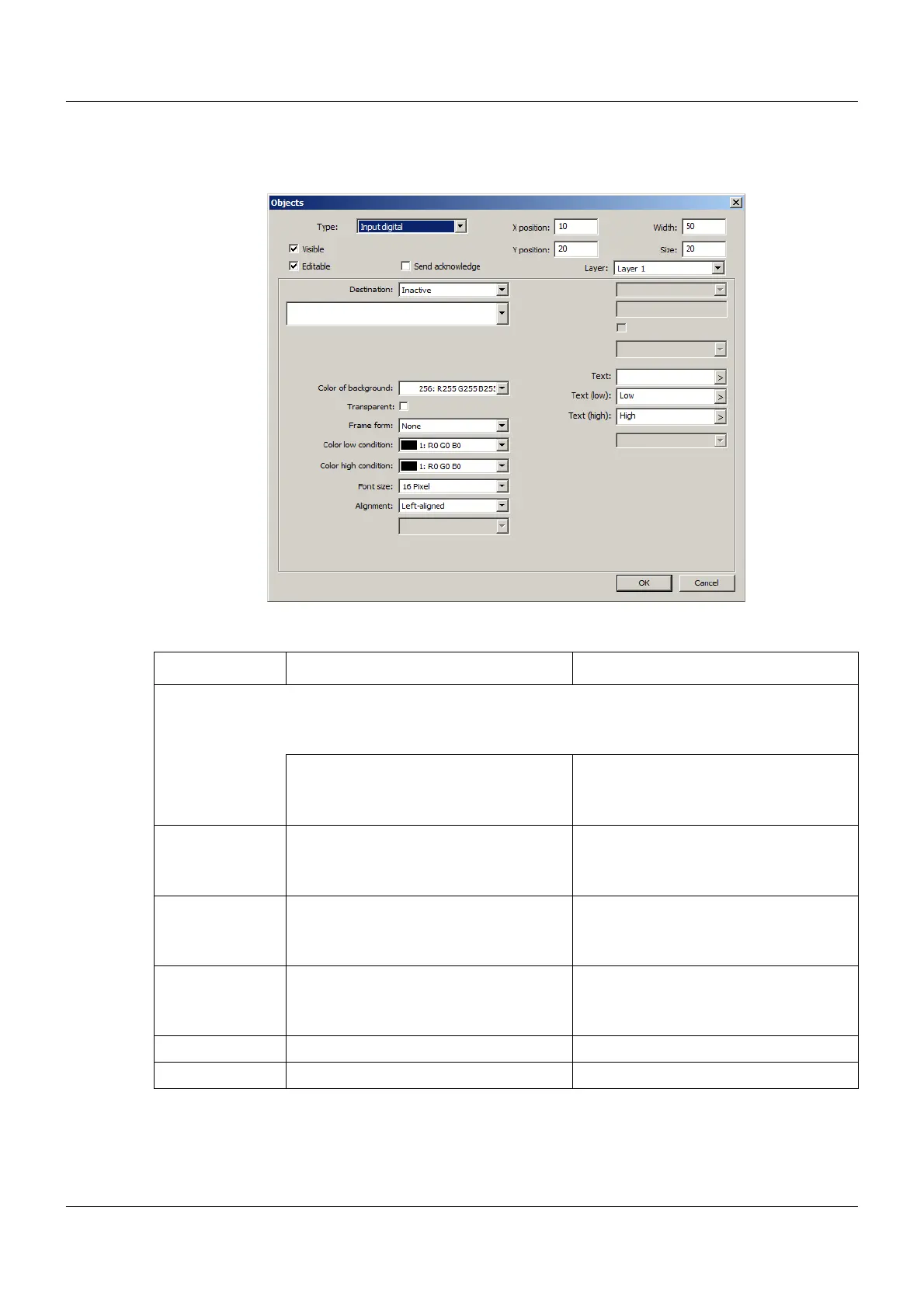
Input digital
Setup dialog
Parameter
Parameter Selection/settings Description
Destination Variable to which the value is written.
The value (Low, High) is determined by the selection of the corresponding text
(Text (low), Text (high)) in the process screen.
Inactive No variable selected.
Select module and corresponding vari-
able.
The variable must be of the "Binary"
data type.
Color low condi-
tion
Select color (drop-down menu). Font color (Text (low)) within the object
Color high condi-
tion
Select color (drop-down menu). Font color (Text (high)) within the object
Text
(as of system ver-
sion 03)
Enter text. The text appears in the title bar of the
input mask when the input object is
opened.
Text (low) Enter text (or use default text). Text for low condition
Text (high) Enter text (or use default text). Text for high condition


 To Next Page
 Loading...

