5 Operation
46
Diagram header
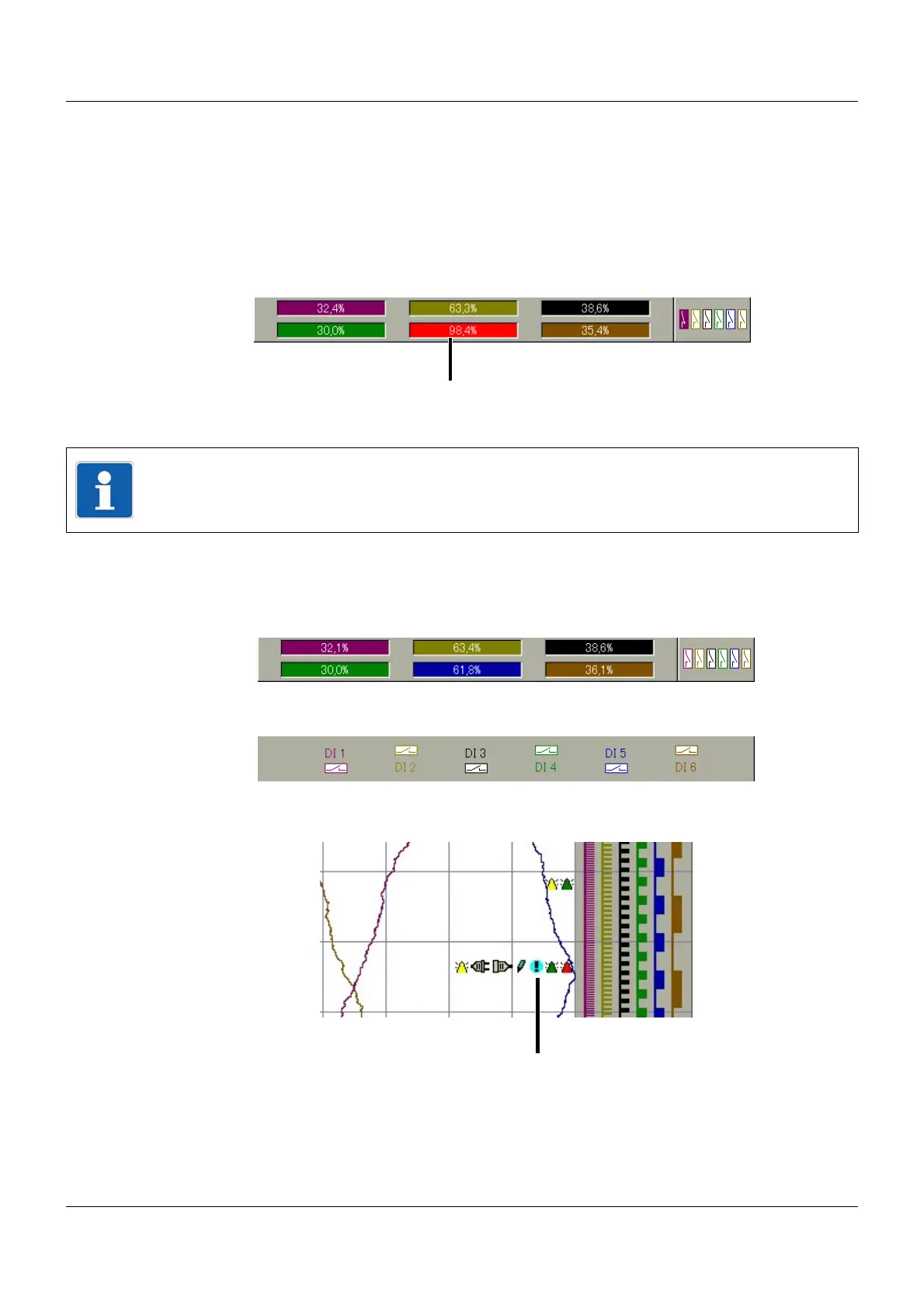
The diagram header (the numerical measured value display on the screen) is displayed directly
underneath the status and title line and is available in the following display types:
•Diagram
• History (of diagram display)
•Digital
The diagram header can be switched on and off.
Under History (for the diagram display), the user can switch between the min. and max. display
if the diagram header is switched on. Whether the min. and max. values are available simulta-
neously depends on the current operating mode setting of the group.
Diagram header in the Diagram visualization:
Diagram header in the digital visualization:
Diagram
In the area of the diagram (graphic measured value display), various symbols are displayed in
addition to the measurement data. Alarm diagrams are marked red or orange (this can be con-
figured using the setup program).
(1) Alarm
NOTE!
A channel alarm is marked orange (Alarm1) or red (Alarm2).
The colors can be configured in the setup program.
(1) Symbols



 To Next Page