Chapter 12: Qualification Reports
ValProbe RT User Manual 139
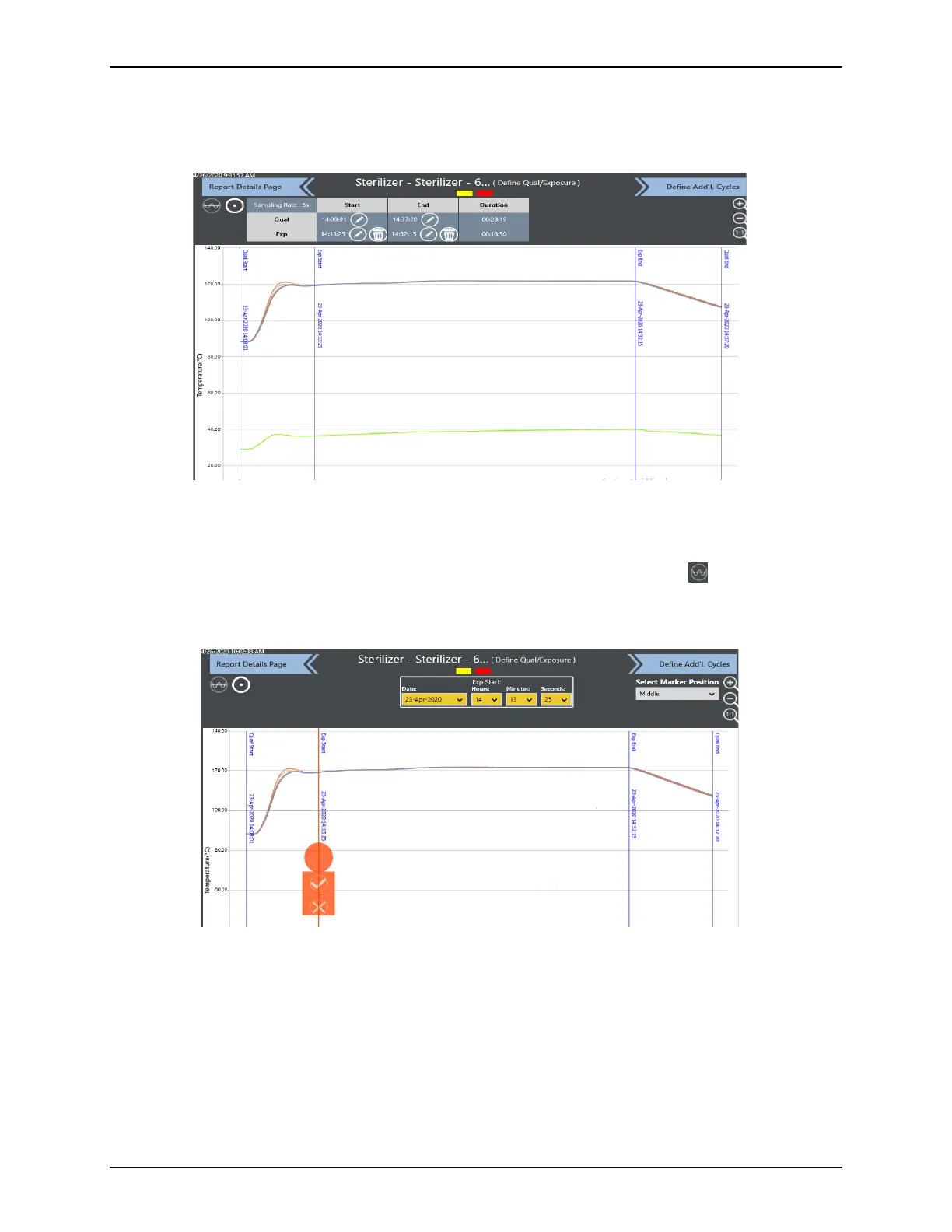
The existing Qual and Exposure times and duration are listed in the table above the graph. To
edit any of the times select the pen icon for the selected time to change. A pop-up window
opens for selection for Time Marker or Events to change the selected cycle time.
Figure 173: Mark Cycles Screen
Selecting Time / Marker displays a line marker. The time can be changed manually by using
the dropdown from the time box or via the marker by sliding the line to the selected time and
select the Checkmark. Options such as the Zoom icons, adding Limit Lines or Selecting
the Marker Position, improve the ability to accurately edit times. The process can then be
repeated for any necessary edits to Qual / Exposure times.
Figure 174: Mark Cycles Using Time / Marker
In the edit Cycle dropdown box select Events to select an existing event or create a new
event.



 To Next Page