Chapter 12: Qualification Reports
ValProbe RT User Manual 140
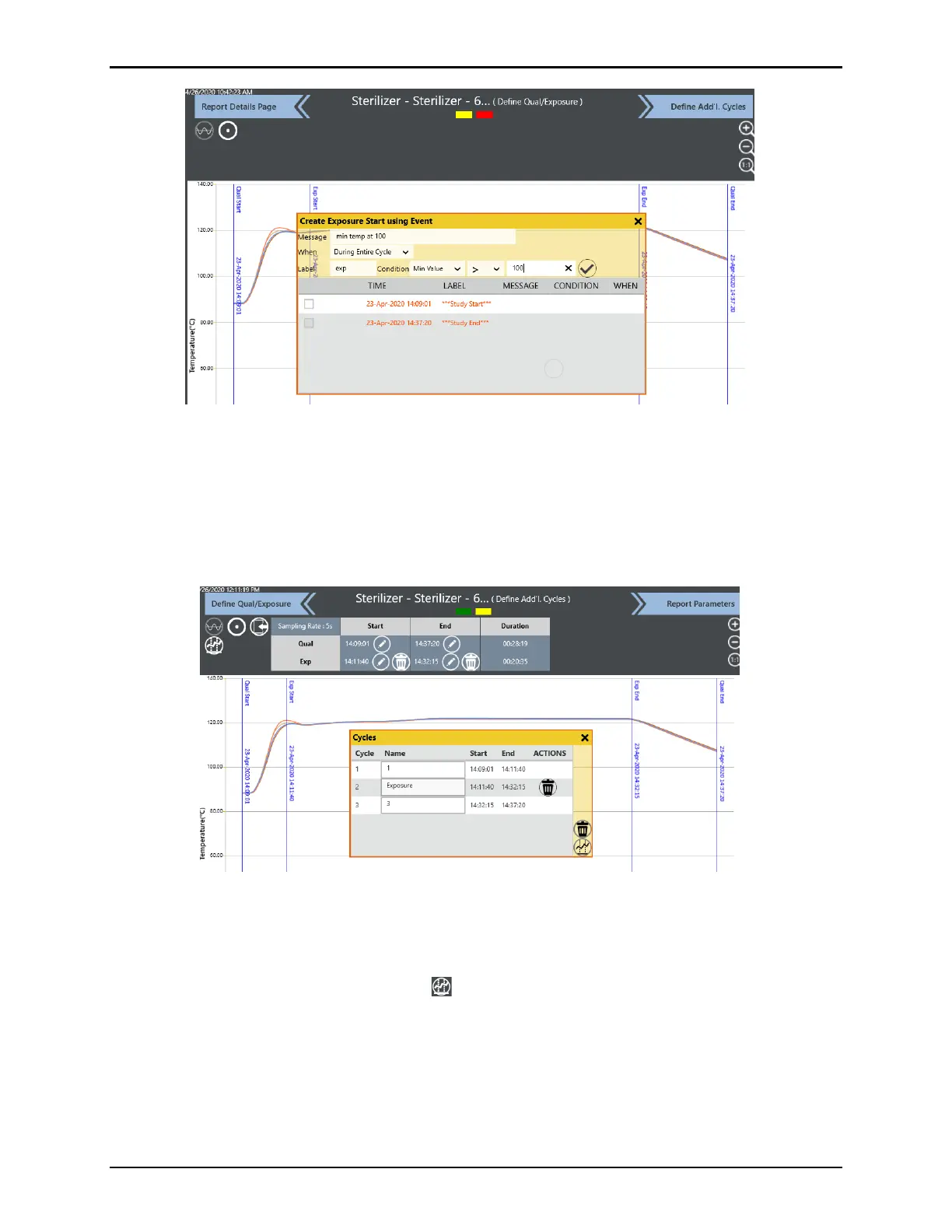
Figure 175: Mark Cycles Using Events
If creating a new event, the User can specify a message which appears in the Detailed Report
and in the graph. The User can also specify "When" which defines when the event occurs, as
well as a “Label” and the condition for the event (e.g., min temp > 100˚C). When all details are
entered, select the Checkmark and the selected time is marked
With all edits to the Qual / Exposure times complete, select Define Additional Cycles.
Figure 176: Define Additional Cycles screen
The Define Add’L Cycles screen is utilized if additional cycles, other than Qual and
Exposure, need to be defined. If no additional cycles need to be defined, select Report
Parameters at the top of the screen to proceed to the next step. The system allows up to 15
additional cycles to be defined. Select the button at the top right of the screen to navigate
to the Cycles window. The method and functionality for defining cycles is the same as defined
in Exposure Start / End.



 To Next Page