Chapter 2: Kaye ValProbe RT Hardware
ValProbe RT User Manual 22
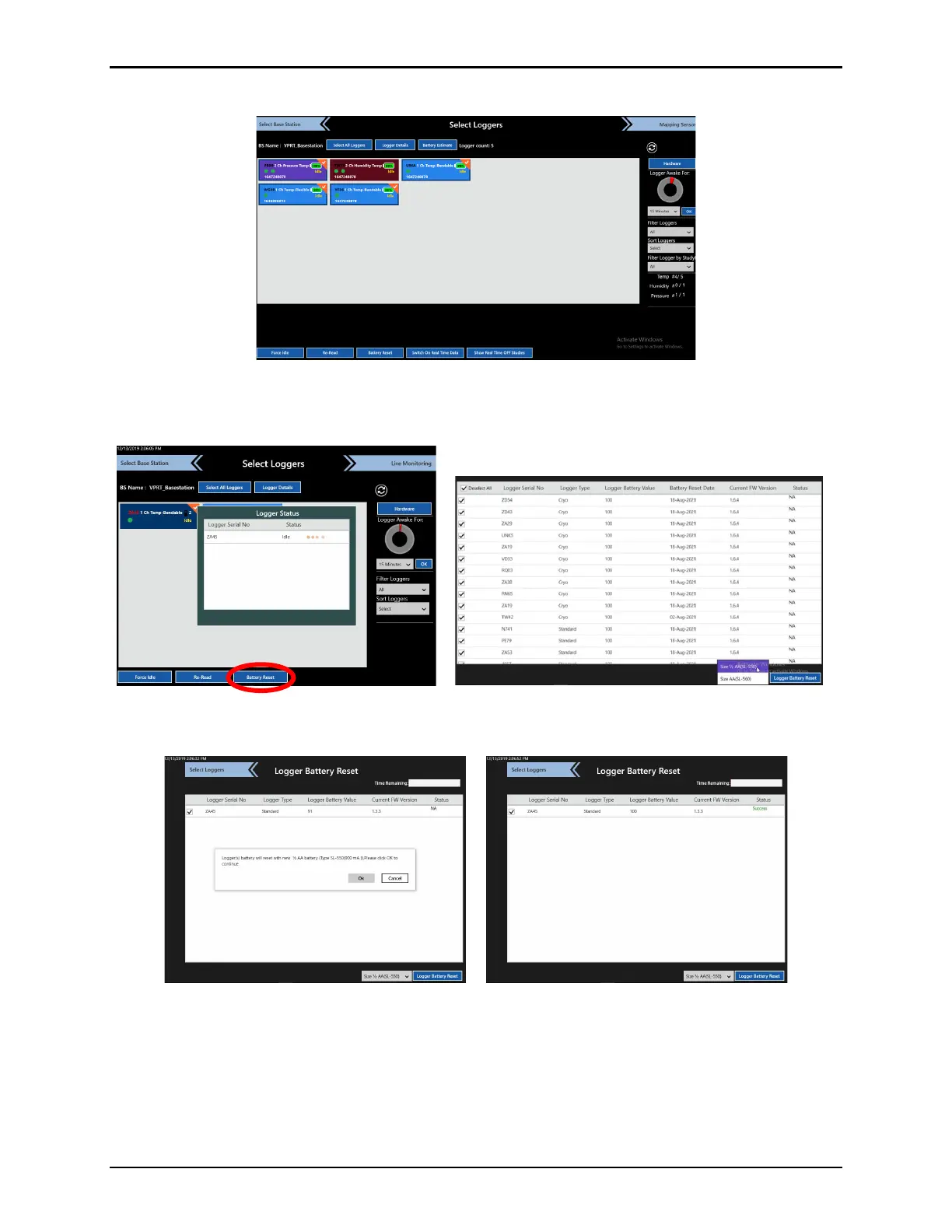
• From the Logger Configuration screen, select the Loggers and then Battery Reset.
Figure 28: Select Loggers
• Once the Loggers Status window displays, select the Loggers to reset from the lower
left dropdown in the Logger Reset screen, and select Battery Reset.
Figure 29: Logger Battery Reset
• Select OK when prompted to continue the battery reset and then enter User
credentials.
Figure 30: Logger Battery Reset Prompt
• When all Logger battery resets are complete, ensure that their status displays Success
in the Status column.



 To Next Page