Chapter 3: ValProbe RT System Connections
ValProbe RT User Manual 34
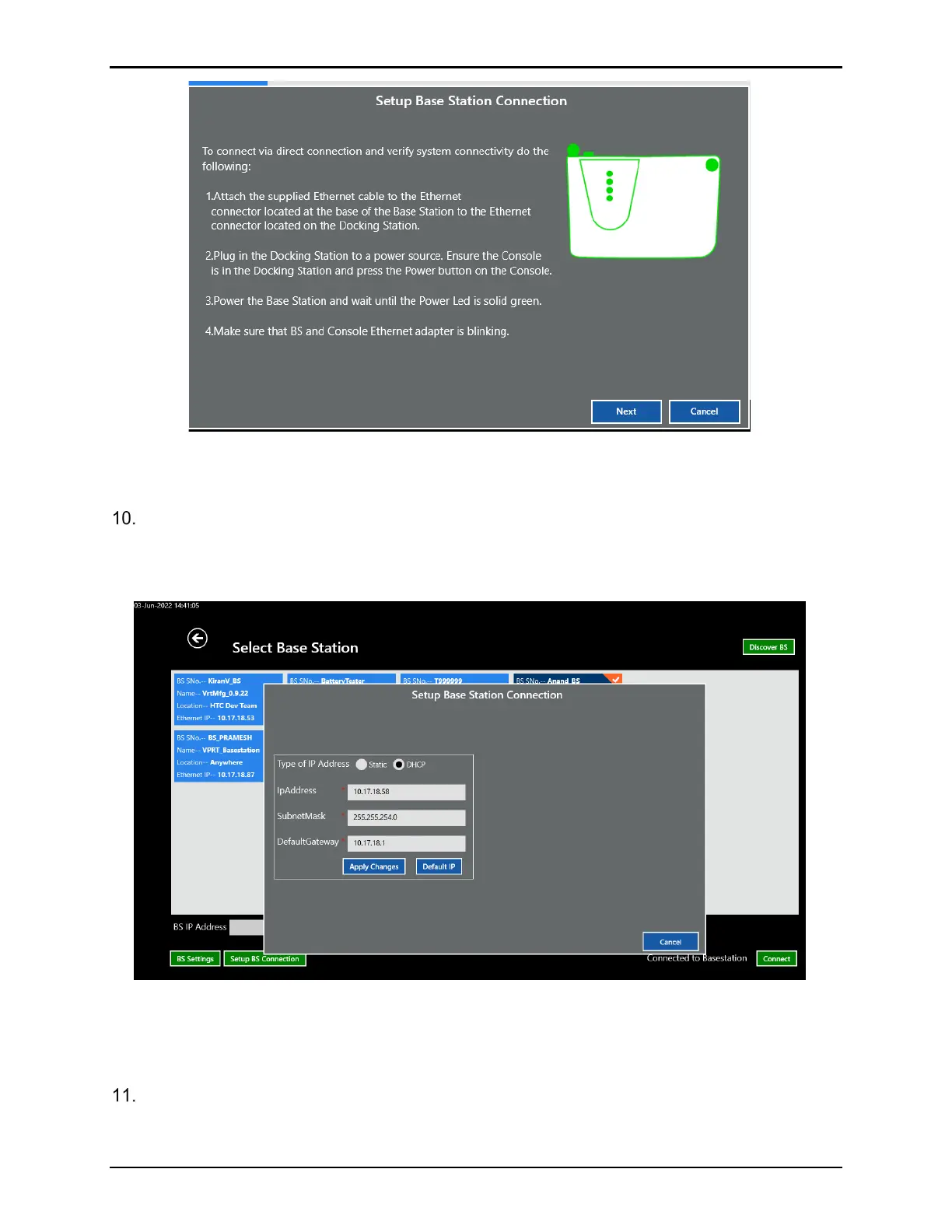
Figure 46: Setup Base Station Connection
Note: If the problem persists, contact technical support.
Once the Base Station is discovered and selected the BS Settings offers additional
customization of your Base Station. These settings are typically set once based on desired
connectivity mode. Any changes to these fields are sent to the Base Station and stored in
memory.
Figure 47: Setup BS Connection
Note: To ensure changes are implemented, select Apply Changes to save any
changes.
When completed, select the X to return to the Select Base Station screen.



 To Next Page