Chapter 4: Initial ValProbe RT Software Setup
ValProbe RT User Manual 43
(LDAP - “Lightweight Directory Access Protocol”, is a software protocol that stores and
arranges data to make it easily searchable. Microsoft uses this for their Active Directory™*
system.)
Enter your Administrator User ID and Password provided by your company in the
designated boxes.
Enter your company’s Domain Name, contact your IT department if you require
assistance getting the correct domain name.
Using the dropdown select the Authentication Type, contact your IT department if you
require assistance getting the correct authentication type.
Enter the Port number to connect to your Active Directory*, contact your IT department if
you require assistance getting the correct port number.
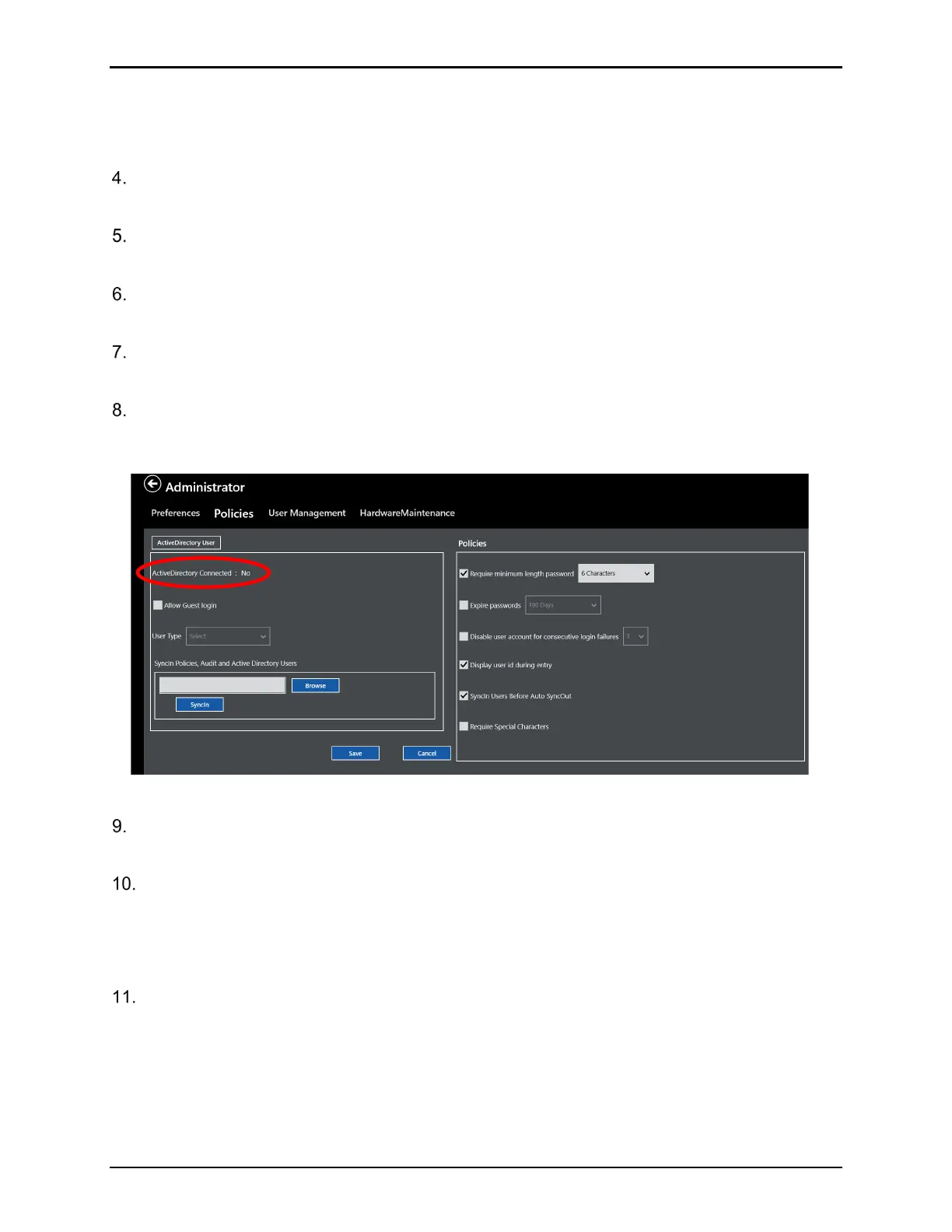
When completed press Connect. If communication with the domain was successful,
ActiveDirectory Connected displays Yes. If connection failed, contact your IT department,
and retry.
Figure 57: Active Directory* Connected
If desired, select Allow Guest Login to allow any Active Directory™* users that are not
members of configured groups to login with the selected privileges
Once the Active Directory™* parameters have been defined and connection has been
established, select Save to save settings.
Note: With Active Directory™* enabled, all local security policies are greyed out as all
security policies follow company domain policies.
Proceed to the User Management screen to define Administrator Active Directory™*
Groups and permissions.



 To Next Page