Chapter 4: Initial ValProbe RT Software Setup
ValProbe RT User Manual 52
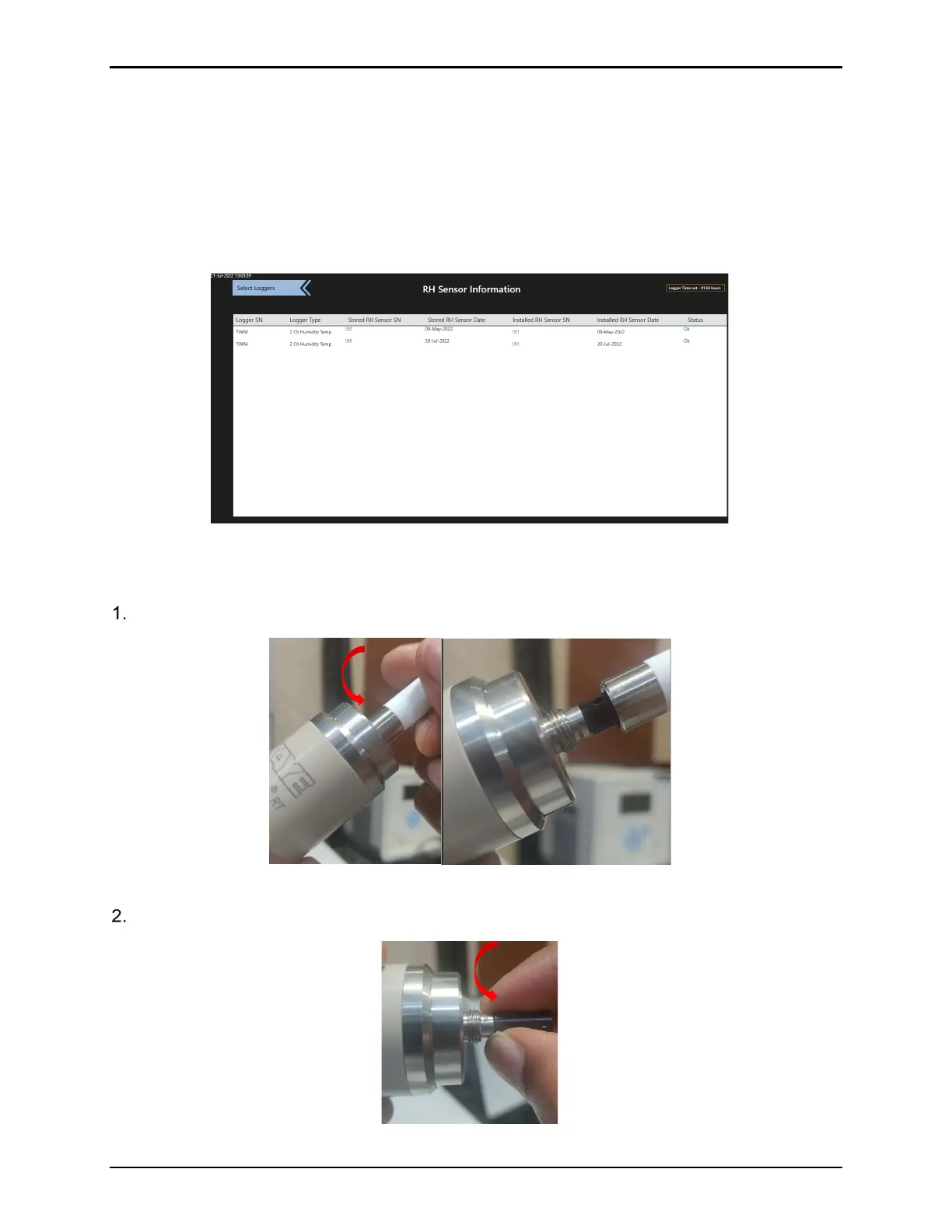
RH Sensor Information Screen
The ValProbe RT Temp / Humidity Logger has a digital T/H sensor with its own serial number.
The Logger and sensor work as unit and are excluded from qualification studies if the sensor
serial doesn’t match the serial number stored in the Logger memory. The Logger and sensor
serial numbers can be verified in the RH Sensors Screen to correct mismatches that could
happen e.g., after use of extension cables were loggers and sensors were accidentally
changed.
Figure 67: RH Sensor Information
Opening a Logger and Connecting an Extension Cable
Unscrew the PTFE filter cap (rotate counterclockwise).
Figure 68: Unscrewing the Filter Cap
Remove the sensor module, rotate counterclockwise as per the figure below.
Figure 69: Removing the Sensor Module



 To Next Page